AI Crawl Control now provides enhanced metrics and CSV data exports to help you better understand AI crawler activity across your sites.
What’s new
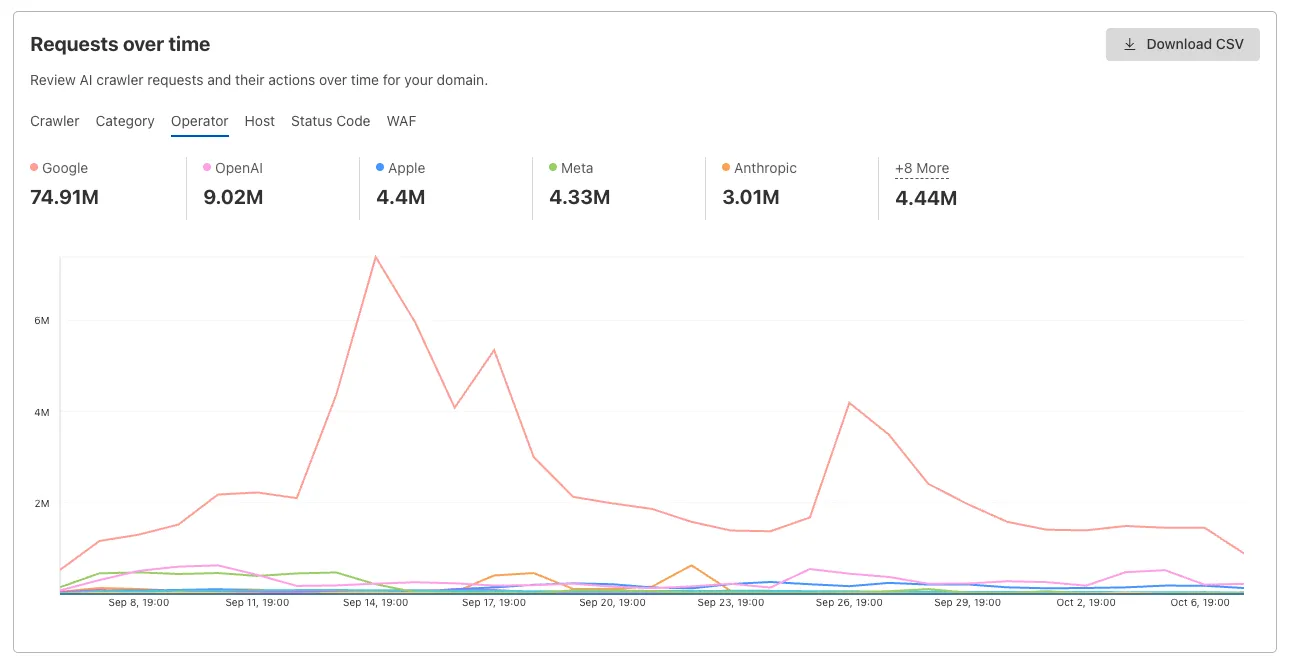
Track crawler requests over time
Visualize crawler activity patterns over time, and group data by different dimensions:
- By Crawler — Track activity from individual AI crawlers (GPTBot, ClaudeBot, Bytespider)
- By Category — Analyze crawler purpose or type
- By Operator — Discover which companies (OpenAI, Anthropic, ByteDance) are crawling your site
- By Host — Break down activity across multiple subdomains
- By Status Code — Monitor HTTP response codes to crawlers (200s, 300s, 400s, 500s)
Analyze referrer data (Paid plans)
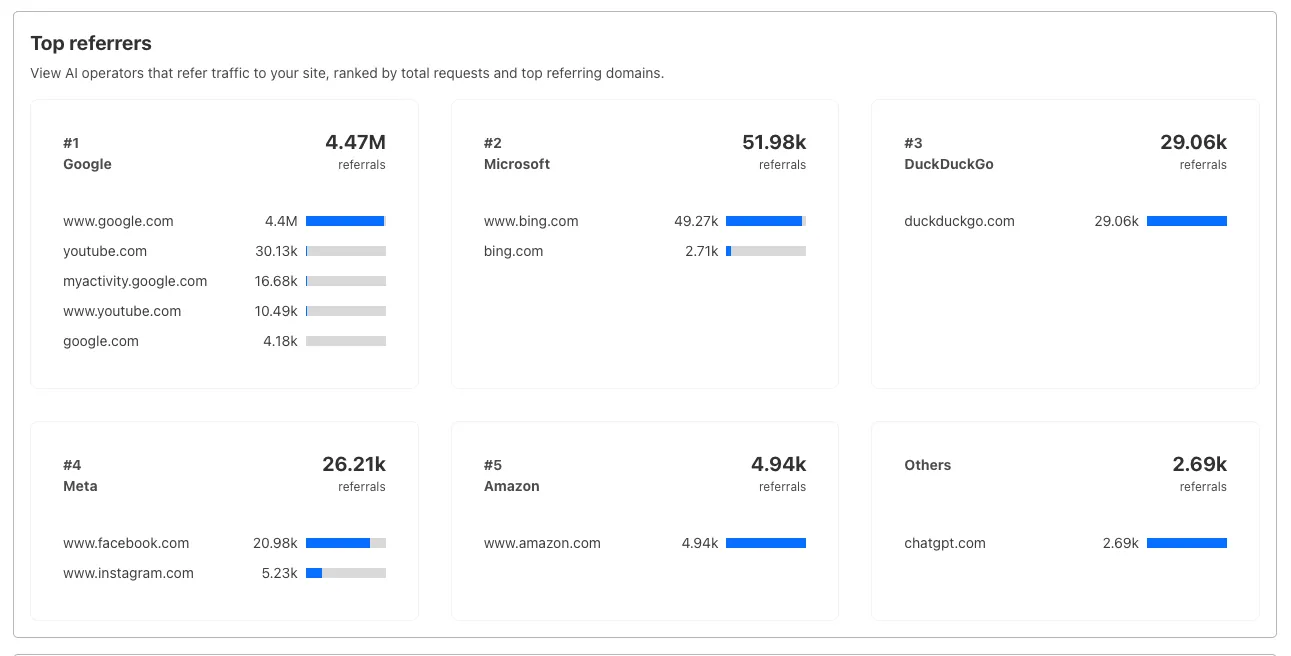
Identify traffic sources with referrer analytics:
- View top referrers driving traffic to your site
- Understand discovery patterns and content popularity from AI operators
Export data
Download your filtered view as a CSV:
- Includes all applied filters and groupings
- Useful for custom reporting and deeper analysis
Get started
- Log in to the Cloudflare dashboard, and select your account and domain.
- Go to AI Crawl Control > Metrics.
- Use the grouping tabs to explore different views of your data.
- Apply filters to focus on specific crawlers, time ranges, or response codes.
- Select Download CSV to export your filtered data for further analysis.
Learn more about AI Crawl Control.
Source: Cloudflare
Latest Posts
- Amazon Managed Grafana now supports creating Grafana 13.2 workspaces

- AWS Parallel Computing Service now supports scaling logs
- AWS IAM Identity Center Identity Store APIs now accept resource ARNs in addition to resource IDs
- AWS CLI now supports bulk skill updates and version checks for the Agent Toolkit for AWS