Workers Observability now includes a query language that lets you write structured queries directly in the search bar to filter your logs and traces. The search bar doubles as a free text search box — type any term to search across all metadata and attributes, or write field-level queries for precise filtering.
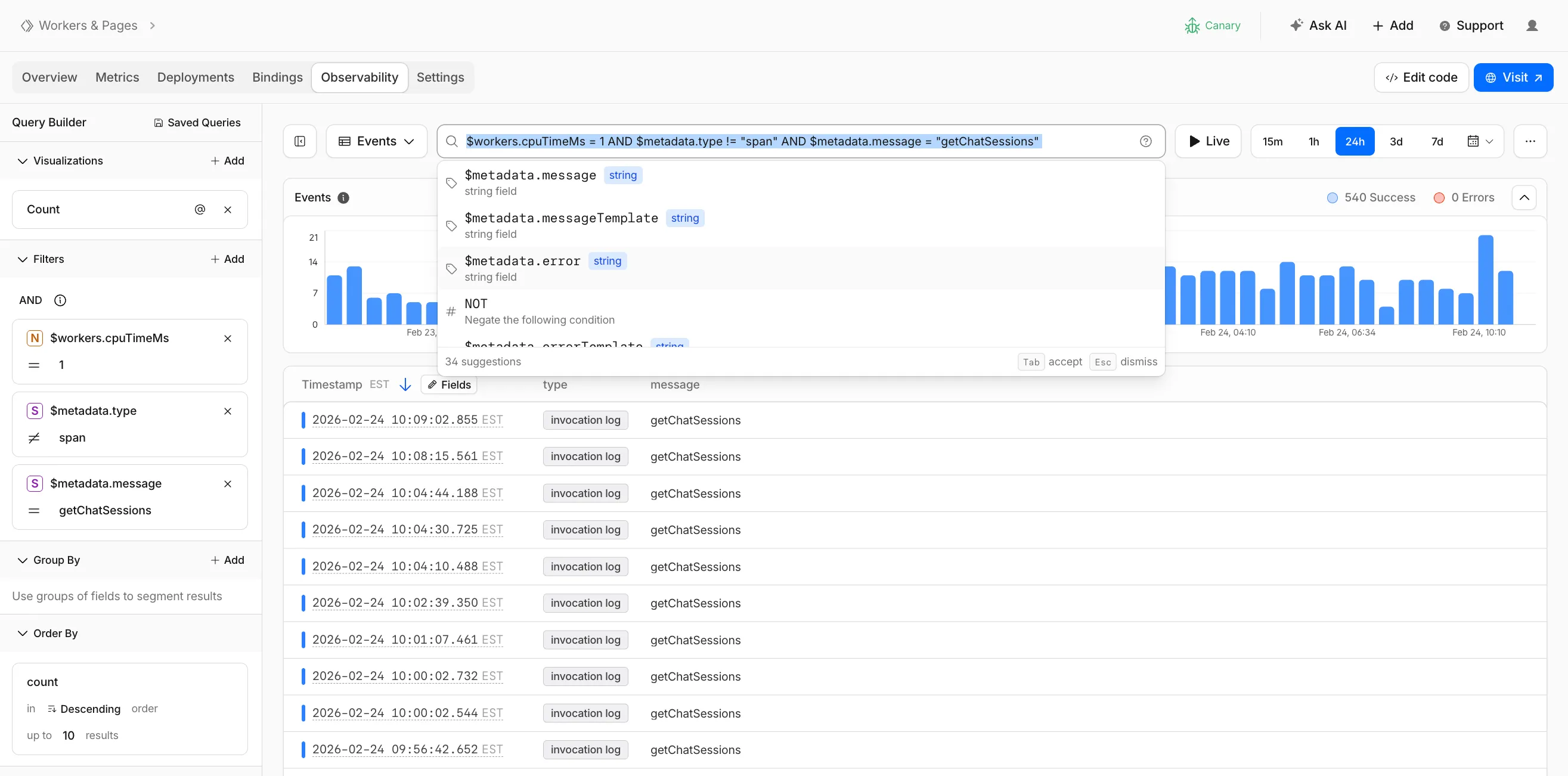
Queries written in the search bar sync with the Query Builder sidebar, so you can write a query by hand and then refine it visually, or build filters in the Query Builder and see the corresponding query syntax. The search bar provides autocomplete suggestions for metadata fields and operators as you type.
The query language supports:
- Free text search — search everywhere with a keyword like
error, or match an exact phrase with"exact phrase" - Field queries — filter by specific fields using comparison operators (for example,
status = 500or$workers.wallTimeMs > 100) - Operators —
=,!=,>,>=,<,<=, and:(contains) - Functions —
contains(field, value),startsWith(field, prefix),regex(field, pattern), andexists(field) - Boolean logic — add conditions with
AND,OR, andNOT
Select the help icon next to the search bar to view the full syntax reference, including all supported operators, functions, and keyboard shortcuts.
Go to the Workers Observability dashboard to try the query language.
Source: Cloudflare
Latest Posts
- Web Search on AWS Bedrock now supports domain filtering and user location controls

- MC1523076: Microsoft Teams Shifts Loop Meeting Notes Storage to Meeting Organizer’s OneDrive
- MC1523090: Microsoft Teams Adds Side Conversations in Meeting Chat
- MC1523086: Microsoft Teams Adds Alternate Text Support for OneDrive and SharePoint Images