Take a look and decide whether this affects your tenant, users or support teams.
Primary Audience
Why this score?
AT A GLANCE
END USERS
IT ADMINS
ROLLOUT TIMELINE
Late August 2026
📢 Official Microsoft Message Center Announcement
(Updated) Microsoft PowerPoint: Access your organization’s brand templates in PowerPoint
Message ID: MC1442612 (Updated)
Updated July 31, 2026: We have updated the timeline. Thank you for your patience.
[What and why]
To help users create presentations that are consistent with organizational branding, Microsoft is introducing access to brand templates directly from PowerPoint Backstage on Windows. This update enables users to discover and use brand templates more easily, reducing time spent searching for templates and helping organizations maintain brand consistency across presentations. Organizations that use Brand kits can make approved templates readily available to users through PowerPoint.
[Rollout schedule]
- General Availability (Worldwide): Beginning in late August 2026 (previously early August) and expected to complete by mid-September 2026 (previously late August)
[Impact on your organization]
Who is affected
- Users with a Microsoft 365 Copilot (Premium) license who use PowerPoint for Windows
- Organizations that have configured Brand kits
- Organizations currently using Organizational Asset Libraries (OAL)
Platforms and services
- PowerPoint for Windows
- Microsoft 365 Copilot
- Brand kits
- Organizational Asset Libraries (OAL)
What will happen
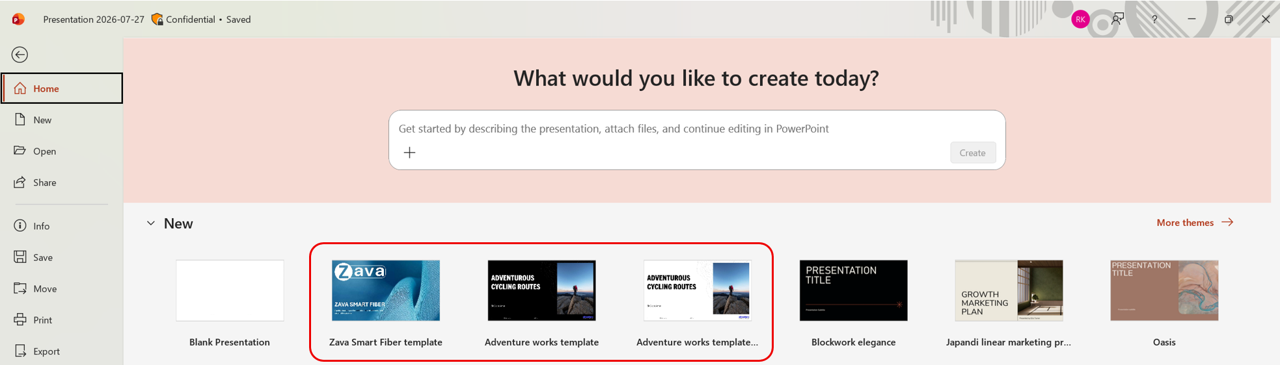
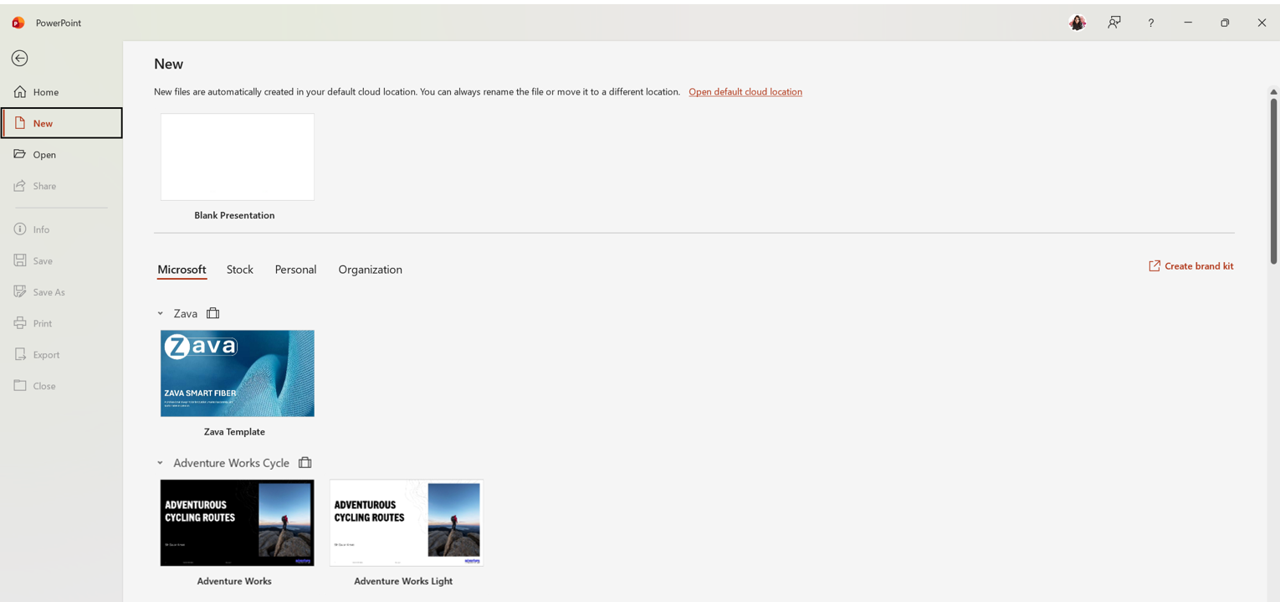
- Eligible users will be able to access brand templates directly from PowerPoint Backstage on Windows.
- Brand templates from users’ available Brand kits, including official and personal Brand kits, will be available in PowerPoint.
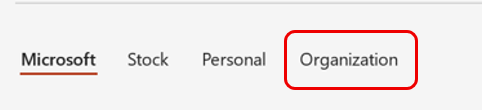
- Existing Organizational Asset Library (OAL) templates will continue to be available through the Organization tab (screenshot 1):

- The feature is available to users with a Microsoft 365 Copilot (Premium) license.
- No existing OAL templates or assets will be removed as part of this change.
Brand templates in the Backstage Home tab view (screenshot 2):
Brand templates in the Backstage New tab view (screenshot 3):
[Action required and recommendations]
No action is required to receive this feature.
To make organizational brand templates available to your users:
- Review your organization’s Brand kit configuration.
- Create and publish official Brand kits that include PowerPoint templates.
- Configure the Enterprise Brand Manager policy and designate approved brand managers through a mail-enabled security group.
- Communicate this change to users who create presentations and rely on organizational branding.
Learn more
- Create and manage official Brand kits in the Microsoft 365 Copilot app | Microsoft Support
- Enterprise brand manager policy setup | Microsoft 365 Copilot | Microsoft 365 | Microsoft Learn
[Compliance considerations]
| Question | Answer |
| Does the change include an admin control? | Yes. Administrators can configure the Enterprise Brand Manager policy and assign designated brand managers through a mail-enabled security group. |
| Can the feature be controlled through Entra ID group membership? | Yes. Access to publishing and managing official Brand kits is controlled through membership in the configured mail-enabled security group. |
| Does the change allow a user to enable and disable the feature themselves? | Yes. Users can create and manage personal Brand kits for their own use. Official Brand kit management remains restricted to designated brand managers |
Source: Microsoft Message Center • Analysed by MWPro
<<< [MC1442612] Archive
Tooltip: View earlier revisions of this post