Take a look and decide whether this affects your tenant, users or support teams.
Primary Audience
Why this score?
AT A GLANCE
END USERS
IT ADMINS
ROLLOUT TIMELINE
Completed July 2026
📢 Official Microsoft Message Center Announcement
(Updated) Microsoft Defender for Office 365: Localized default mark and notify email template
Message ID: MC1387578
Updated August 5, 2026: We have updated the content. Thank you for your patience.
[What and Why]
Microsoft Defender for Office 365 is introducing localization support for the default “Mark and notify” email template used in admin review and automated notification flows for user-reported messages.
This update ensures that users receive notification emails in their preferred language based on their Outlook settings, improving clarity and understanding of review outcomes. This helps improve engagement and supports stronger security practices.
This message is associated with Microsoft 365 Roadmap ID 557558.
[Rollout Schedule]
General Availability
- Worldwide: Rollout begins in June 2026 and is expected to complete by late July 2026.
- GCC, GCC High, DoD: Rollout begins in mid-July 2026 and is expected to complete by late July 2026.
[Impact on Your Organization]
Who is affected
- Organizations using Microsoft Defender for Office 365
- Admins and users participating in user-reported message workflows
- Applies only when the default notification template is used
Platforms/Services
- Microsoft Defender for Office 365
- Microsoft 365 Defender portal (web)
- Exchange Online
What will happen
- Default “Mark and notify” email templates will be localized.
- Notifications will be delivered in the user’s preferred language based on Outlook settings.
- Feature is enabled by default when auto-notification is turned on.
- Notifications will have consistent formatting and messaging across supported languages.
- No changes to message verdicts or classification logic.
- No changes to automated investigation behavior.
- No changes to custom notification templates configured by admins in the user reported settings page.
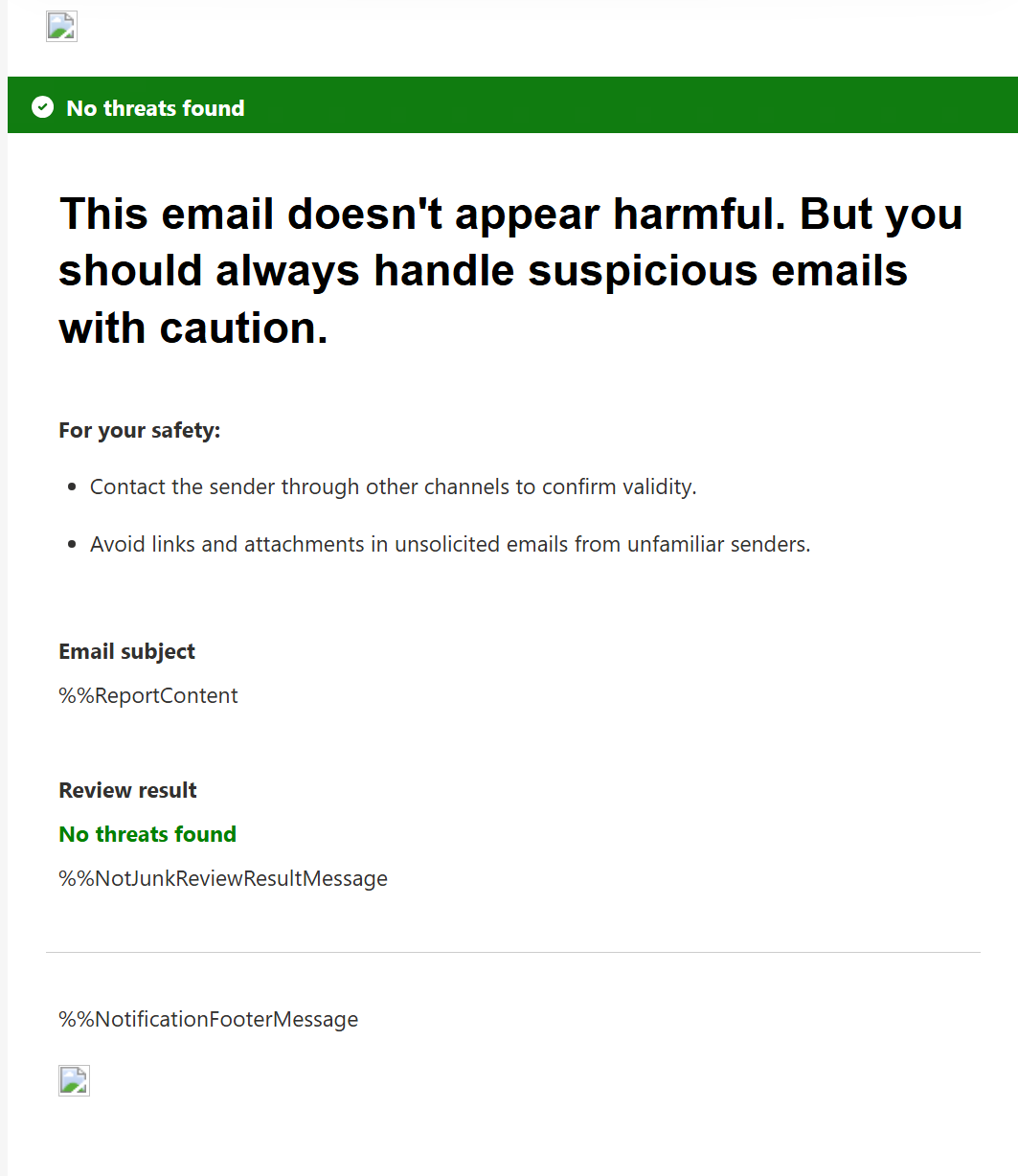
- Default ‘safe’ message template will also use softer, clearer wording while continuing to advise users to exercise caution:
- This email doesn’t appear harmful. But you should always handle suspicious emails with caution.
- The safe-message template will also advise users to:
- Contact the sender through another channel to confirm the message’s validity.
- Avoid links and attachments in unsolicited emails from unfamiliar senders.
Screenshot 1 – Before localization view:

Screenshot 1 – Localized template view:

Screenshot 2 – Default safe message:
[Action Required/Recommendations]
No action is required.
You may consider the following:
- Inform users that notification emails may now appear in their preferred language.
- Review notification settings in Microsoft Defender: Settings > Email and collaboration > User reported settings.
- Update internal documentation or helpdesk guidance if this workflow is documented.
[Compliance considerations]
No compliance considerations identified. Review as appropriate for your organization.
Source: Microsoft Message Center • Analysed by MWPro