Take a look and decide whether this affects your tenant, users or support teams.
Primary Audience
Why this score?
AT A GLANCE
END USERS
IT ADMINS
ROLLOUT TIMELINE
End of August 2026
📢 Official Microsoft Message Center Announcement
(Updated) Discussion post previews coming to Viva Engage
Message ID: MC1413302 (Updated)
Updated August 18, 2026: We have updated the timeline. Thank you for your patience.
[What and Why]
Microsoft is introducing discussion post previews in Viva Engage to help users validate their content before publishing. Users can review formatting, layout, and presentation before posting, helping improve communication quality and confidence when creating organizational communications.
This message is associated with Roadmap ID 566699.
[Rollout Schedule]
General Availability (Worldwide): Rollout begins in end of August 2026 (previously mid-August); expected to complete by early September 2026 (previously late August)
[Impact on Your Organization]
Who is affected:
- All Viva Engage users who create discussion posts.
- Corporate communicators, leadership delegates, community managers, and users publishing broad communications.
Platforms/Services:
- Viva Engage (web and Teams).
- Microsoft Viva.
What will happen:
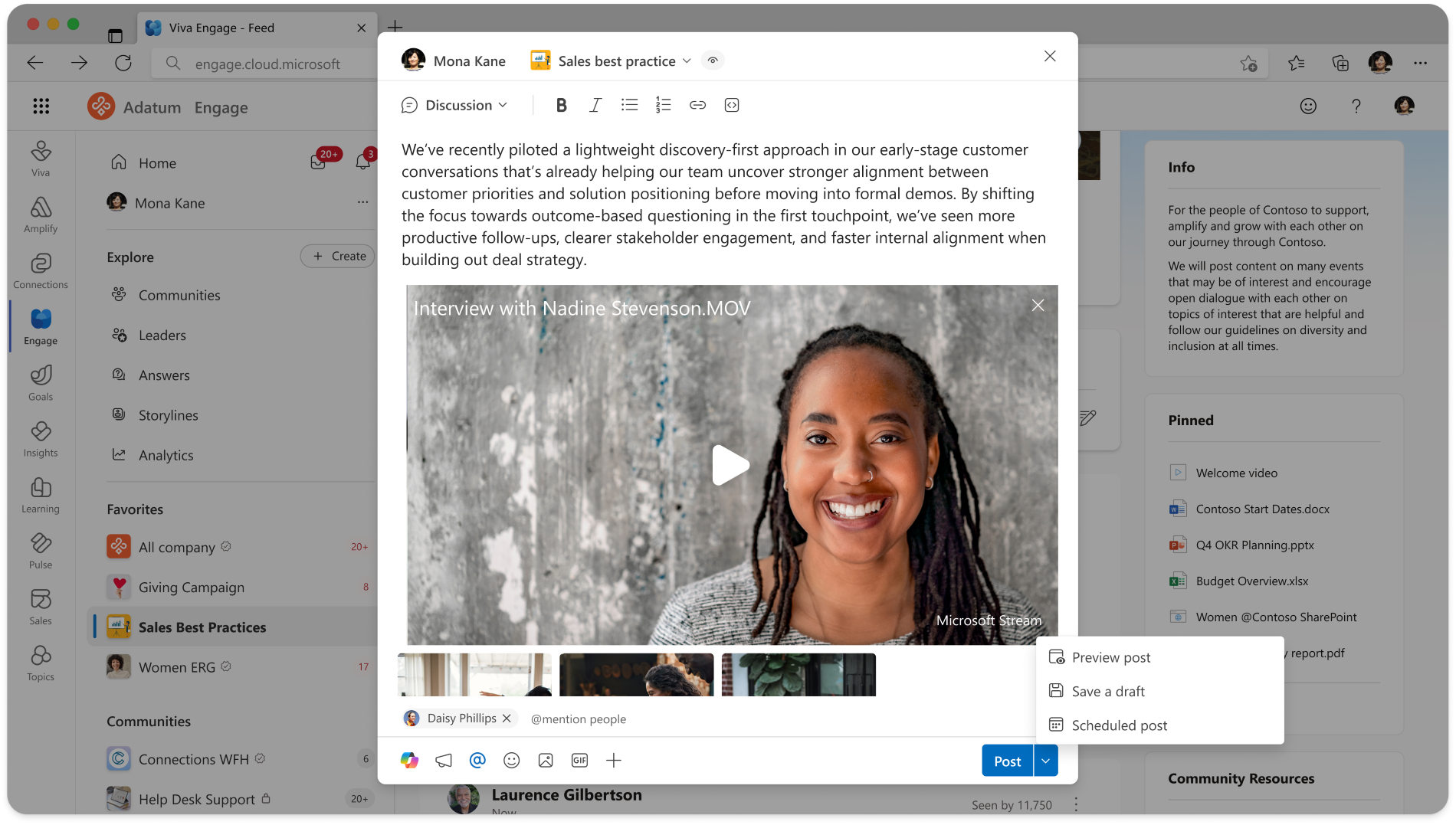
- Users will see a preview option when creating discussion posts.
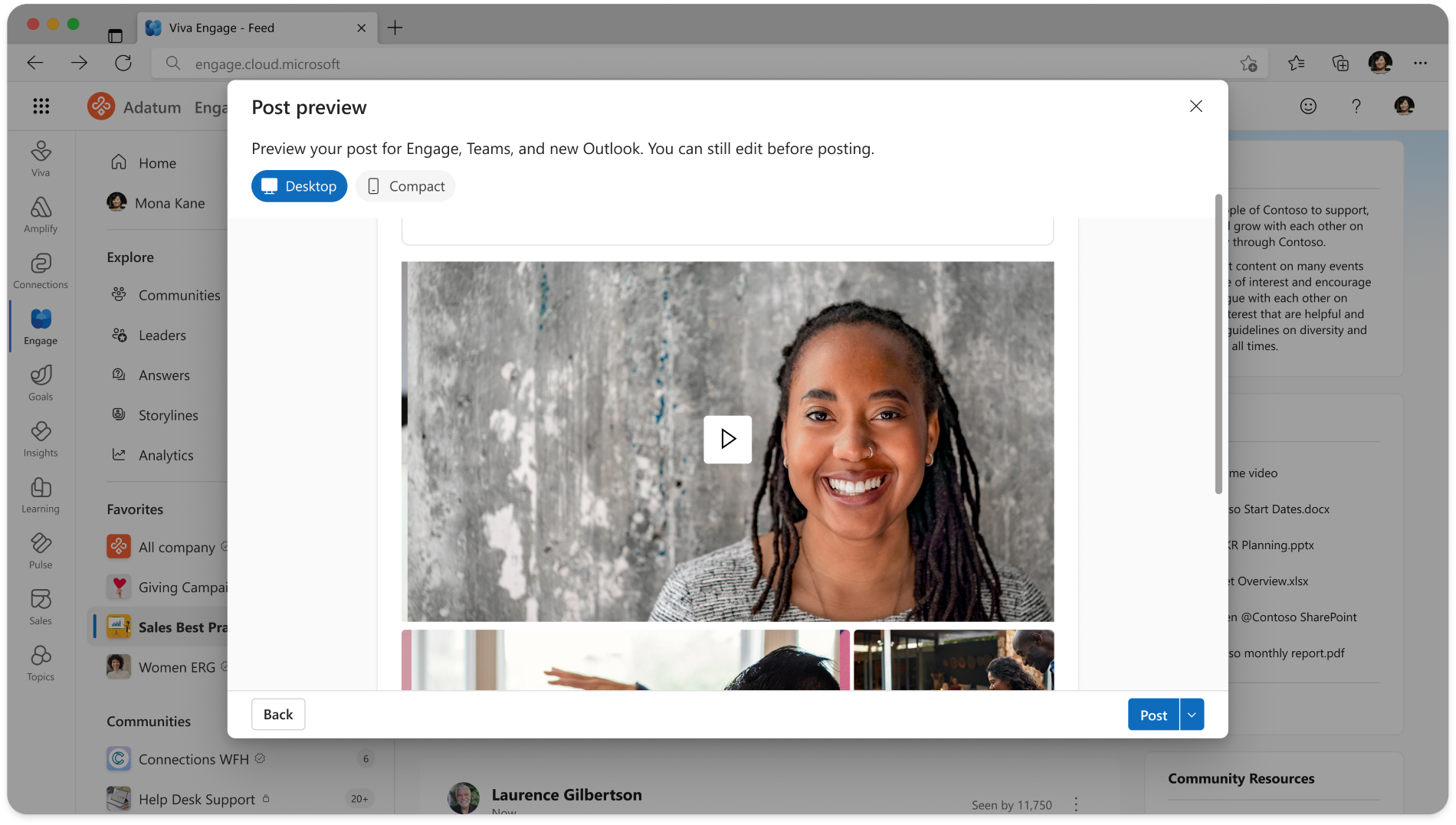
- Users can review how posts will appear before publishing.
- Users can validate content presentation and readability.
- The feature is available by default when released.
- No admin configuration is required.
- Existing permissions and controls remain unchanged.
Screenshot – Select the menu next to the Post button to view Preview
Screenshot – Select to view Desktop or Compact preview.
[Action Required/Recommendations]
No administrative action is required.
We recommend that you:
- Inform users about the new discussion post preview capability.
- Communicate the update to communications teams and leadership delegates.
- Update training materials and internal documentation if applicable.
- Prepare help desk staff for potential user questions.
[Compliance Considerations]
No compliance considerations identified, review as appropriate for your organization.
Source: Microsoft Message Center • Analysed by MWPro
<<< [MC1413302] Archive
Tooltip: View earlier revisions of this post