Take a look and decide whether this affects your tenant, users or support teams.
Primary Audience
Why this score?
AT A GLANCE
END USERS
IT ADMINS
ROLLOUT TIMELINE
Now
📢 Official Microsoft Message Center Announcement
(Updated) OneDrive for the web: Document library views now available in OneDrive
Message ID: MC1423118 (Updated)
Updated August 20, 2026: We have updated the timeline. Thank you for your patience.
[What and Why:]
We’re enhancing the OneDrive experience by enabling users to access and manage SharePoint document library views directly within OneDrive. This update improves team productivity by allowing users to organize, filter, and view shared content without switching between services. By bringing familiar SharePoint capabilities into OneDrive, Microsoft is streamlining workflows and helping teams surface the most relevant information faster.
This message is associated with Roadmap ID 566313.
[Rollout Schedule:]
- Targeted Release (Worldwide): Beginning mid-July 2026 (previously early July) and expected to complete by late July 2026 (previously mid-July)
- General Availability (Worldwide): Beginning late July 2026 (previously mid-July) and expected to complete by late August 2026 (previously early August)
[Impact on Your Organization:]
Who is affected: All users who access SharePoint document libraries through OneDrive
Platforms/Services:
- OneDrive (web)
- SharePoint Online
What will happen:
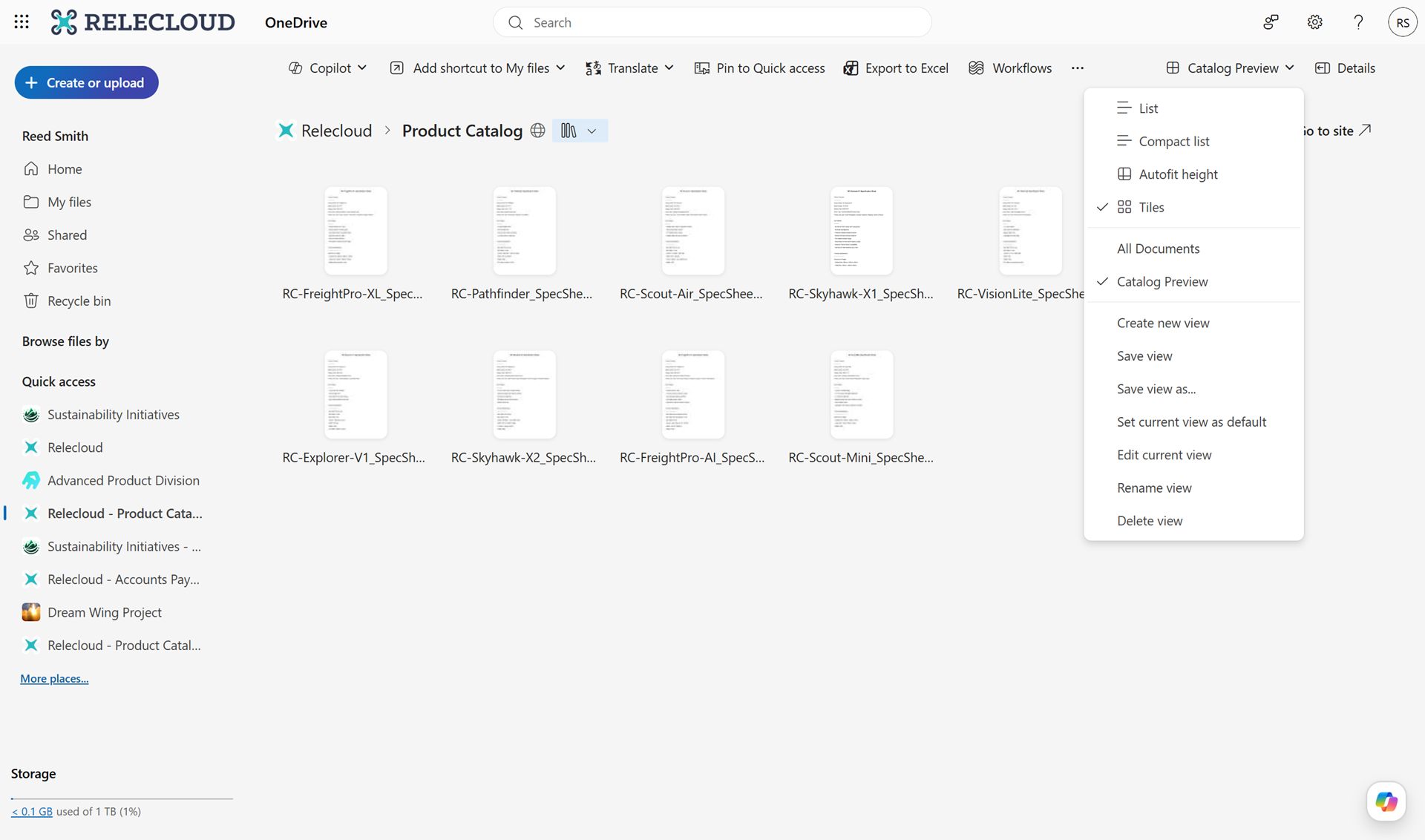
- Users will see a new view picker when accessing SharePoint document libraries in OneDrive.
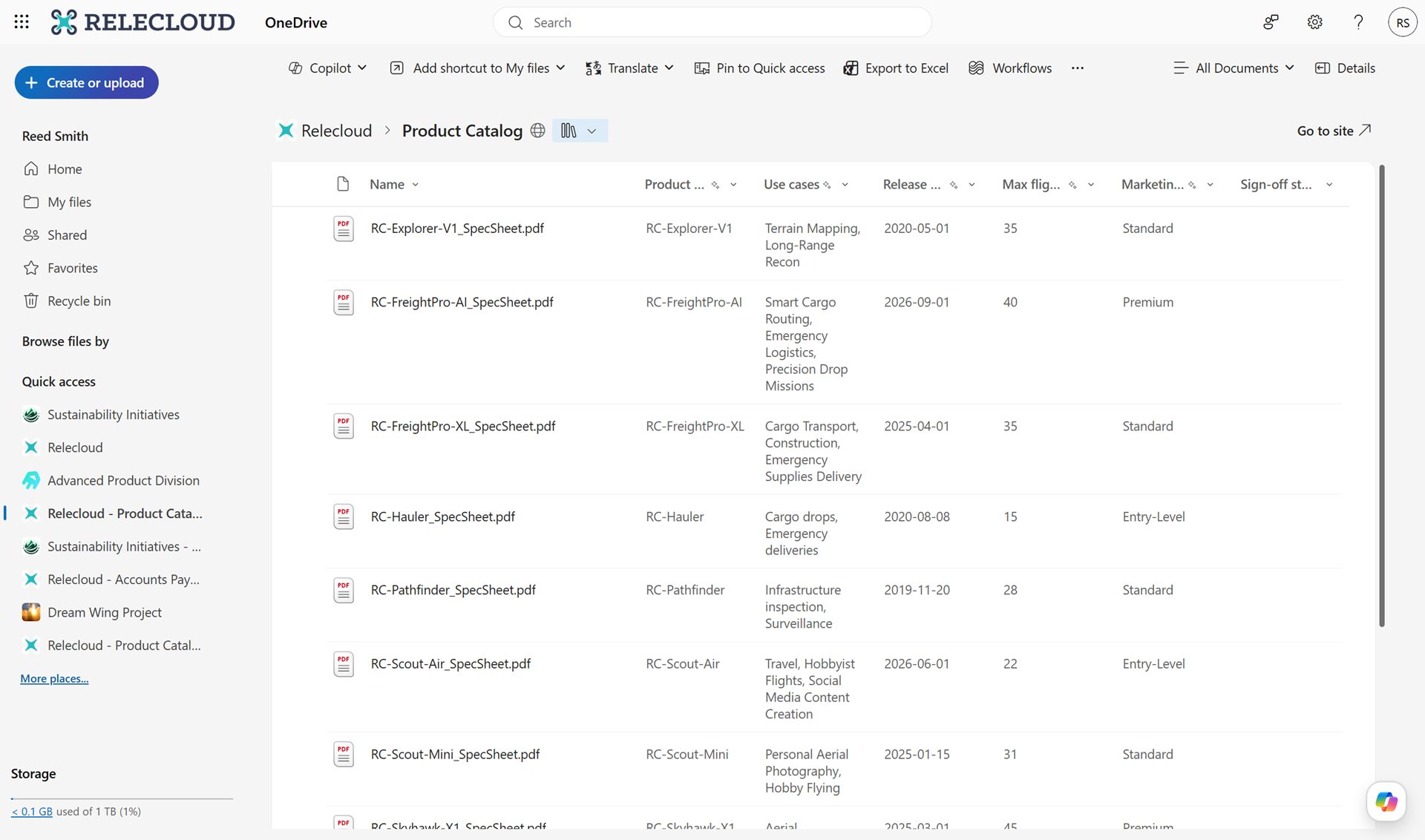
- The default view configured in the SharePoint library will appear as the default view when accessed in OneDrive.
- Users can:
- Switch between existing library views configured in SharePoint.
- Create new custom views (filter, sort, group content).
- Edit and manage views directly within OneDrive.
- The feature will be enabled by default.
- Existing permissions and configurations are respected.
- There are no changes to underlying data or storage locations.
Screenshot 1: Users will continue to see the default view when they initially navigate to a Document Library in OneDrive:
Screenshot 2: Users can now switch between views or create custom views in their Document Libraries in OneDrive:
[Action Required/Recommendations:]
No action is required
However, you may consider the following:
- Inform users about this new capability to improve document organization and discoverability.
- Update internal training or support documentation to include guidance on using views in OneDrive.
- Review existing SharePoint library views to ensure they meet team needs.
[Compliance considerations:]
No compliance concerns beyond changes to how users view and access existing data.
Source: Microsoft Message Center • Analysed by MWPro
<<< [MC1423118] Archive
Tooltip: View earlier revisions of this post