Take a look and decide whether this affects your tenant, users or support teams.
Primary Audience
Why this score?
AT A GLANCE
END USERS
IT ADMINS
ROLLOUT TIMELINE
Mid-August to Oct 2026
📢 Official Microsoft Message Center Announcement
Microsoft Outlook: Classic Outlook theme experience for Outlook on the web and Outlook for Windows
Message ID: MC1458476
[What and why]
We’re introducing a new optional setting in Outlook on the web and the new Outlook for Windows that adjusts the experience to more closely resemble classic Outlook for Windows. When enabled, the setting applies coordinated changes across the Outlook experience, including visual styling, layout, typography, icons, and selected interactions.
This update is designed to help users who are transitioning from classic Outlook by providing a more familiar experience while maintaining the capabilities of the new Outlook.
The setting will be available to all users and can be turned on or off at any time. It will be off by default for most users. As part of a phased rollout, Microsoft will enable the setting by default for some users moving from classic Outlook to the new Outlook. Those users can change the setting at any time.
This setting affects only the experience in Outlook on the web and the new Outlook for Windows. It does not affect the user interface or behavior of classic Outlook for Windows.
This feature does not automatically migrate users from classic Outlook to the new Outlook and does not affect or override any existing administrator configurations used to manage new Outlook availability or migration experiences.
[Rollout schedule]
- Targeted Release (Worldwide): Beginning in mid-August 2026 and expected to complete in late September 2026
- General Availability (Worldwide): Beginning in late-September 2026 and expected to complete in late-October 2026
[Impact on your organization]
Who is affected
- Users of Outlook on the web
- Users of the new Outlook for Windows
- Organizations transitioning users from classic Outlook for Windows to the new Outlook
Platforms and services
- Outlook on the web
- New Outlook for Windows
What will happen
- A new optional setting will be available in Outlook settings.
- All users of Outlook on the web and the new Outlook for Windows will see the setting.
- Most users will continue to see the standard new Outlook experience unless they choose to enable the setting.
- Some users transitioning from classic Outlook to the new Outlook may have the setting enabled by default to provide a more familiar experience during the transition.
- Users can enable or disable the setting at any time.
- The setting affects only the individual user’s visual Outlook experience.
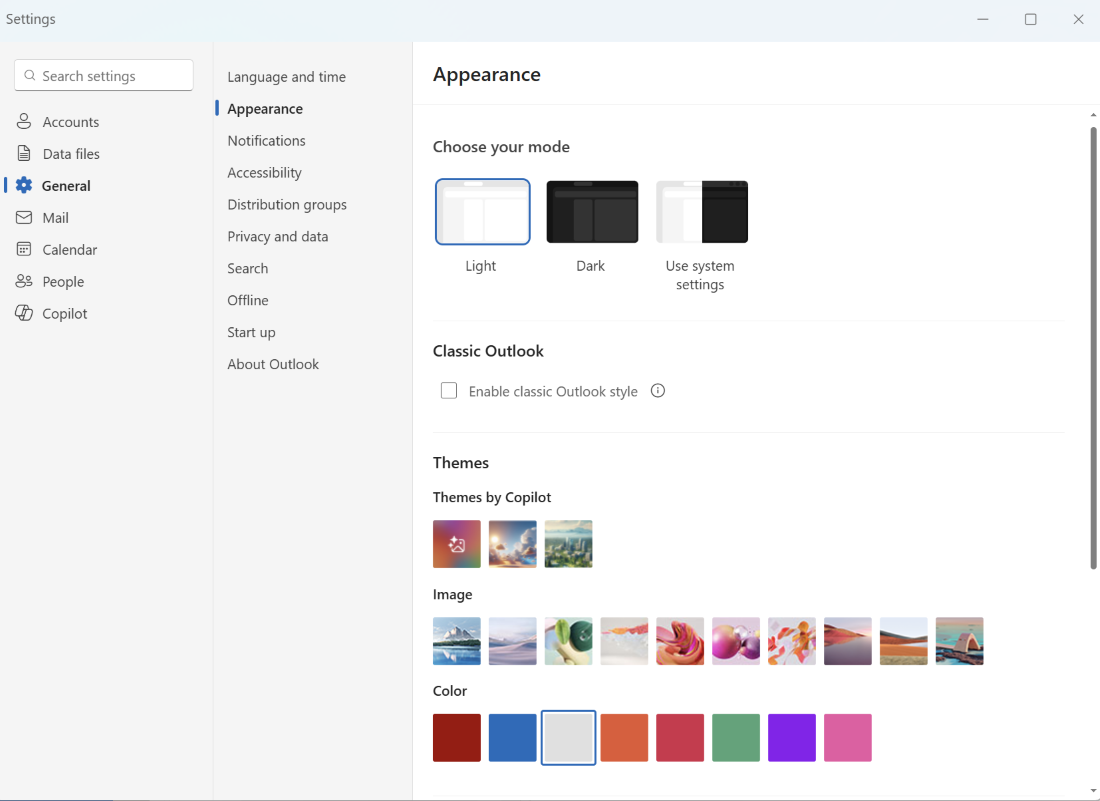
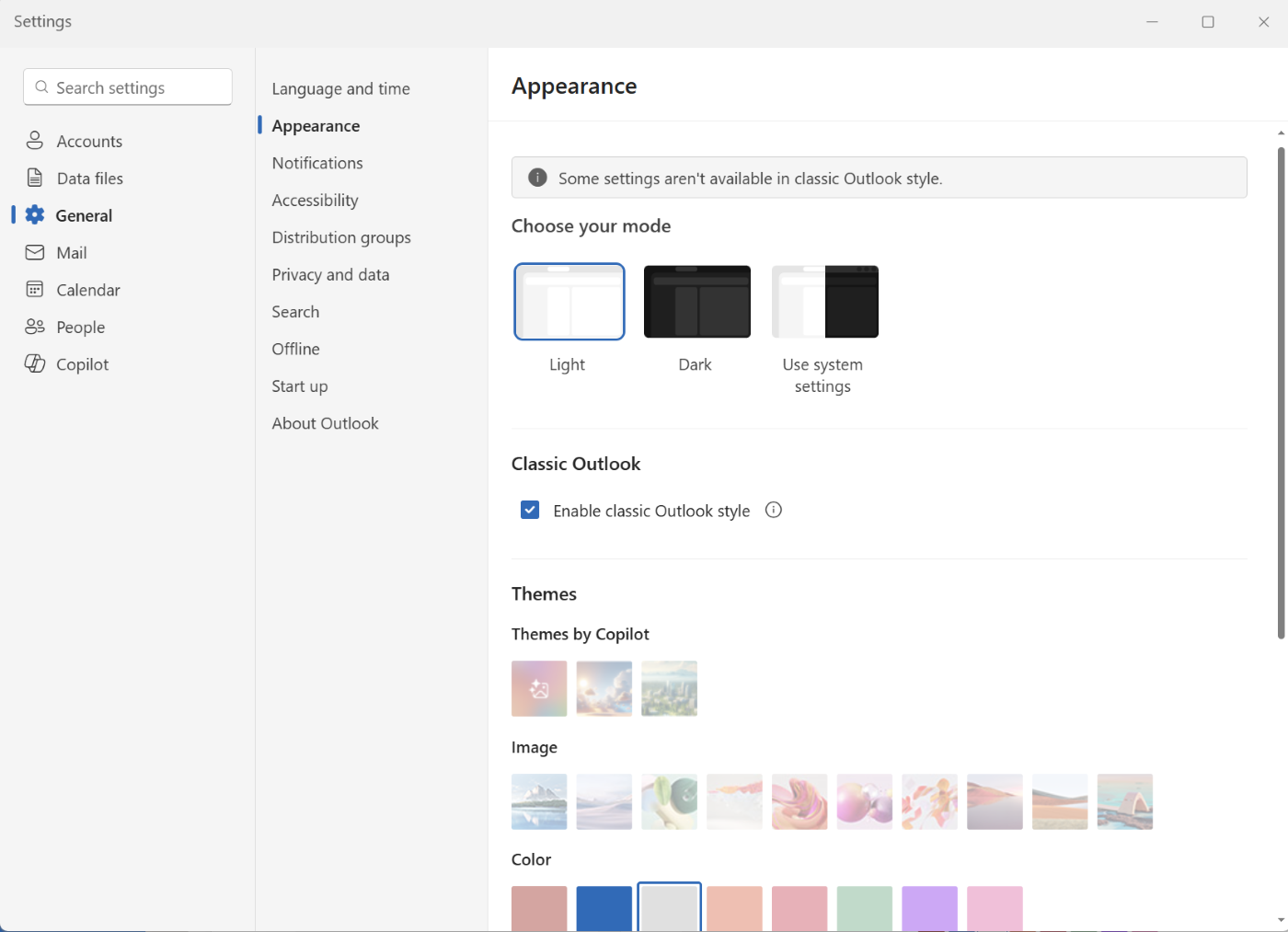
- The setting can be managed from Settings > General > Appearance.
- This change does not modify mailbox data, permissions, organizational settings, or existing Outlook functionality.
- This change does not affect or override administrator controls governing migration to or availability of the new Outlook.
Screenshot 1 – OFF setting view:
Screenshot 2 – ON setting view:
[Action required and recommendations]
No admin action is required.
We recommend that administrators:
- Inform help desk and change management teams about the new optional setting.
- Prepare support documentation for users who may notice visual and interaction changes.
- Communicate that most users will not experience any change unless they enable the setting.
- Communicate that some users transitioning from classic Outlook may receive the experience by default.
- Inform users that they can manage the setting in Settings > General > Appearance.
[Compliance considerations]
No compliance considerations identified. Review as appropriate for your organization.
Source: Microsoft Message Center • Analysed by MWPro