Take a look and decide whether this affects your tenant, users or support teams.
Primary Audience
Why this score?
AT A GLANCE
END USERS
IT ADMINS
ROLLOUT TIMELINE
Now
📢 Official Microsoft Message Center Announcement
Microsoft Viva Engage: New left navigation controls for collapsing, resizing, and managing favorites
Message ID: MC1470424
[What and why]
We’re introducing enhancements to the Viva Engage left navigation experience that give users more control over how they organize and use the navigation pane. Based on customer feedback, these improvements help users work more efficiently by allowing them to customize navigation, manage larger numbers of favorite communities, and optimize screen space while maintaining the same navigation structure and destinations.
[Rollout Schedule]
- General Availability (Worldwide): Available now
[Impact on your organization]
Who is affected
- All Viva Engage users who access Viva Engage on the web, including Viva Engage experiences within Microsoft Teams and Microsoft Outlook.
Platforms/Services
- Viva Engage on the web
- Viva Engage app in Microsoft Teams
- Viva Engage app in Microsoft Outlook
What will happen
The following capabilities will be available in Viva Engage:
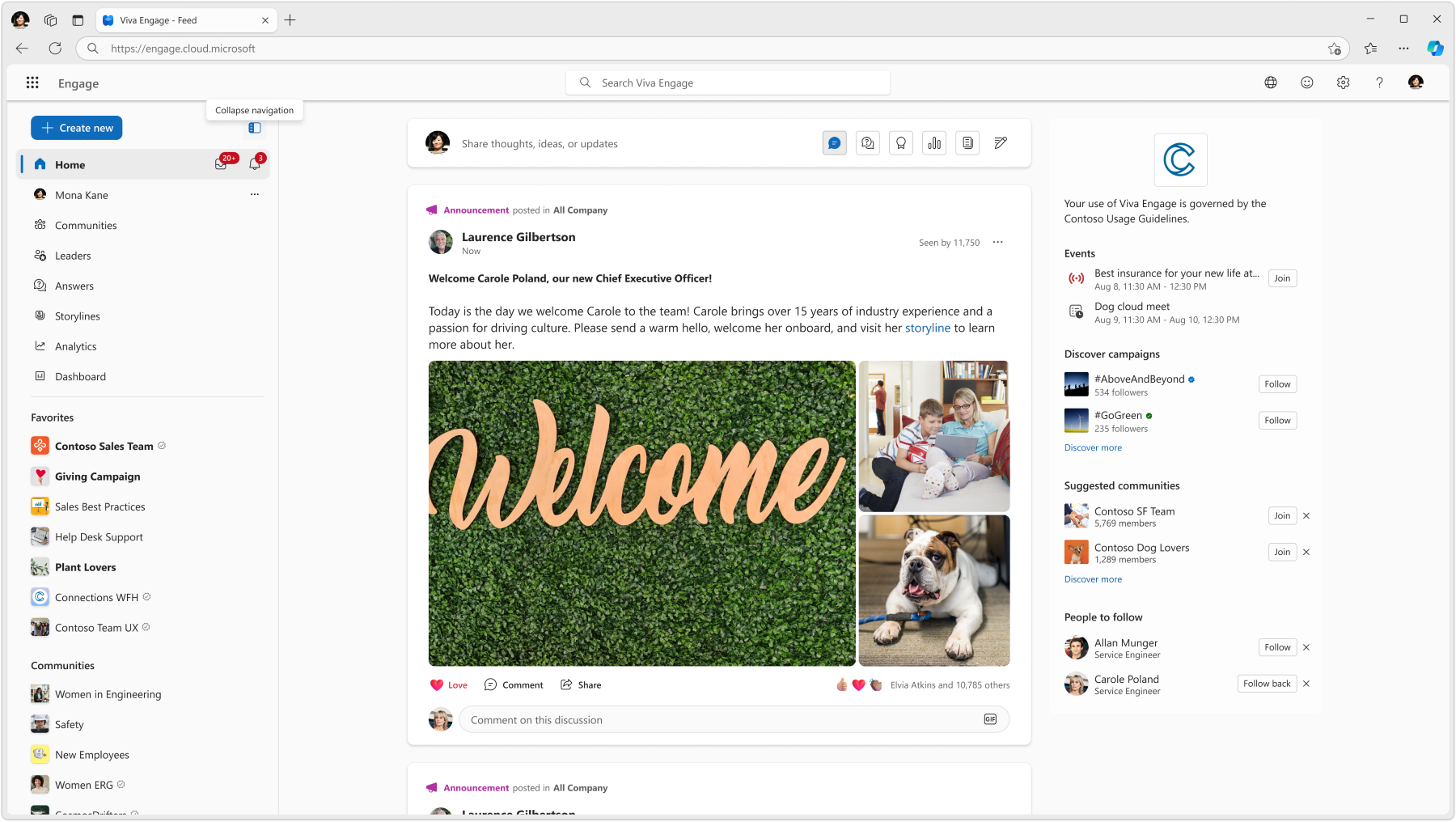
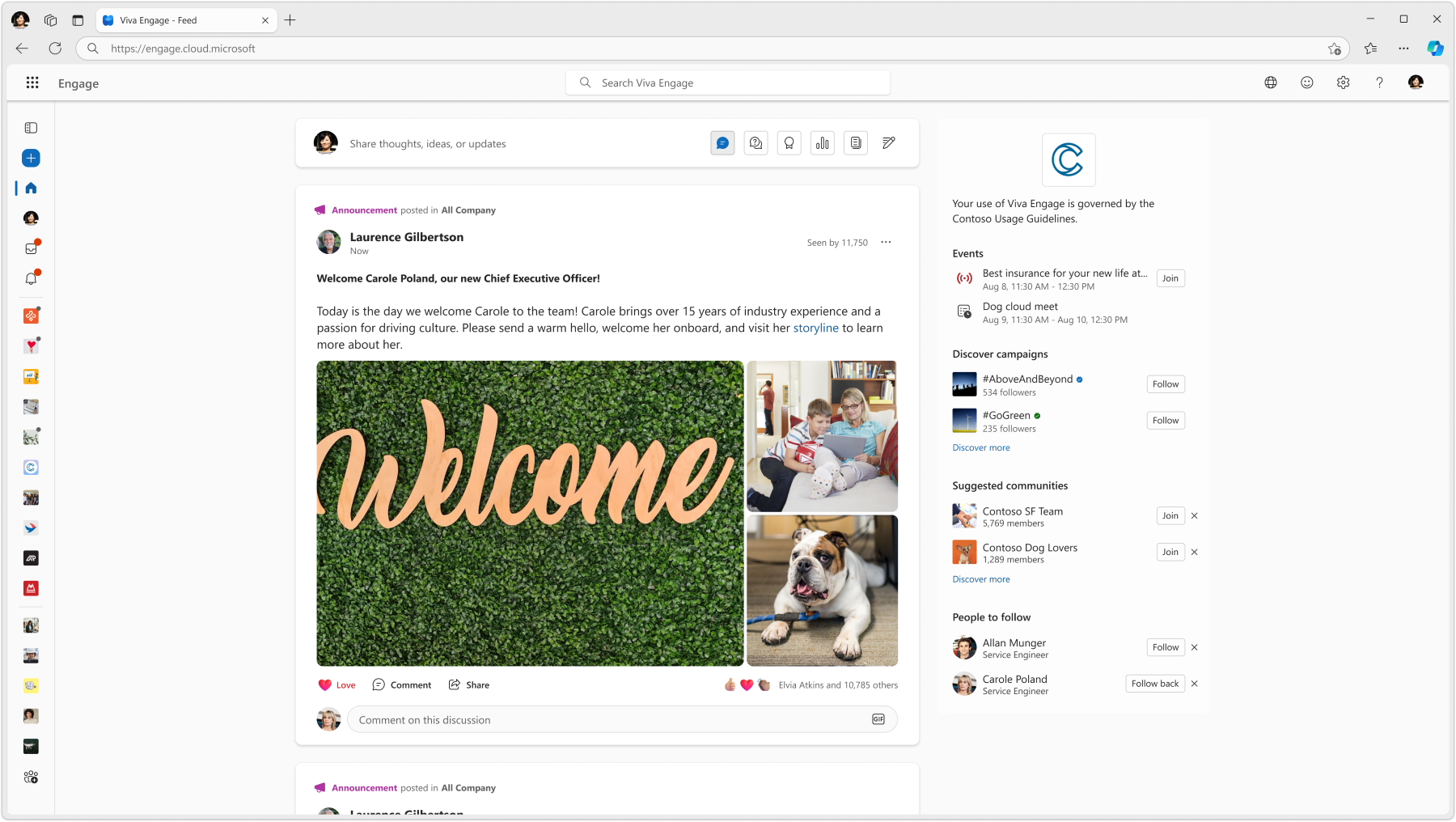
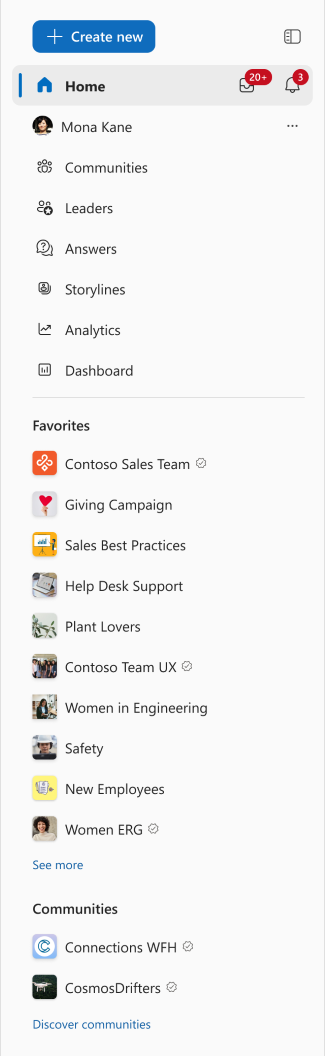
- Collapse the left navigation pane.
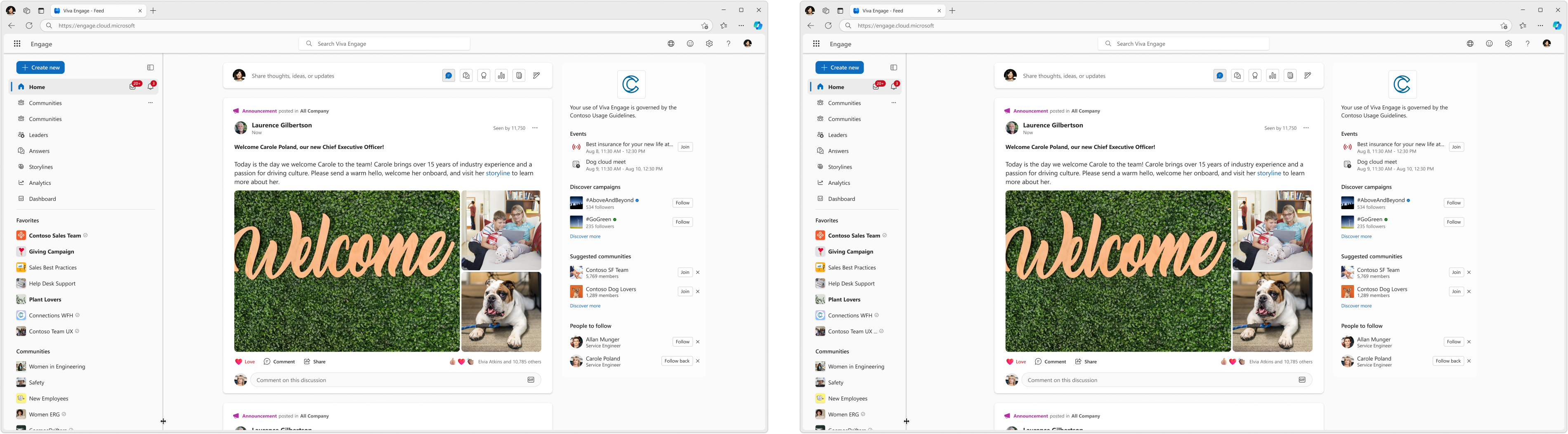
- Resize the width of the left navigation pane.
- Favorite an unlimited number of communities, increased from the previous limit of 10.
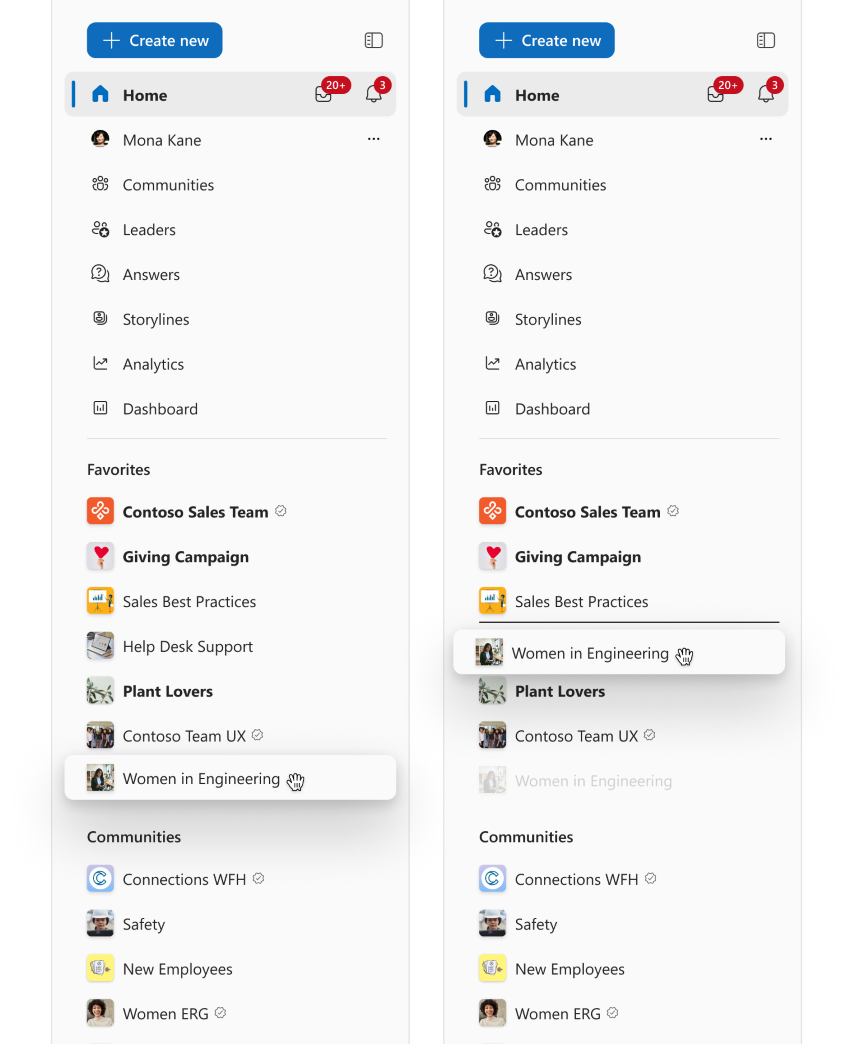
- Reorder communities in the Favorites section.
Additional details:
- Preferences persist across browsers and devices.
- Keyboard and screen reader support are included.
- No changes are being made to navigation destinations or community membership.
- No admin configuration is required. These capabilities are user initiated and no visible changes occur unless users choose to use them.
Collapsible left navigation menu:
Collapsed left navigation menu:
Resizable left navigation menu:
Drag-and-drop to reorder favorites:
Unlimited number of favorites:
[Action required/Recommendations]
No admin action is required.
Recommended actions:
- Inform support and helpdesk teams about the updated navigation experience.
- Notify community managers and power users who work with large numbers of communities that the favorites limit has been removed.
- Review and update internal training materials or documentation that reference the Viva Engage left navigation experience.
- Consider communicating the new capabilities to users so they can take advantage of the improved navigation controls.
[Compliance considerations]
No compliance considerations identified, review as appropriate for your organization.
Source: Microsoft Message Center • Analysed by MWPro