Take a look and decide whether this affects your tenant, users or support teams.
Primary Audience
Why this score?
AT A GLANCE
END USERS
IT ADMINS
ROLLOUT TIMELINE
October 2026
📢 Official Microsoft Message Center Announcement
(Updated) Simplified Copilot experience in Microsoft Teams
Message ID: MC1458472 (Updated)
Updated September 29, 2026: We have updated the timeline. Thank you for your patience.
[What and Why:]
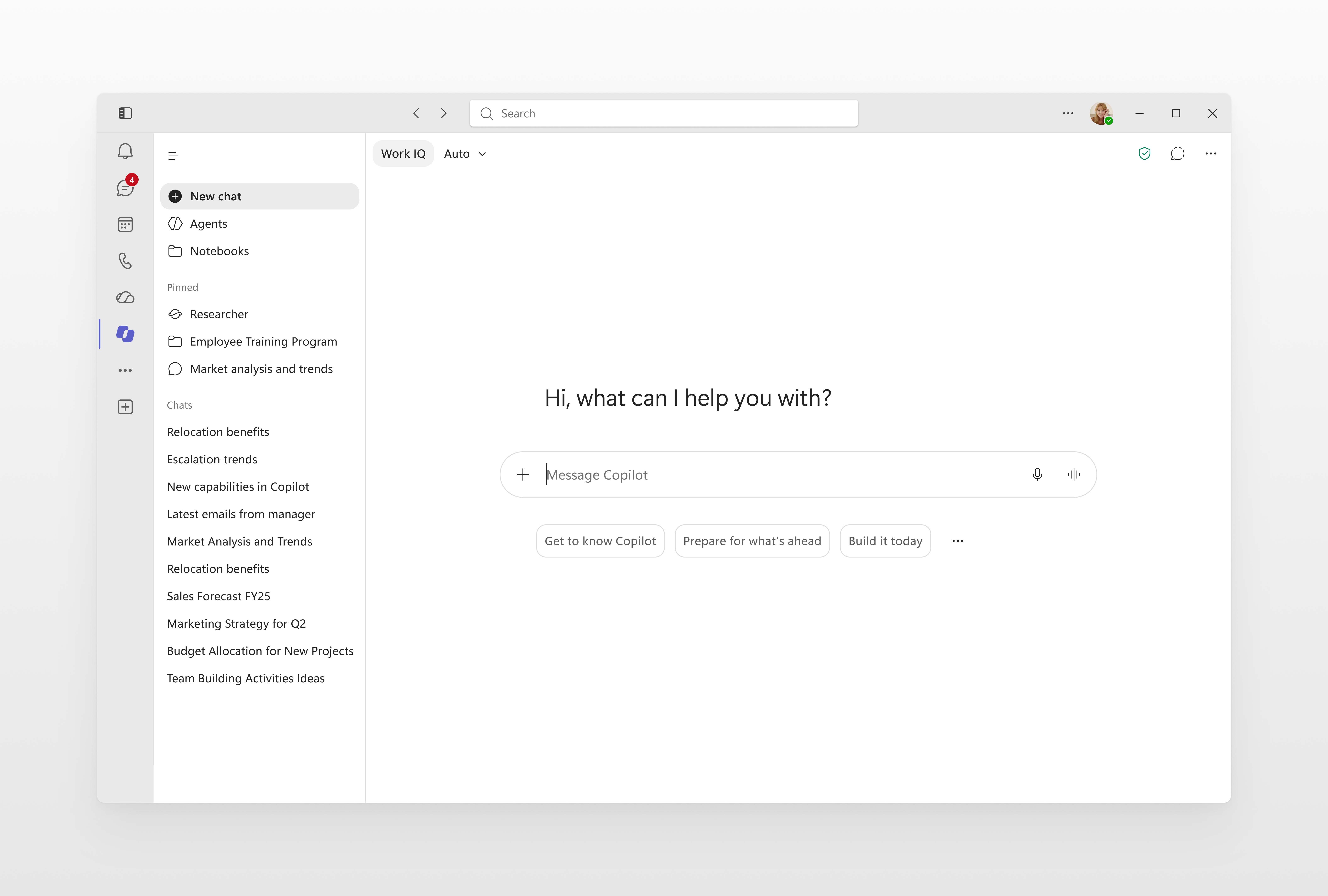
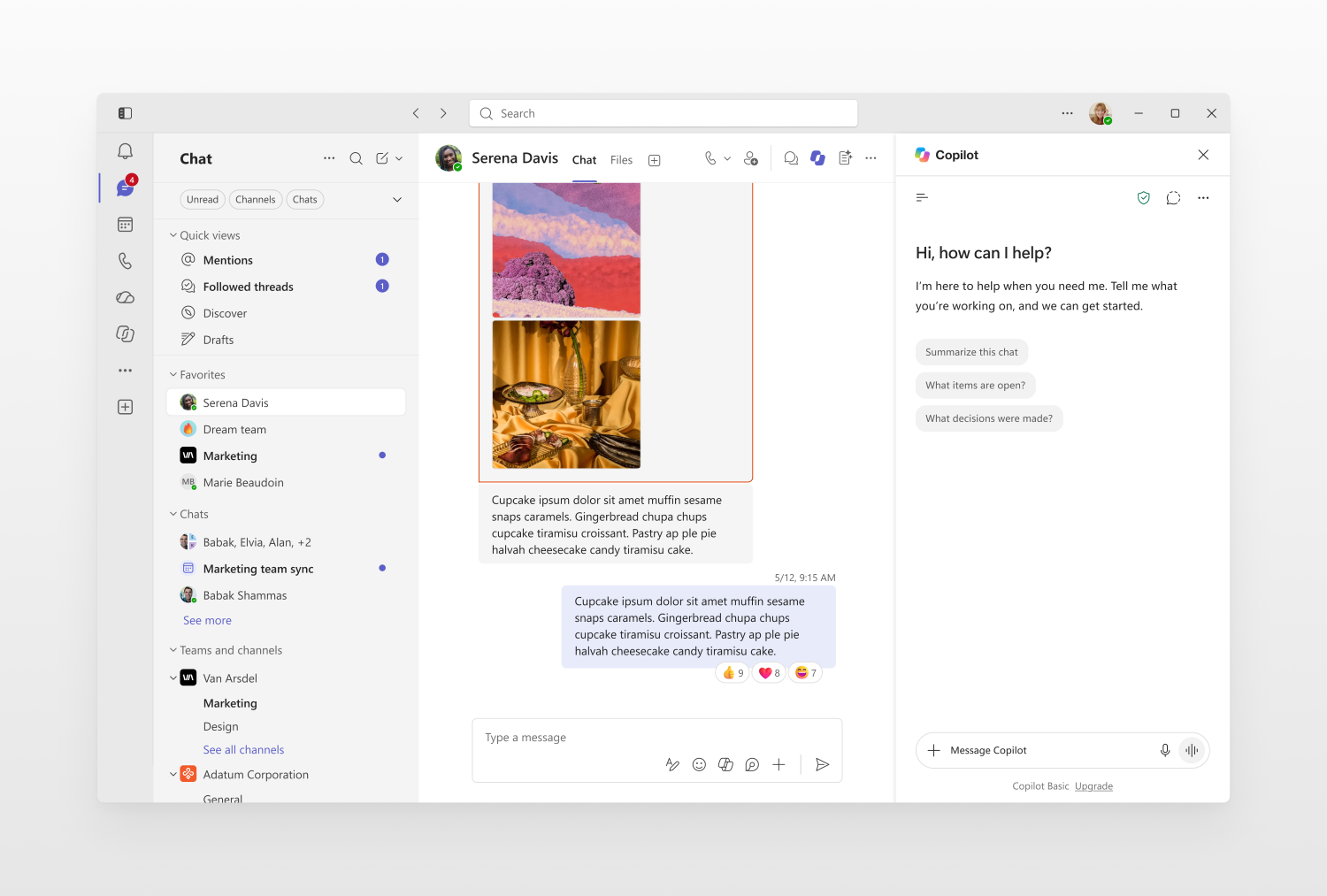
Continuing our efforts to streamline the user experience in the Copilot app as shared in MC1325422, we are introducing updates to the Copilot experiences in Microsoft Teams that deliver a similar, chat-centered experience. These updates simplify navigation, improve the chat experience, and provide new ways for users to organize work—helping them stay focused, maintain context, and move work forward efficiently. The refreshed design will be available in both the full-page Copilot experience in Teams and the Copilot side pane experience throughout Teams. The full-screen Copilot experience will closely mirror the recent updates in the Copilot app, while the side pane experience will receive a refreshed design optimized for contextual Copilot interactions within Teams.
[Rollout Schedule:]
Generally available: October 2026 (previously September).
[Impact on your organization:]
Users will see a refreshed Copilot experience in Microsoft Teams that aligns with the updated, chat-centered experience available in the Copilot app. The update applies to both the full-page Copilot experience in Teams and the Copilot side pane experience.
The refreshed experience includes simplified navigation, an updated chat layout, improved agent discovery and interaction, and the introduction of Work IQ controls. Users of the full-screen Copilot experience in Teams will also see the new Tasks view, which provides visibility into long-running Copilot activities such as agent activity and scheduled chats. The side pane experience will receive the updated design and chat experience but will not include the Tasks view.
This change is enabled by default as part of the service update and does not require user or administrator action. There are no changes to licensing, permissions, or existing compliance controls.
[Action Required / Recommendations:]
No action is required to enable this change.
To prepare for the rollout, administrators should:
- Inform users of the updated Copilot experience in Teams and the visual and navigation changes they may encounter.
- Update internal documentation, training materials, and adoption guidance that reference the current Copilot experience in Teams.
- Review and communicate the new Work IQ experience so users understand how work and web grounding are presented in the refreshed interface.
- Update any help desk or support documentation that includes screenshots or navigation guidance for Copilot in Teams.
This update will be enabled automatically and will not require configuration changes by administrators.
Source: Microsoft Message Center • Analysed by MWPro
<<< [MC1458472] Archive
Tooltip: View earlier revisions of this post