Review the update and plan any required actions before rollout.
Primary Audience
Why this score?
AT A GLANCE
END USERS
IT ADMINS
ROLLOUT TIMELINE
Early November 2026
📢 Official Microsoft Message Center Announcement
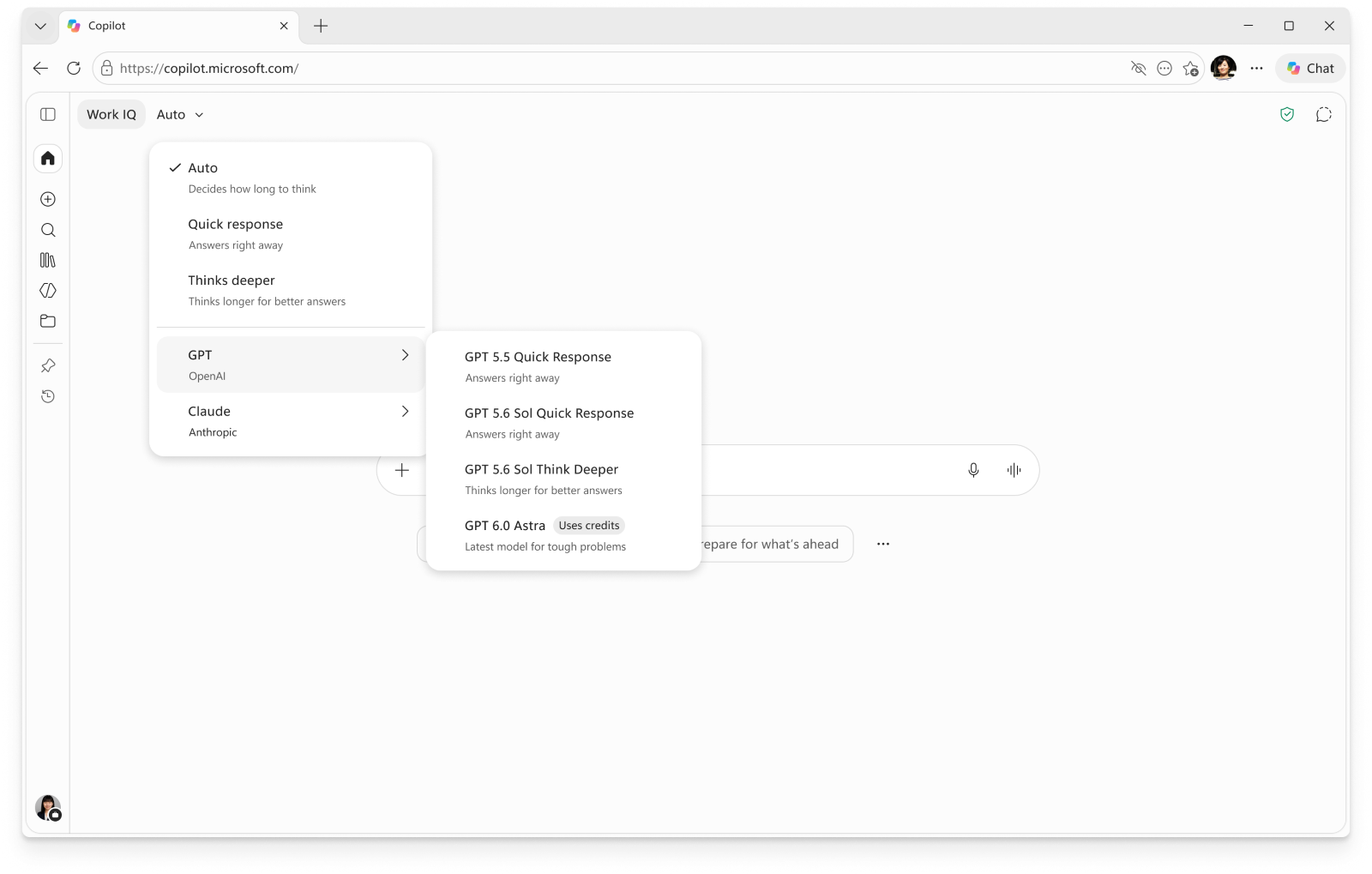
Microsoft Copilot: UBB models in Chat and Word, Excel, and PowerPoint via the model selector
Message ID: MC1519122
[What and why]
As previously announced in MC1479276, we are rolling out usage-based billing (UBB) models to provide users access to advanced AI in Copilot. These models will be available from Chat in the Microsoft Copilot app and when using Copilot in Word, Excel, and PowerPoint. Users will not have access to UBB models unless UBB is enabled. We plan to rollout the ability for users to request credits from their tenant admins after this initial rollout.
GPT-6 Astra and Claude Fable 5.1 will be generally available as UBB models with this rollout. Previously communicated eligibility requirements for these models apply.
[Rollout schedule]
- General Availability (Worldwide): Beginning in early November 2026 and expected to complete by mid-November 2026
[Impact on your organization]
Who is affected
- Users with a Microsoft 365 Copilot user subscription license (USL) with UBB enabled
- Tenant admins responsible for enabling usage-based billing and allocating credits
Platforms and services
- Microsoft Copilot
- Copilot Chat
- Copilot in Word, Excel, and PowerPoint
- Agent 365 cost management (Microsoft 365 admin center)
What will happen
- After rollout, users will be able to access UBB models in the Chat model selector in the Copilot app and when using Copilot in Word, Excel, and PowerPoint if UBB is enabled.
- After the initial rollout, we plan to roll out the ability for users to request additional credits from their tenant admin.
- Users will not have access to UBB models unless UBB is enabled.
[Action required and recommendations]
To provide users with access to UBB models:
- Verify that users have a Microsoft 365 Copilot user subscription license (USL).
- Enable UBB for users who should have access to the models.
- Allocate credits to users who should have access to the models.
- Review your organization’s governance requirements, usage expectations, and anticipated credit consumption before allocating credits.
- Communicate your organization’s process for requesting additional credits when allocated credits are consumed.
- Review the applicable Microsoft documentation for usage-based billing and credit management before deployment.
Learn more
- Available today: Anthropic Claude Fable 5.1 in Microsoft Copilot | Microsoft Community Hub
- Available today: OpenAI GPT-6 Astra in Microsoft Copilot | Microsoft Community Hub
- Evolution of the Copilot pricing model | Microsoft Community Hub
- Understanding the user subscription license (USL) and usage-based billing (UBB) | Microsoft Learn
- Set up usage-based billing for Copilot Credits | Microsoft Learn
- Manage AI experiences enabled by usage-based billing | Microsoft Learn
[Compliance considerations]
| Question | Answer |
| Does the change introduce or significantly modify AI/ML or agent capabilities that interact with or provide access to customer data? | Yes. Users can access UBB models through Copilot Chat and Copilot in Word, Excel, and PowerPoint. These models process user prompts and Microsoft 365 data available through Copilot according to existing permissions and configuration. |
| Does the change provide end users any new way of interacting with generative AI? | Yes. If UBB is for a user and they are allocated credits, users will be able to select and interact with UBB models through Copilot Chat and Copilot in Word, Excel, and PowerPoint. |
| Does the change include an admin control and, can it be controlled through Entra ID group membership? | Yes. Admins control access through usage-based billing and credit allocation. The submitted information does not specify whether access can be scoped through Entra ID group membership. |
Source: Microsoft Message Center • Analysed by MWPro