Take a look and decide whether this affects your tenant, users or support teams.
Primary Audience
Why this score?
AT A GLANCE
END USERS
IT ADMINS
ROLLOUT TIMELINE
Mid-November 2026
📢 Official Microsoft Message Center Announcement
Microsoft 365 Copilot Chat: Filter responses by content source
Message ID: MC1548004
[What and why]
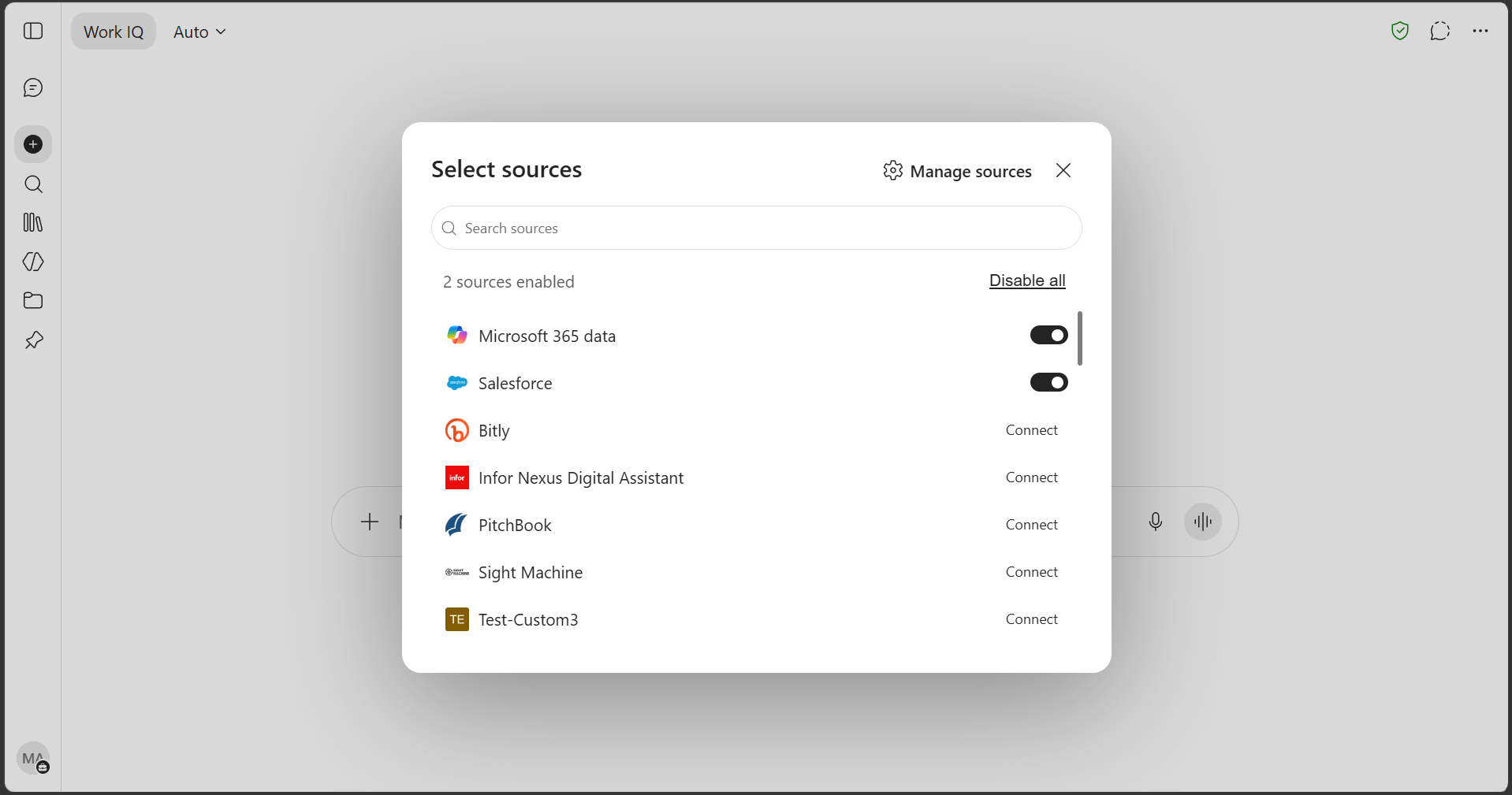
We’re introducing content source filters in Microsoft 365 Copilot Chat. This feature allows users to scope a prompt to specific content sources so that Copilot grounds its response only in the sources they select. This helps users focus responses on the most relevant Microsoft 365 content, as well as connected or available third-party sources, while maintaining existing permission and access controls.
[Rollout schedule]
- General Availability (Worldwide): Rollout will begin in mid-November 2026 and is expected to complete by mid-November 2026.
[Impact on your organization]
Who is affected
- Users licensed for Microsoft 365 Copilot.
Platforms and services
- Microsoft 365 Copilot Chat
What will happen
- Users will see a source selection control in the Copilot Chat prompt area.
- Users can select one or more available content sources to limit retrieval and grounding for a specific prompt to those sources.
- Available sources reflect the content sources enabled in your tenant, including Graph connectors and federated connectors available to users.
- This feature changes where Copilot retrieves information for a prompt and does not change what content a user is permitted to access. Data access, compliance boundaries, and tenant data handling remain unchanged.
- If no source is selected, Copilot Chat behavior remains unchanged and will use its default orchestration across available sources.
- Responses will continue to include citations that reflect the selected sources.
- Source selection applies only to the current prompt and does not persist across sessions.
- This feature is enabled by default for users with a Microsoft 365 Copilot license.
Copilot source selection
[Action required and recommendations]
No action is required. We recommend that you:
- Review the display names of published Graph connectors, ensuring that they are clear and recognizable, as these names will appear in the source selection experience for users.
- Verify the health and search permissions of connectors that should be available to users. Connectors in an error or unpublished state will not appear.
[Learn more]
[Compliance considerations]
No compliance considerations identified. Review as appropriate for your organization.
Source: Microsoft Message Center • Analysed by MWPro