MWPRO IMPACT SCORE
OPERATIONAL IMPACT
47
0
25
50
75
100
MODERATE IMPACT • ASSESS BUSINESS IMPACT
Recommended Action:
Take a look and decide whether this affects your tenant, users or support teams.
Take a look and decide whether this affects your tenant, users or support teams.
What is MWPro Impact Score?
Watch our 60‑second explainer
Primary Audience
Teams AdminsMicrosoft 365 AdminsIT ManagersService Owners
Why this score?
AI Confidence
HIGH
Enough detail is available to trust this assessment.
Assessment Reasoning
This is a new general availability feature increasing registration capacity for Teams webinars and town halls from 1,000 to up to 20,000, depending on licensing. Admins will need to review Attendee Capacity Pack licensing and update internal materials, but no configuration changes are required. The user impact is moderate because organisers gain extended capacity and flexibility, while the urgency is modest as rollout starts in December 2026 with no immediate actions required.
55
Admin Impact
35
User Impact
45
Urgency
40
Effort
WHAT YOU NEED TO KNOW
AT A GLANCE
Teams town halls and webinars can soon handle up to 20,000 registrations per event, helping admins and organisers plan larger sessions without new policy changes.
END USERS
Event organisers may see higher registration limits for town halls and webinars.
IT ADMINS
Check that organisers have suitable Attendee Capacity Packs and update any internal guides or training.
ROLLOUT TIMELINE
Upcoming:
December 2026
December 2026
📢 Official Microsoft Message Center Announcement
Microsoft Teams: Registration capacity for town halls and webinars increases to 20,000
Message ID: MC1557760
[What and why]
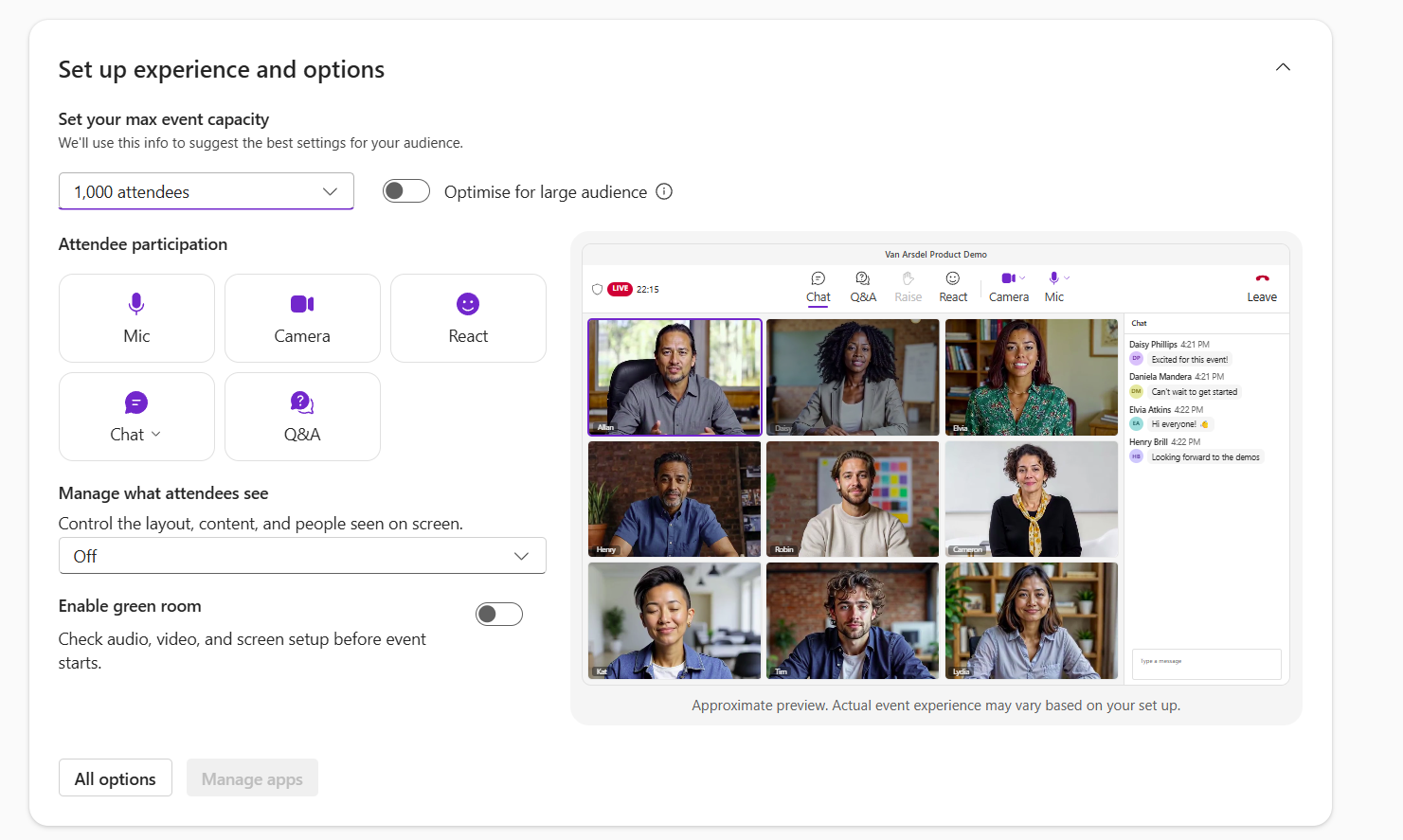
Starting in December, registration capacity for Microsoft Teams town halls and webinars scales with the event’s attendee capacity, up to 20,000 registrations per event. Organizers with Teams Enterprise can allow up to 3,000 registrations. Organizers with Attendee Capacity Packs can allow up to 20,000. Organizers can use this to plan large-scale events with registration.
[Rollout schedule]
- General Availability (Worldwide): We will begin rolling out in early December 2026 and expect to complete by late December 2026.
[Impact on your organization]
Who is affected
- Organizers of Teams town halls and webinars that use registration
- Admins who manage Teams events policies and Attendee Capacity Pack licenses
Platforms and services
- Microsoft Teams (town halls and webinars)
What will happen
- Registration capacity scales with attendee capacity, up to 20,000 registrations per event.
- Organizers with Teams Enterprise can allow up to 3,000 registrations.
- Organizers with Attendee Capacity Packs can allow up to 20,000 registrations.
- Large webinars with registration don’t support broadcast-style streaming, which is available with town halls.
- Organizers still need the right events policy. No new policy access is needed, only the right Attendee Capacity Pack where applicable.
- Existing Teams events policies and admin controls don’t change.
- We plan to support more registrations per event in future releases.
[Action required and recommendations]
No action is required. To prepare, you can:
- Tell organizers about the higher registration limits.
- Make sure organizers who need more than 3,000 registrations per event have an Attendee Capacity Pack of the right size. Assign packs in the Teams admin center (Add-on Licenses > Teams Events).
- Update internal training and documentation that mention a 1,000-registration limit.
- Review your Teams events policies in the Teams admin center (Meetings > Events policies) to confirm they meet your organization’s needs.
[Compliance considerations]
No compliance considerations identified. Review as appropriate for your organization.
Source: Microsoft Message Center • Analysed by MWPro