Take a look and decide whether this affects your tenant, users or support teams.
Primary Audience
Why this score?
AT A GLANCE
END USERS
IT ADMINS
ROLLOUT TIMELINE
Early December 2026
📢 Official Microsoft Message Center Announcement
Microsoft Teams: Expanded Markdown support in the compose box
Message ID: MC1562278
[What and why]
Microsoft Teams is introducing an updated Markdown compose experience with expanded formatting support. Users can write and edit with Markdown syntax intact, without formatting automatically rendering as they type. A dedicated Markdown toolbar helps users insert formatting syntax, preview the rendered message before sending, and switch between Markdown and rich text.
[Rollout schedule]
- General Availability (Worldwide, GCC, GCC High, DoD): Beginning in early December 2026 and expected to complete by mid-December 2026
[Impact on your organization]
Who is affected
- Microsoft Teams users who compose messages in chats and channels on supported platforms
Platforms and services
- Microsoft Teams for Windows, Mac, and web
What will happen
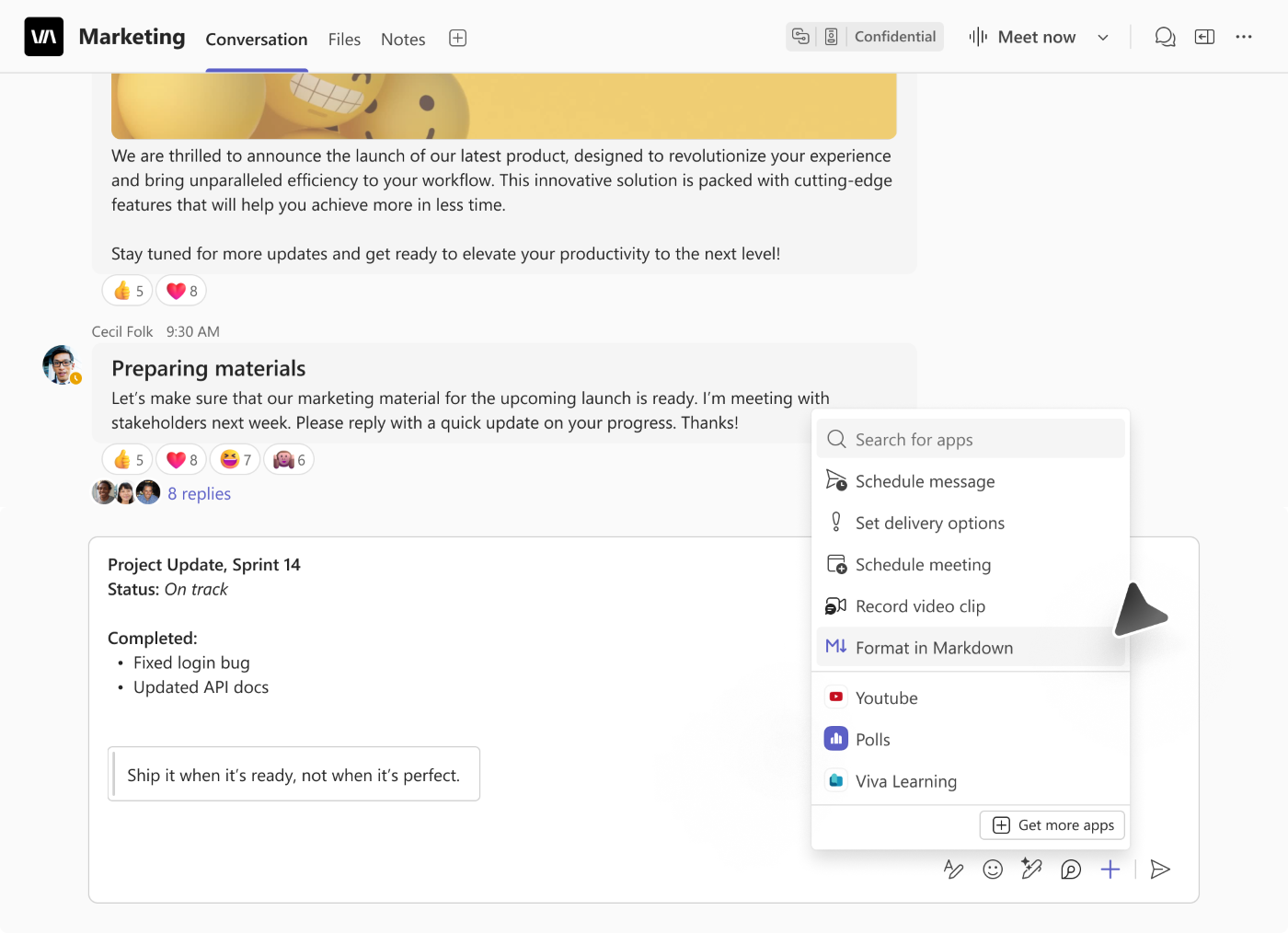
Users will be able to select Format in Markdown from the compose box’s Actions and apps (+) menu (Screenshot 1).
The updated experience includes:
- Markdown authoring without live rendering: Syntax remains visible and editable while users write.
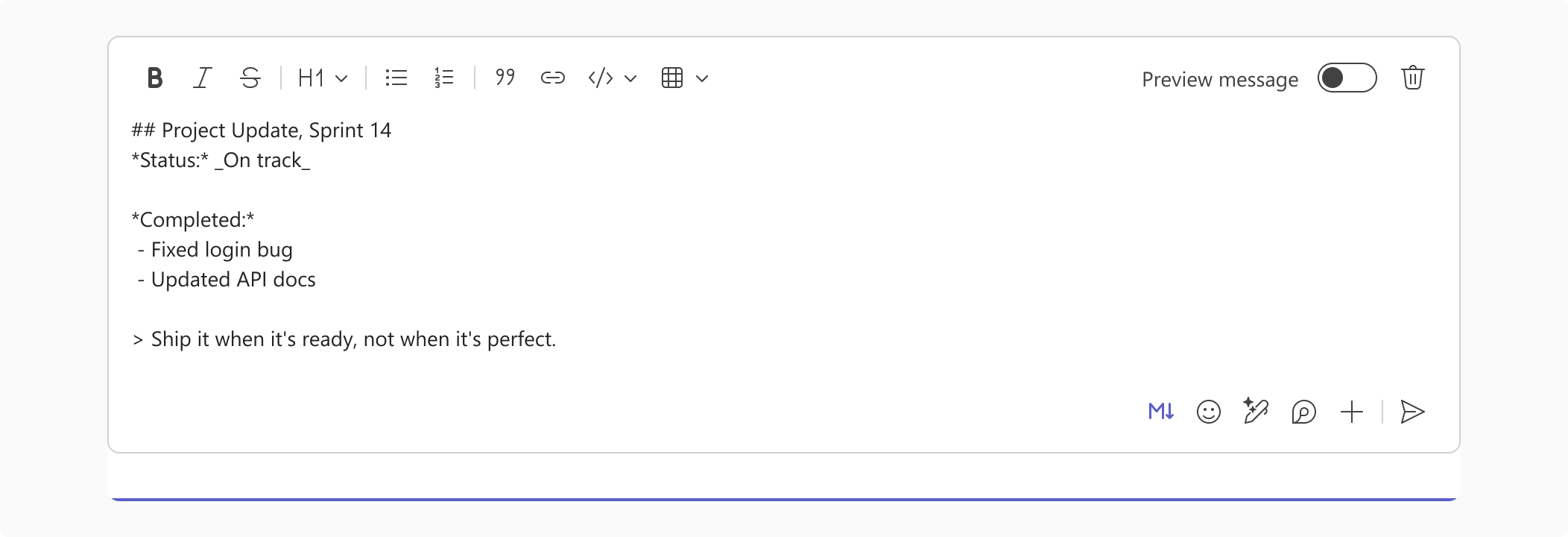
- A dedicated Markdown toolbar: Users can insert syntax for formatting (Screenshot 2).
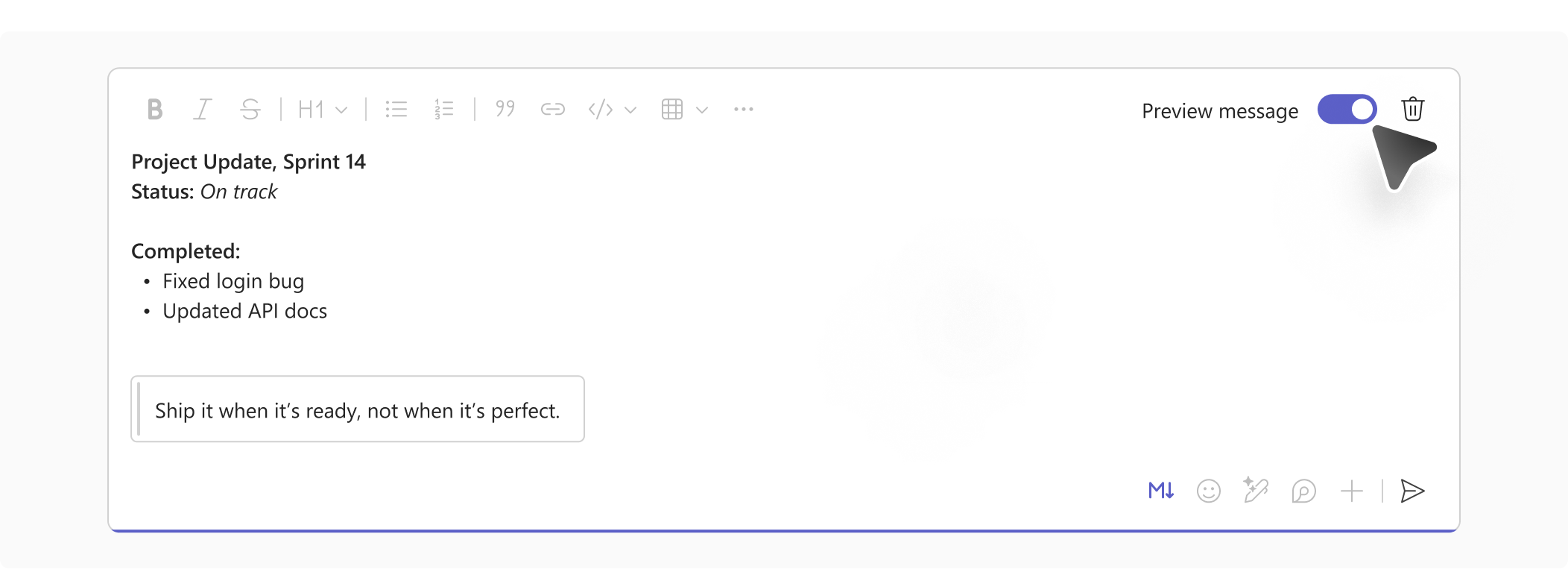
- Message preview: Users can turn on Preview message to see the rendered formatting before sending (Screenshot 3).
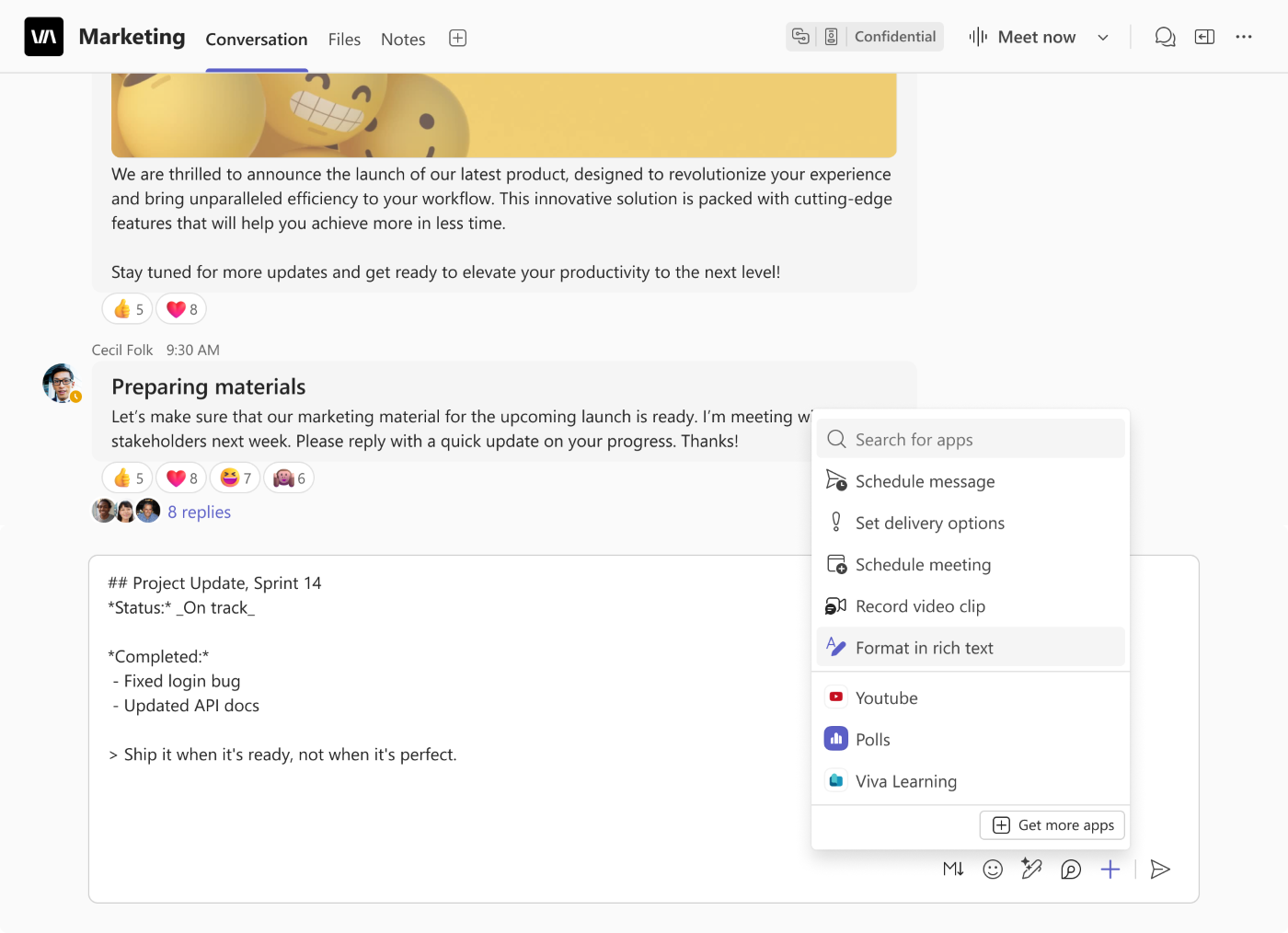
- Switching between compose modes: Users can select Format in rich text from the same menu to return to rich text authoring (Screenshot 4).
Teams will remember the user’s selected compose mode and apply it across chats and channels until the user switches modes.
Learn more
[Action required and recommendations]
No admin action is required to prepare for this feature.
[Compliance considerations]
No compliance considerations identified. Review as appropriate for your organization.
Source: Microsoft Message Center • Analysed by MWPro