Take a look and decide whether this affects your tenant, users or support teams.
Primary Audience
Why this score?
AT A GLANCE
END USERS
IT ADMINS
ROLLOUT TIMELINE
Late Nov–Dec 2026
📢 Official Microsoft Message Center Announcement
Microsoft 365 Copilot: New notification option when pinning Copilot to the Windows taskbar
Message ID: MC1567263
[What and why]
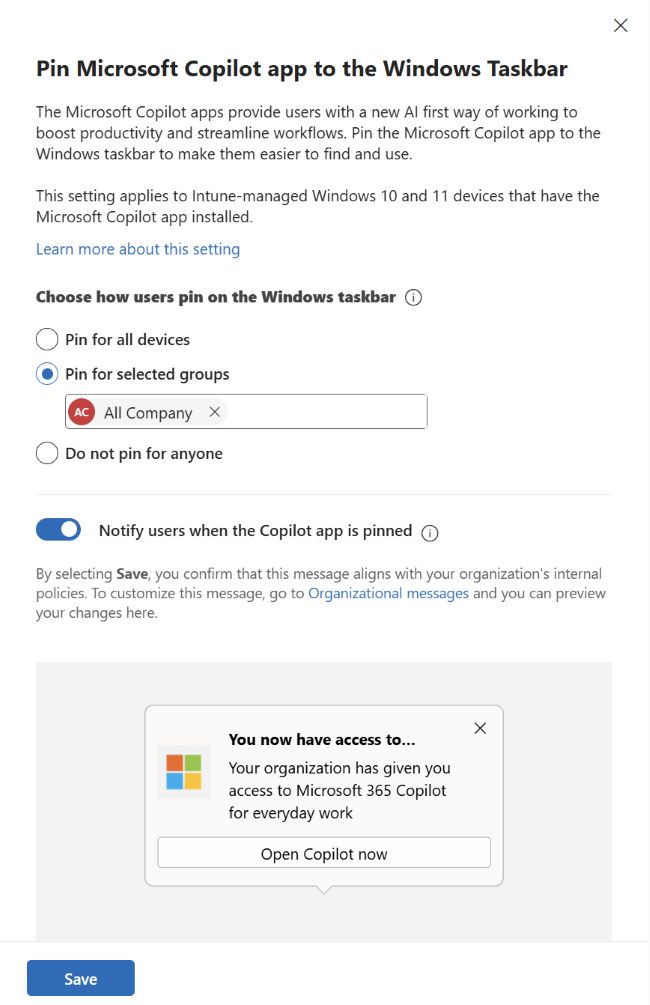
We’re introducing a new notification option in the Pin Microsoft Copilot to the Windows taskbar setting in the Microsoft 365 admin center. When admins pin Microsoft Copilot for selected groups, they can choose to notify eligible users that Copilot has been pinned by their organization. The notification includes an Open Copilot action that launches the Microsoft Copilot desktop app.
This optional notification helps organizations pair admin-led deployment with clear end-user communication so users understand why Copilot appears on their taskbar and can quickly start using it.
[Rollout schedule]
- General Availability (Worldwide): We will begin rolling out in late November 2026 and expect to complete by late December 2026
[Impact on your organization]
Who is affected
- Admins with the Intune Administrator or Global Administrator role who manage Microsoft Copilot taskbar pinning
- Intune-managed users on Windows 11 devices who are included in selected groups targeted by the admin
- Users must have the Microsoft Copilot app installed to receive the pin and notification
Platforms and services
- Microsoft 365 admin center
- Organizational Messages
- Windows 11
- Microsoft Copilot desktop app
- Microsoft Intune
What will happen
- This capability is not enabled by default. Admins must choose to notify users when configuring the taskbar pin for selected groups.
- After selecting groups to receive the Copilot taskbar pin, admins can choose to schedule a one-time notification for eligible users.
- Users who receive the notification will be informed that their organization has made Copilot easier to access from their taskbar.
- The notification includes an Open Copilot action. Selecting it launches the Microsoft Copilot desktop app.
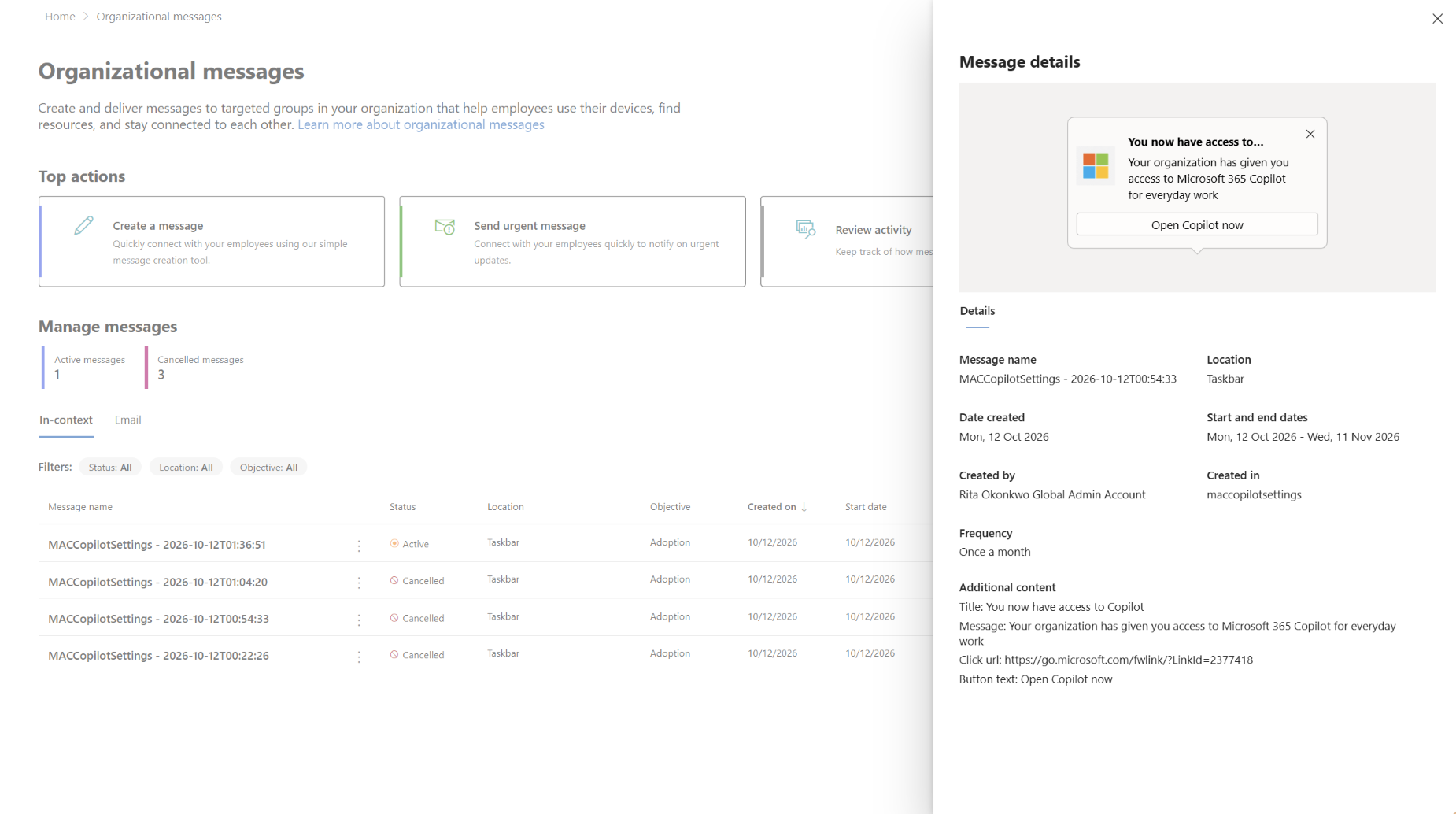
- The notification is delivered through Organizational Messages and can be managed there after it is scheduled.
- Only users who receive the taskbar pin and have the Microsoft Copilot app installed will receive the notification. If the app isn’t installed, the pin and notification won’t appear.
- At launch, the notification can be scheduled only when using Pin for selected groups. Support for additional taskbar pinning options is planned for a future release.
Screenshot 1 – OM detail screen view:
Screenshot 2 – Notification scheduled view:
Screenshot 3 -User pinning notification flyout view:
[Action required and recommendations]
No action is required unless you want to use this capability.
To notify users when deploying the Microsoft Copilot taskbar pin:
- Confirm that your tenant has at least one active Microsoft Intune license.
- Ensure the Microsoft Copilot app is installed for the users you plan to target.
- In the Microsoft 365 admin center, open the Pin Microsoft Copilot to the Windows taskbar setting.
- Choose Pin for selected groups and select the groups you want to target.
- Choose the option to notify users after pinning Copilot.
- Schedule the notification.
- After scheduling, manage the notification through Organizational Messages as needed.
If your tenant doesn’t have an Intune license, you can use an XML configuration file to pin the Microsoft Copilot app. However, the notification capability described in this message requires the Microsoft 365 admin center experience and is currently available only when using Pin for selected groups.
Learn more
Additional documentation will be available in a Microsoft Learn article when this capability is released.
[Compliance considerations]
| Question | Answer |
| Does the change provide a new way of communicating between users, tenants, or subscriptions? | Yes. The change allows admins to schedule a one-time notification for eligible users through Organizational Messages when pinning Microsoft Copilot for selected groups. |
| Does the change include an admin control and can it be controlled through Entra ID group membership? | Yes. The capability is admin controlled and opt-in. Admins can target selected groups when configuring the Microsoft Copilot taskbar pin and associated notification. |
Source: Microsoft Message Center • Analysed by MWPro