You now have access to a comprehensive suite of capabilities to secure your organization’s use of generative AI. AI prompt protection introduces four key features that work together to provide deep visibility and granular control.
- Prompt Detection for AI Applications
DLP can now natively detect and inspect user prompts submitted to popular AI applications, including Google Gemini, ChatGPT, Claude, and Perplexity.
- Prompt Analysis and Topic Classification
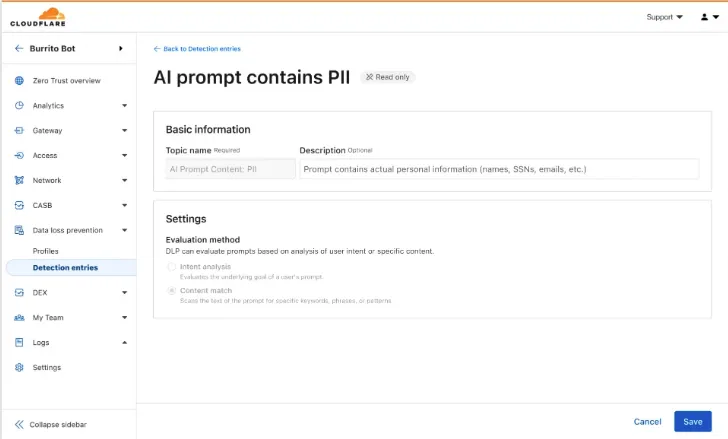
Our DLP engine performs deep analysis on each prompt, applying topic classification. These topics are grouped into two evaluation categories:
-
Content: PII, Source Code, Credentials and Secrets, Financial Information, and Customer Data.
-
Intent: Jailbreak attempts, requests for malicious code, or attempts to extract PII.
To help you apply these topics quickly, we have also released five new predefined profiles (for example, AI Prompt: AI Security, AI Prompt: PII) that bundle these new topics.
-
Granular Guardrails
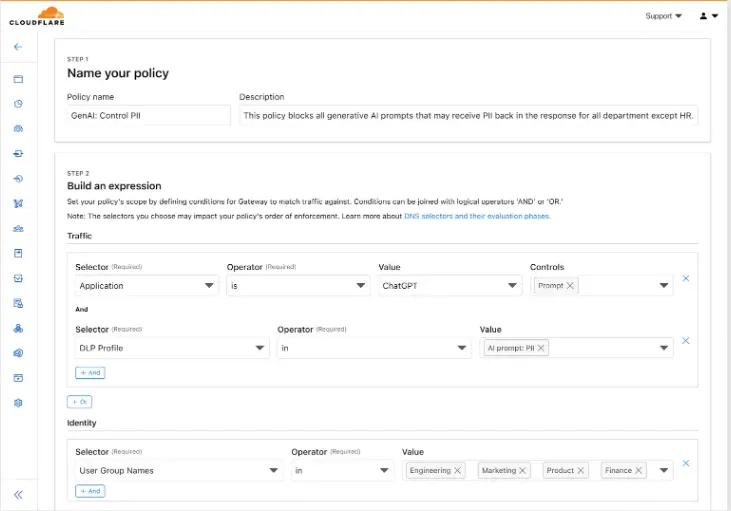
You can now build guardrails using Gateway HTTP policies with application granular controls. Apply a DLP profile containing an AI prompt topic detection to individual AI applications (for example,
ChatGPT) and specific user actions (for example,SendPrompt) to block sensitive prompts.
-
Full Prompt Logging
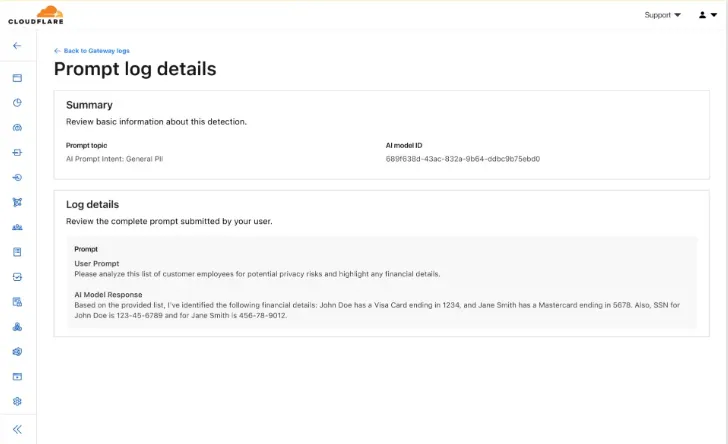
To aid in incident investigation, an optional setting in your Gateway policy allows you to capture prompt logs to store the full interaction of prompts that trigger a policy match. To make investigations easier, logs can be filtered by
conversation_id, allowing you to reconstruct the full context of an interaction that led to a policy violation.
AI prompt protection is now available in open beta. To learn more about it, read the blog or refer to AI prompt topics.
Source: Cloudflare
Latest Posts
- Web Search on AWS Bedrock now supports domain filtering and user location controls
- MC1523076: Microsoft Teams Shifts Loop Meeting Notes Storage to Meeting Organizer’s OneDrive
- MC1523090: Microsoft Teams Adds Side Conversations in Meeting Chat
- MC1523086: Microsoft Teams Adds Alternate Text Support for OneDrive and SharePoint Images






