Cloudflare Secrets Store is now integrated with AI Gateway, allowing you to store, manage, and deploy your AI provider keys in a secure and seamless configuration through Bring Your Own Key. Instead of passing your AI provider keys directly in every request header, you can centrally manage each key with Secrets Store and deploy in your gateway configuration using only a reference, rather than passing the value in plain text.
You can now create a secret directly from your AI Gateway in the dashboard by navigating into your gateway -> Provider Keys -> Add.
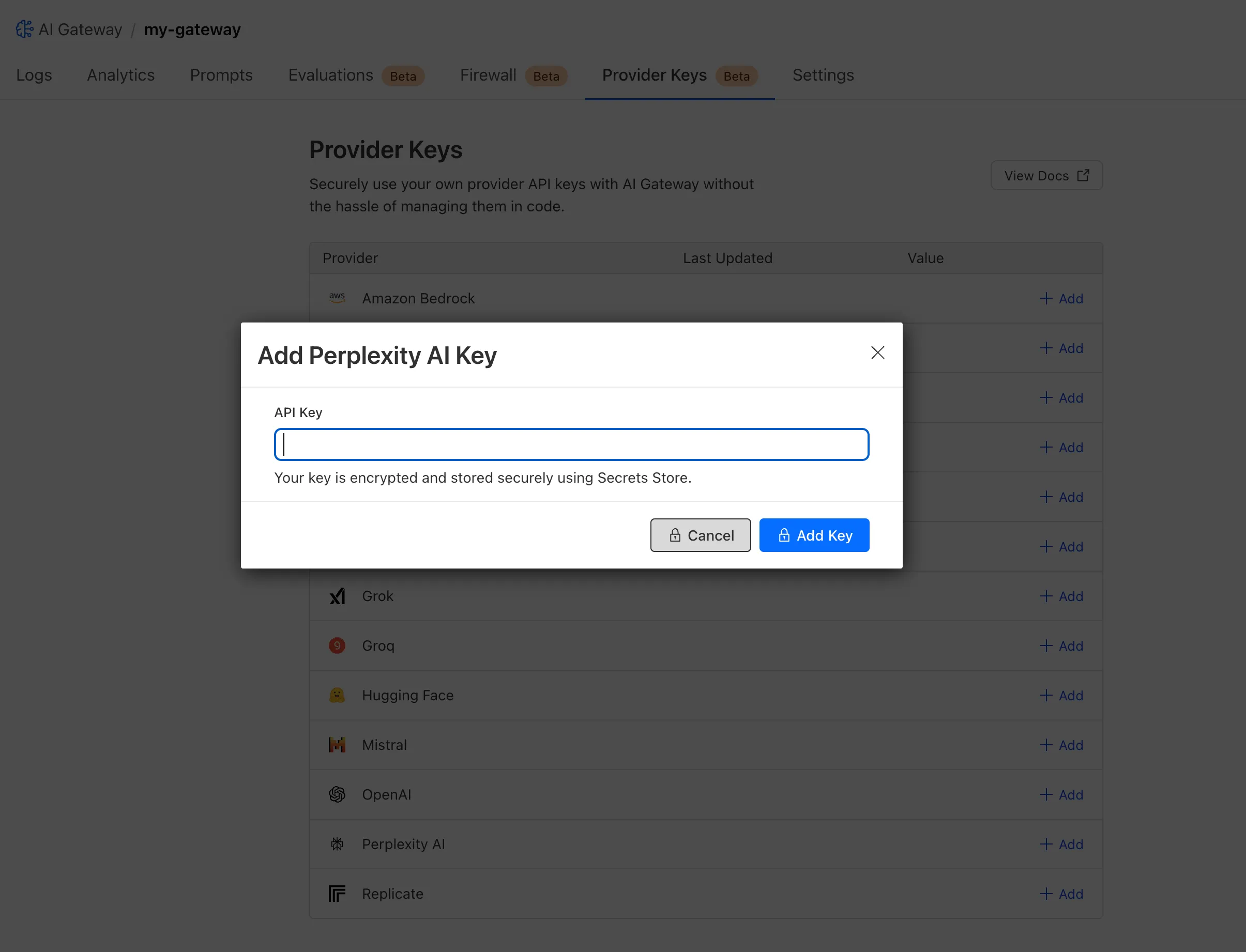
You can also create your secret with the newly available ai_gateway scope via wrangler, the Secrets Store dashboard, or the API.
Then, pass the key in the request header using its Secrets Store reference:
curl -X POST https://gateway.ai.cloudflare.com/v1/<ACCOUNT_ID>/my-gateway/anthropic/v1/messages \ --header 'cf-aig-authorization: ANTHROPIC_KEY_1 \ --header 'anthropic-version: 2023-06-01' \ --header 'Content-Type: application/json' \ --data '{"model": "claude-3-opus-20240229", "messages": [{"role": "user", "content": "What is Cloudflare?"}]}'Or, using Javascript:
import Anthropic from '@anthropic-ai/sdk';

const anthropic = new Anthropic({ apiKey: "ANTHROPIC_KEY_1", baseURL: "https://gateway.ai.cloudflare.com/v1/<ACCOUNT_ID>/my-gateway/anthropic",});

const message = await anthropic.messages.create({ model: 'claude-3-opus-20240229', messages: [{role: "user", content: "What is Cloudflare?"}], max_tokens: 1024});
For more information, check out the blog!
Source: Cloudflare
Latest Posts
- WAF – WAF Release – 2026-10-21 – Emergency – Cloudflare Managed Ruleset

- WAF – WAF Release – 2026-10-21 – Emergency – Cloudflare Free Ruleset
- MC1518233: Copilot Studio Adds Enhanced Capabilities for Building Copilot Chat Agents
- Announcing Amazon ECS Gateway, a managed ingress solution for your ECS services