Enable automatic tracing on your Workers, giving you detailed metadata and timing information for every operation your Worker performs.
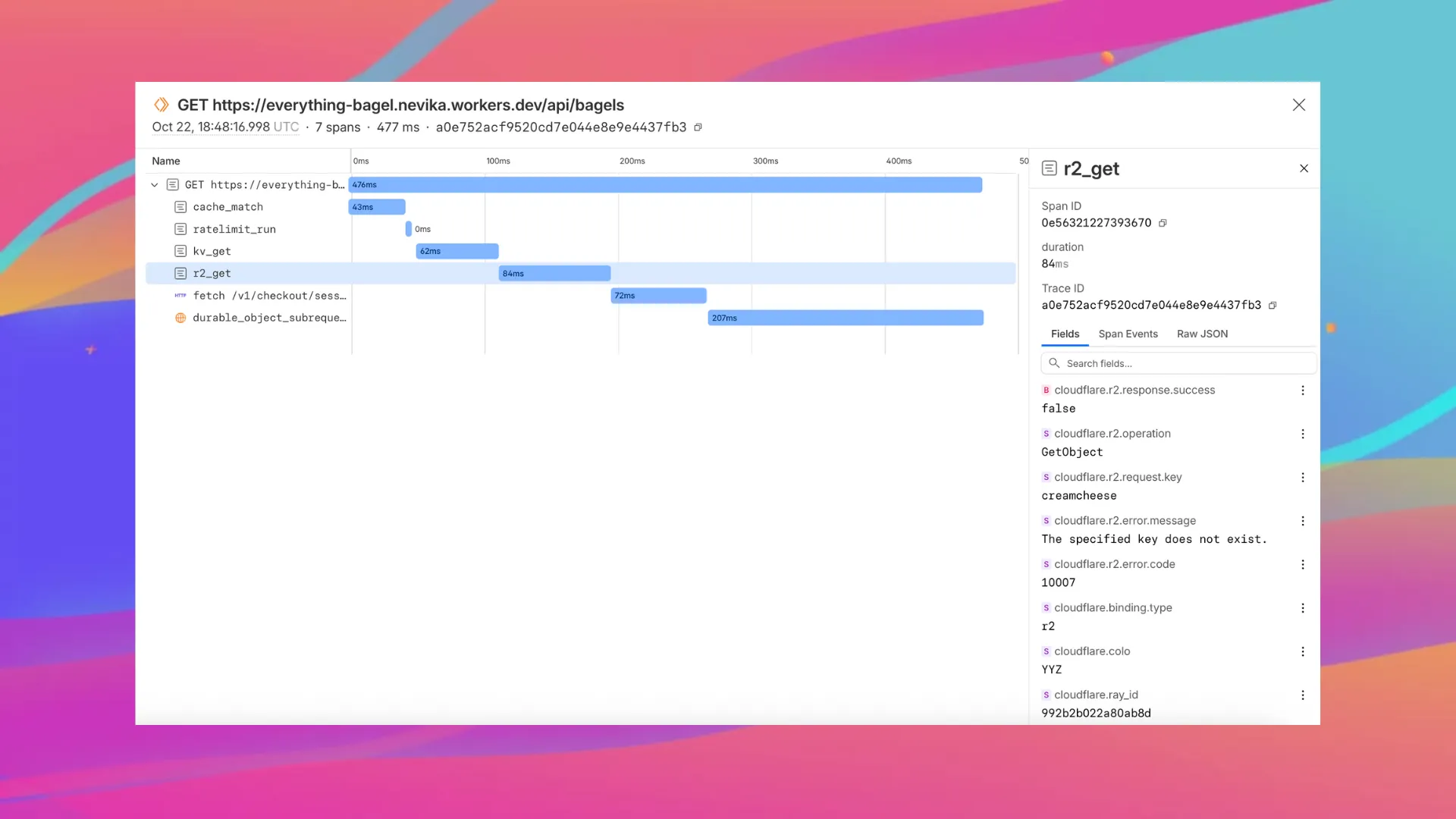
Tracing helps you identify performance bottlenecks, resolve errors, and understand how your Worker interacts with other services on the Workers platform. You can now answer questions like:
- Which calls are slowing down my application?
- Which queries to my database take the longest?
- What happened within a request that resulted in an error?
You can now:
- View traces alongside your logs in the Workers Observability dashboard
- Export traces (and correlated logs) to any OTLP-compatible destination, such as Honeycomb, Sentry or Grafana, by configuring a tracing destination in the Cloudflare dashboard
- Analyze and query across span attributes (operation type, status, duration, errors)
To get started, set:
{ "observability": { "tracing": { "enabled": true, }, },}Want to learn more?
Source: Cloudflare
Latest Posts
- Amazon ECS adds Amazon VPC Lattice support for blue/green, linear, and canary deployments

- MC1166852: Microsoft Viva Copilot Analytics Adds Agent Dashboard for Adoption and Credit Insights
- Access, Cloudflare One – New strict service token authentication setting for Access
- Rules – hash_in_range() is globally available for HTTP products