Radar now includes content type insights for AI bot and crawler traffic. The new content_type dimension and filter shows the distribution of content types returned to AI crawlers, grouped by MIME type category.
The content type dimension and filter are available via the following API endpoints:
Content type categories:
- HTML – Web pages (
text/html) - Images – All image formats (
image/*) - JSON – JSON data and API responses (
application/json,*+json) - JavaScript – Scripts (
application/javascript,text/javascript) - CSS – Stylesheets (
text/css) - Plain Text – Unformatted text (
text/plain) - Fonts – Web fonts (
font/*,application/font-*) - XML – XML documents and feeds (
text/xml,application/xml,application/rss+xml,application/atom+xml) - YAML – Configuration files (
text/yaml,application/yaml) - Video – Video content and streaming (
video/*,application/ogg,*mpegurl) - Audio – Audio content (
audio/*) - Markdown – Markdown documents (
text/markdown) - Documents – PDFs, Office documents, ePub, CSV (
application/pdf,application/msword,text/csv) - Binary – Executables, archives, WebAssembly (
application/octet-stream,application/zip,application/wasm) - Serialization – Binary API formats (
application/protobuf,application/grpc,application/msgpack) - Other – All other content types
Additionally, individual bot information pages now display content type distribution for AI crawlers that exist in both the Verified Bots and AI Bots datasets.
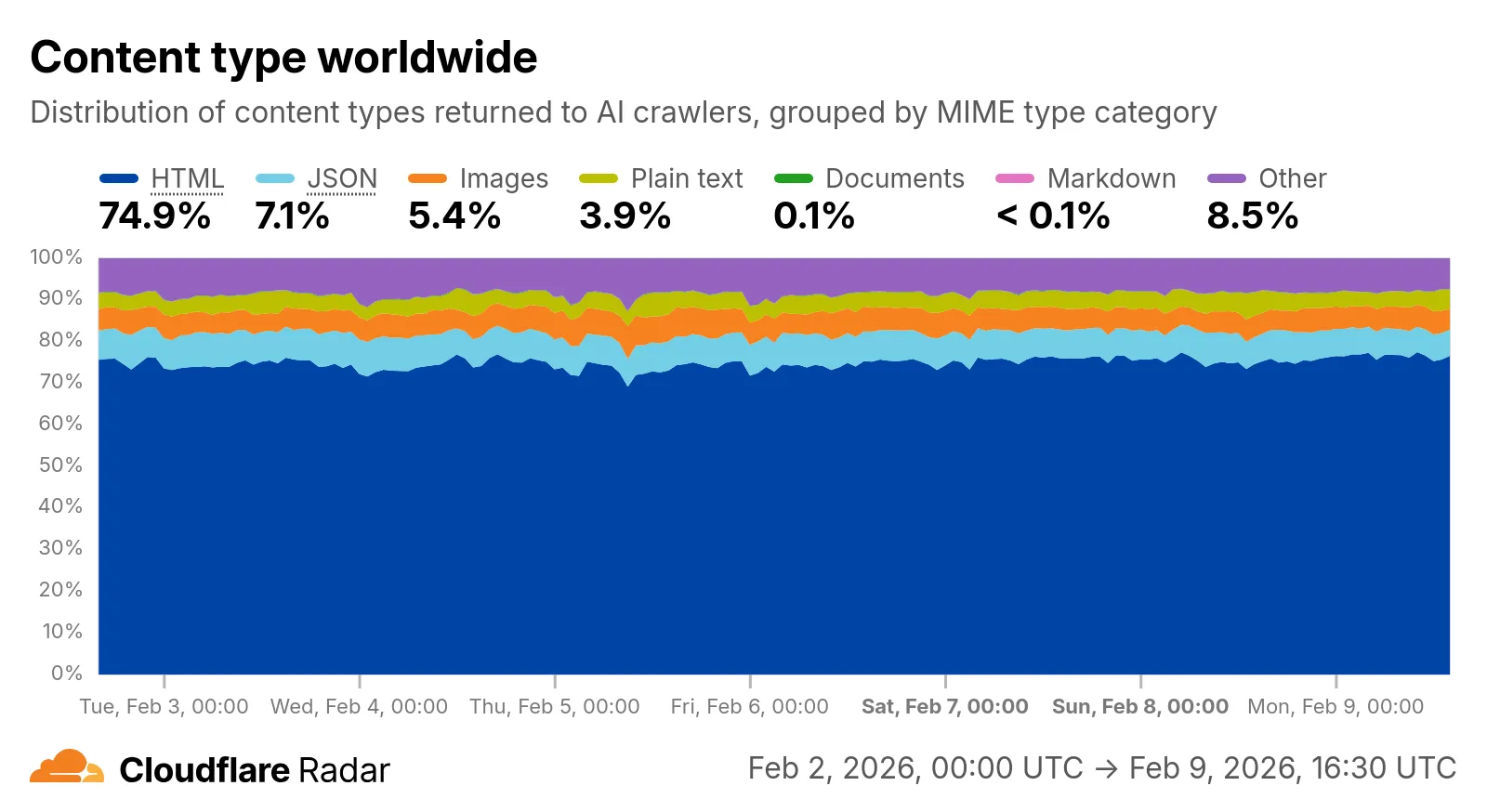
Check out the AI Insights page to explore the data.
Source: Cloudflare
Latest Posts
- Web Search on AWS Bedrock now supports domain filtering and user location controls

- MC1523076: Microsoft Teams Shifts Loop Meeting Notes Storage to Meeting Organizer’s OneDrive
- MC1523090: Microsoft Teams Adds Side Conversations in Meeting Chat
- MC1523086: Microsoft Teams Adds Alternate Text Support for OneDrive and SharePoint Images






