Digital Experience Monitoring (DEX) provides visibility into WARP device connectivity and performance to any internal or external application.
Now, all DEX logs are fully compatible with Cloudflare’s Customer Metadata Boundary (CMB) setting for the ‘EU’ (European Union), which ensures that DEX logs will not be stored outside the ‘EU’ when the option is configured.
If a Cloudflare One customer using DEX enables CMB ‘EU’, they will not see any DEX data in the Cloudflare One dashboard. Customers can ingest DEX data via LogPush, and build their own analytics and dashboards.
If a customer enables CMB in their account, they will see the following message in the Digital Experience dashboard: “DEX data is unavailable because Customer Metadata Boundary configuration is on. Use Cloudflare LogPush to export DEX datasets.”
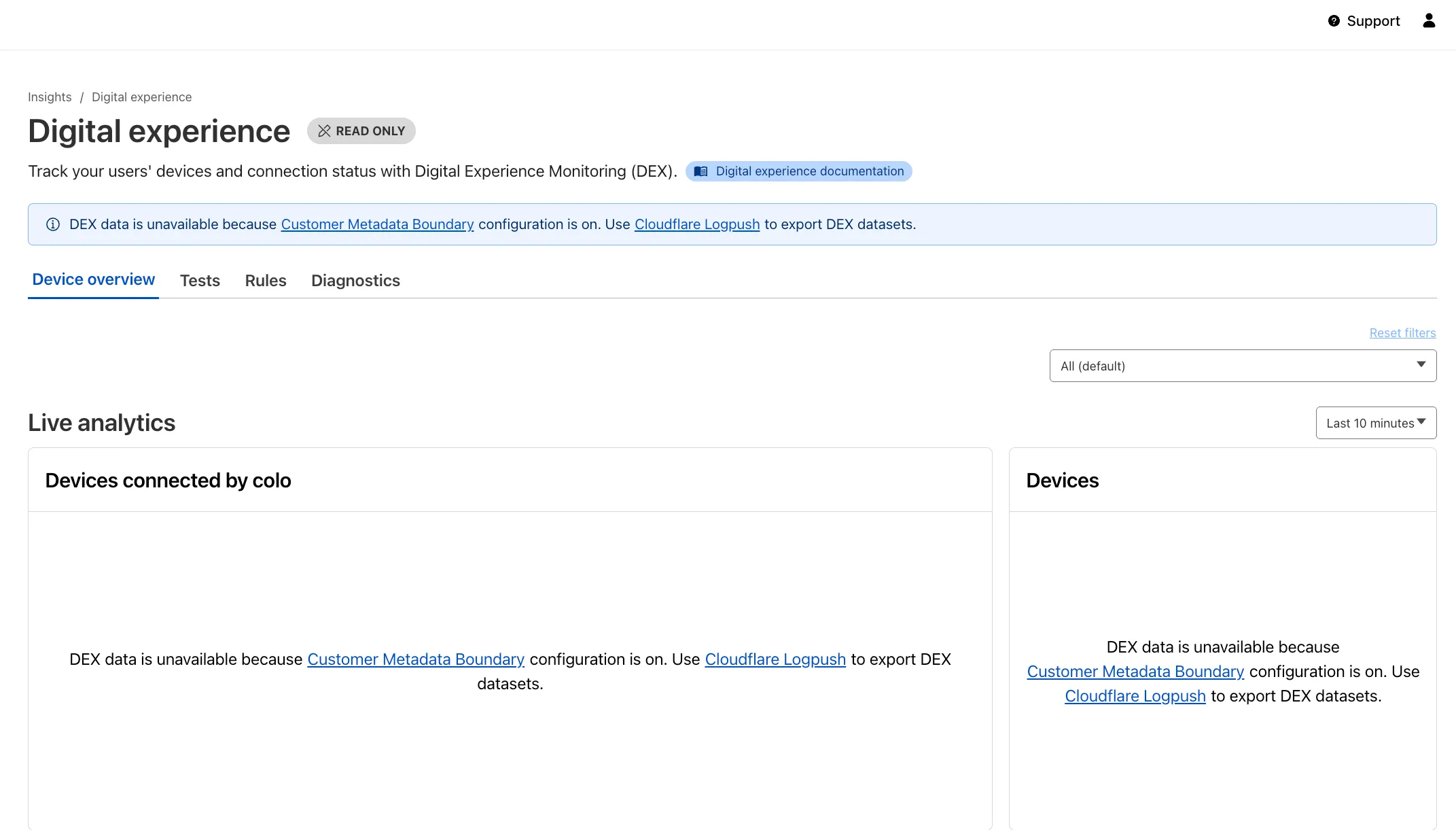
Source: Cloudflare
Latest Posts
- Web Search on AWS Bedrock now supports domain filtering and user location controls

- MC1523076: Microsoft Teams Shifts Loop Meeting Notes Storage to Meeting Organizer’s OneDrive
- MC1523090: Microsoft Teams Adds Side Conversations in Meeting Chat
- MC1523086: Microsoft Teams Adds Alternate Text Support for OneDrive and SharePoint Images