Take a look and decide whether this affects your tenant, users or support teams.
Primary Audience
Why this score?
AT A GLANCE
END USERS
IT ADMINS
ROLLOUT TIMELINE
July–August 2026
📢 Official Microsoft Message Center Announcement
Microsoft 365 Copilot: Configure organization policy link for blocked Copilot Chat users
Message ID: MC1434583
[What and Why]
We are introducing a new capability for organizations to provide a link to company policy or internal guidance for users who are blocked from accessing Copilot Chat in the Microsoft 365 Copilot app. When restricted users attempt to access Chat, they can be directed to organization-specific information through a policy link. This helps organizations provide clearer guidance, reduce user confusion, and direct users to appropriate next steps.
[Rollout Schedule]
General Availability (Worldwide): Beginning in July 2026 and expected to complete in August 2026
[Impact on your organization]
Who is affected
- Organizations using the Microsoft 365 Copilot app
- Admins managing Copilot access using Integrated Apps policies
- Users who are blocked from Copilot Chat via admin policy
Platforms/services
- Microsoft 365 Copilot app
What will happen
- Users who are restricted by policy will continue to see the Chat entry point in the Microsoft 365 Copilot app navigation.
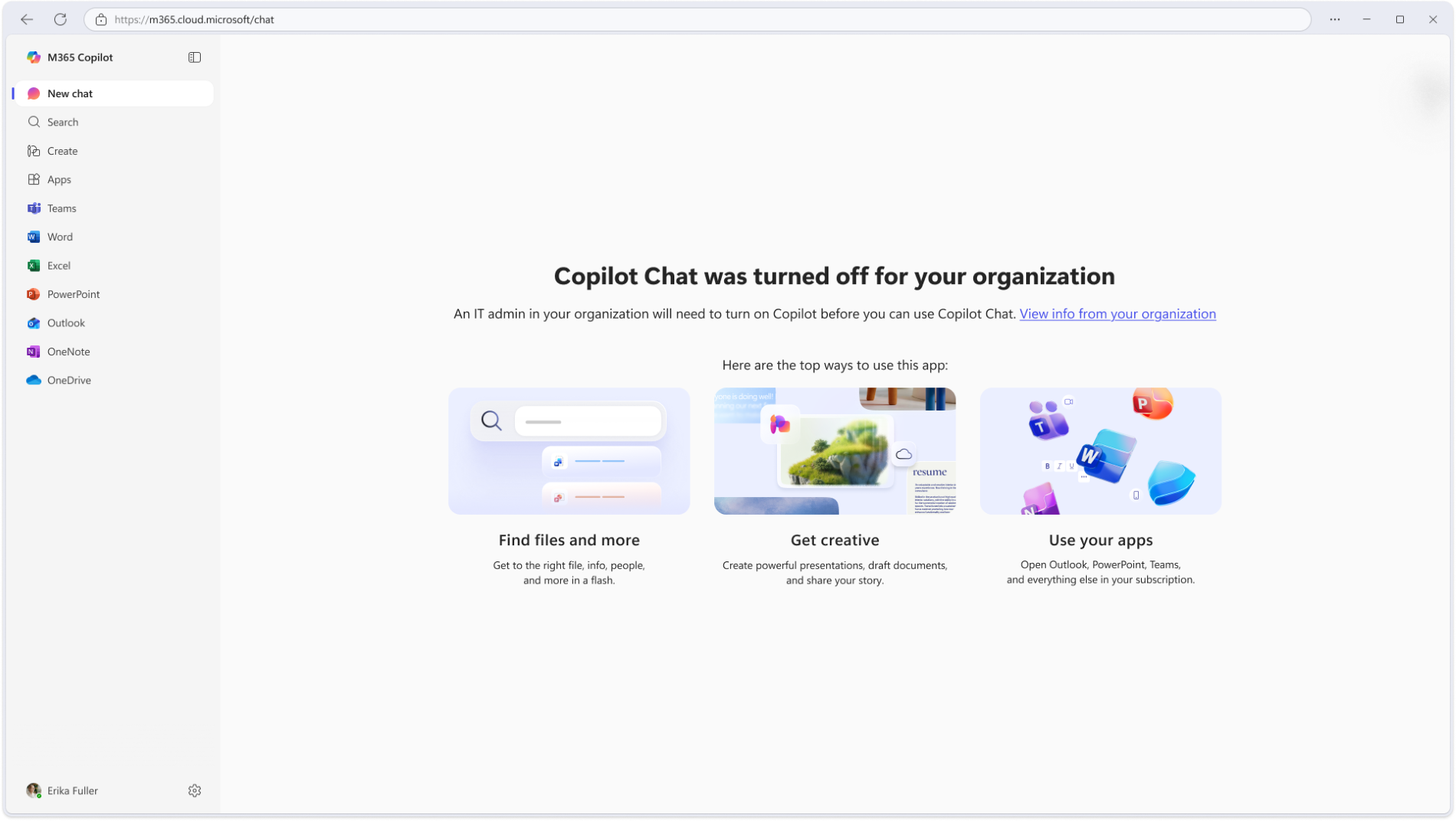
- When restricted users select Chat or access Chat directly by URL, they will see a message indicating that Copilot Chat is unavailable:

- By default, users will see a standard Microsoft message when access is blocked.
- Admins can optionally add a URL to provide guidance or next steps.
- The optional support link will display as “View info from your organization.”
- This feature is available for admins to configure and is not enabled by default.
- Existing Integrated Apps policies continue to control access and are not changed by this feature.
[Action required/Recommendations]
No action is required.
If you want to customize the experience for restricted users:
- Review Copilot access policies in Integrated Apps.
- Decide whether to provide guidance or support resources for restricted users.
- Configure a URL in the Microsoft 365 admin center under Copilot settings
- Prepare your helpdesk or support teams for this updated user experience.
- Review upcoming Microsoft Learn documentation for detailed configuration guidance.
Learn more: [To be updated closer to GA launch.] Manage harmful content protection settings for Microsoft 365 Copilot Chat | Microsoft 365 Copilot | Microsoft 365 | Microsoft Learn.
[Compliance considerations]
| Question | Answer |
| Does the change include an admin control and can it be controlled through Entra ID group membership? | Yes. Admins can configure the URL through Copilot settings in the Microsoft 365 admin center. |
Source: Microsoft Message Center • Analysed by MWPro