Take a look and decide whether this affects your tenant, users or support teams.
Primary Audience
Why this score?
AT A GLANCE
END USERS
IT ADMINS
ROLLOUT TIMELINE
Early August 2026
📢 Official Microsoft Message Center Announcement
Microsoft SharePoint: New report on Everyone except external users
Message ID: MC1450131
[What and why]
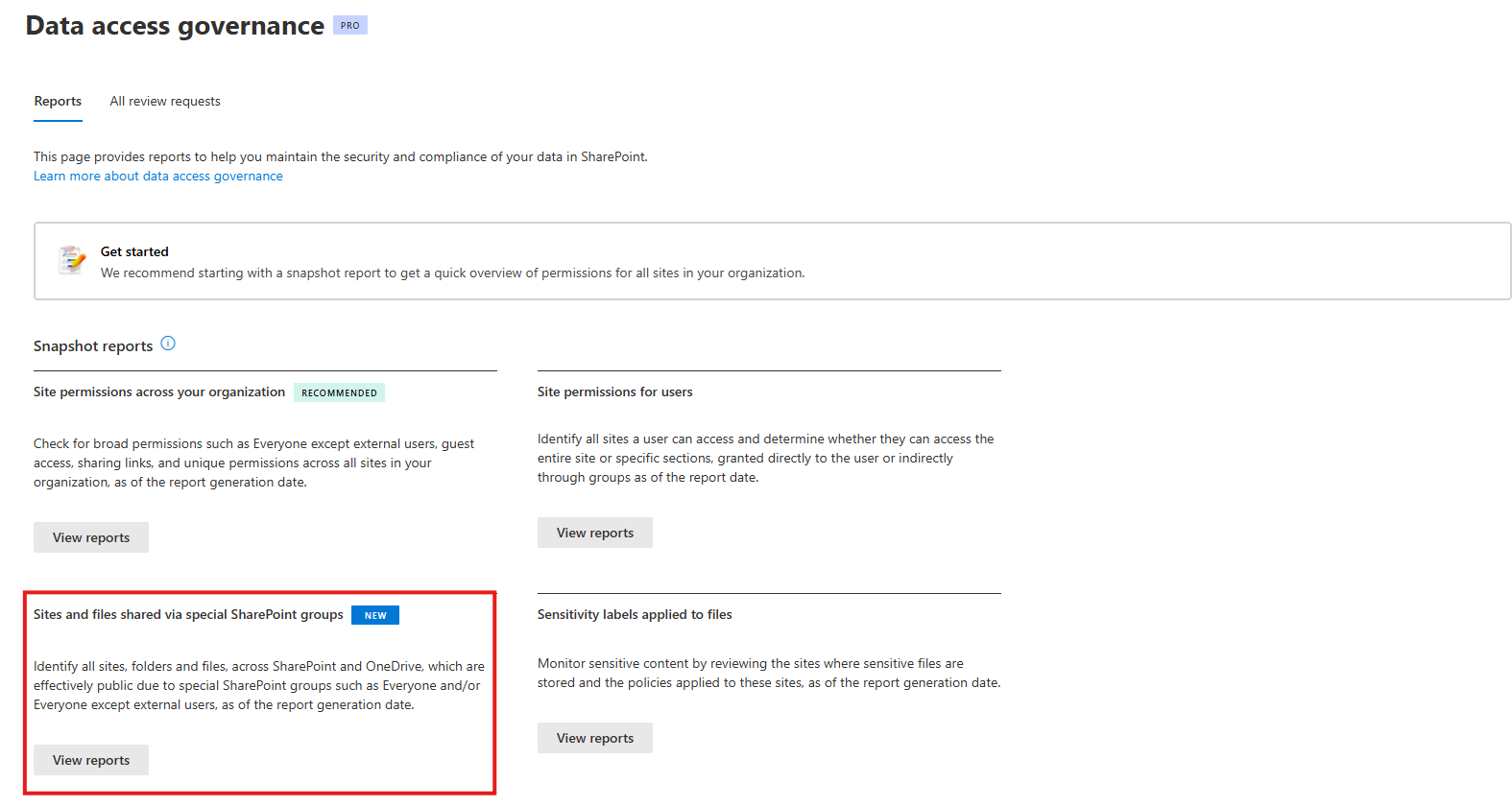
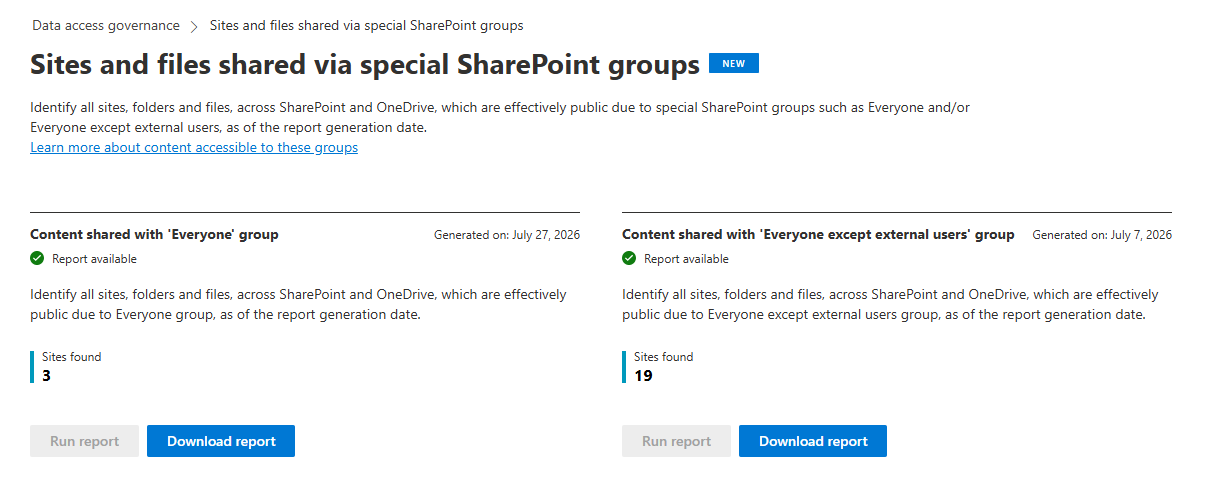
We’re introducing a new report in the SharePoint admin center that provides detailed, item-level visibility into permissions granted through the Everyone and Everyone except external users special SharePoint groups.
This report helps SharePoint Advanced Management administrators identify content that has been broadly shared and take more targeted remediation actions. Previously, administrators could identify sites containing these special groups. With this enhancement, administrators can identify the specific files and items exposed through those permissions across SharePoint and OneDrive.
Customers can use this report to gain visibility into all items exposed through these special SharePoint groups, not just the sites containing them. This enables faster, more targeted remediation of overshared content across SharePoint and OneDrive.
This message is associated with Microsoft 365 Roadmap ID 561038.
[Rollout schedule]
- General Availability (Worldwide): Beginning in early August 2026 and expected to complete in mid-August 2026
[Impact on your organization]
Who is affected
- SharePoint Advanced Management administrators
- SharePoint administrators responsible for governance, security, and sharing controls
Platforms and services
- SharePoint Online
- OneDrive for Business
- SharePoint Admin Center
- PowerShell
What will happen
After rollout, eligible administrators will be able to generate a report that provides item-level details for content shared through the Everyone and Everyone except external users special SharePoint groups.
The report enables administrators to:
- Identify individual files and items exposed through broad permissions
- Investigate overshared content more efficiently
- Prioritize and remediate sharing risks across SharePoint and OneDrive
- Access reporting through both the SharePoint admin center and PowerShell
This feature does not change existing permissions or sharing behavior. It provides enhanced visibility into existing permissions assignments.
[Action required and recommendations]
No action is required before rollout.
We recommend that you:
- Inform SharePoint administrators about the availability of this new report:

- Review content exposed through the Everyone and Everyone except external users groups after rollout:
- Update governance, auditing, and remediation processes to incorporate the new reporting capabilities.
- Update internal documentation that references SharePoint permission auditing procedures.
Learn more
[Compliance considerations]
| Question | Answer |
| Does the change alter how admins can monitor, report on, or demonstrate compliance activities? | Yes. The new report enhances administrative visibility into broadly shared content. |
Source: Microsoft Message Center • Analysed by MWPro