Review the update and plan any required actions before rollout.
Primary Audience
Why this score?
AT A GLANCE
END USERS
IT ADMINS
ROLLOUT TIMELINE
Late November 2026
📢 Official Microsoft Message Center Announcement
In-app browsing in Copilot app
Message ID: MC1474455
[What and why:]
We are adding support to the Microsoft Copilot app, in Windows and Mac, to allow websites that Copilot shares in chat to open inside of the desktop app side by side with the Copilot chat conversation. This is available now but not available by default; administrators can opt-in selected Windows and Mac devices to test this.
[Rollout schedule:]
- Opt-in availability: Available now.
- Broader rollout: Begins late November 2026.
[Impact on your organization:]
Administrators can manage early access by opting-in selected devices and deploying the updates via instructions linked below. This early access allows you to:
- Test in-app browsing at your organization before the broader rollout. This allows users to open links within the Copilot desktop app.
- Validate deployed and in-app browsing behavior in your organization’s managed environment.
- Prepare support teams and users for the updated experience that applies to Copilot Windows and Mac endpoints.
What users will see
When a user clicks a link within the Copilot desktop app, the website opens in a side pane to the right of the Copilot chat. Users can open multiple links, each appearing as a separate tab within the side pane and can switch between tabs as needed. Once the websites are no longer needed, users can close the side pane.
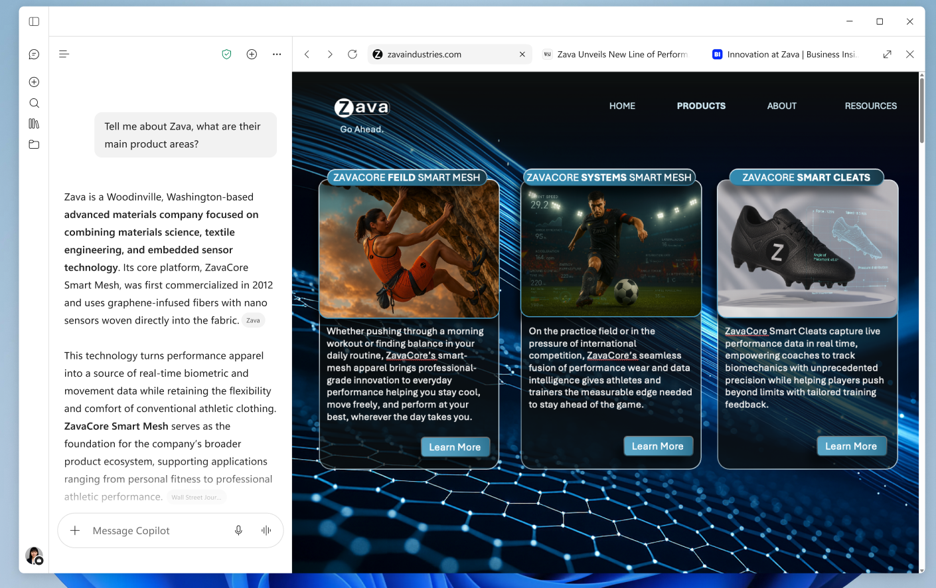
Users can adjust the in-app browser side pane to be smaller or larger. They can also enter full-screen mode to view the website in a full-screen experience and can toggle in and out of this mode using the button in the side pane header.
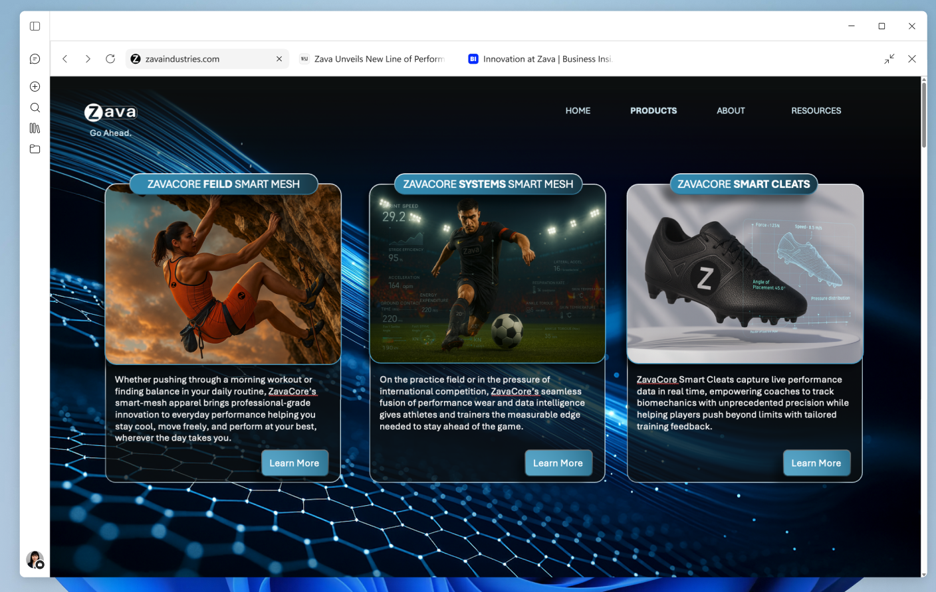
Users can still open a link in an external browser, by:
- Selecting the “External browser” option from the three-dot menu on the link within Copilot Chat
- OR Selecting “Copy the URL” and pasting it into an external browser
- OR Right clicking a tab in the side pane within the Copilot app and selecting “External browser” (coming 9/21)
[Action required / Recommendations:]
- To enable in-app browsing, you can turn on the ‘BrowsingEnabled’ policy through your device management system.
- Review the in-app browsing associated policies that can be adjusted and changed.
[Compliance Considerations:]
- Does the change store new customer data? Yes. Browsing history, cookies, autofill information are stored on the local device. This follows the same storage mechanisms as Microsoft Edge storing data in the user Data profile directory at “%localappdata%\Microsoft\Copilot\User Data”.
- Does the change provide end users with a new way of interacting with generative AI? This feature does not add any new way to create or steer generative AI, it only lets you view websites, whether those are website on the internet or html files created generatively with copilot via other features.
Source: Microsoft Message Center • Analysed by MWPro