Take a look and decide whether this affects your tenant, users or support teams.
Primary Audience
Why this score?
AT A GLANCE
END USERS
IT ADMINS
ROLLOUT TIMELINE
Late September 2026
📢 Official Microsoft Message Center Announcement
Microsoft Defender for Office 365: Remediation actions from the Teams message entity flyout
Message ID: MC1476237
[What and why]
We are enhancing the Teams message entity flyout in Microsoft Defender for Office 365 to help security teams investigate and remediate malicious Teams messages more efficiently. Administrators will be able to submit messages to Microsoft and block external senders or associated domains from a single workflow, reducing the need to navigate between investigation experiences.
[Rollout schedule]
- General Availability (Worldwide): Beginning in late September 2026 and expected to complete by mid-October 2026
[Impact on your organization]
Who is affected
- Security administrators and analysts in organizations with Microsoft Defender for Office 365 Plan 1 or Plan 2 who investigate Teams messages through Submissions, Alerts, Advanced Hunting, or Quarantine
Platforms and services
- Microsoft Defender for Office 365
- Microsoft Teams
- Microsoft Defender portal
What will happen
Administrators investigating Teams messages through Submissions, Alerts, Advanced Hunting, or Quarantine will be able to open the Teams message entity flyout and access the Take action workflow directly from the message.
The updated action wizard will support the following actions:
- Submit to Microsoft: Submit the Teams message to Microsoft for review and analysis:

- Block sender: Add the external sender to the Tenant Allow/Block List (TABL). When available, sender information will be prepopulated to reduce manual entry.
- Block domain: Add one or more domains associated with the investigated message to TABL. The wizard will identify and prepopulate domains associated with an external sender, allowing administrators to select the domains to block.
-
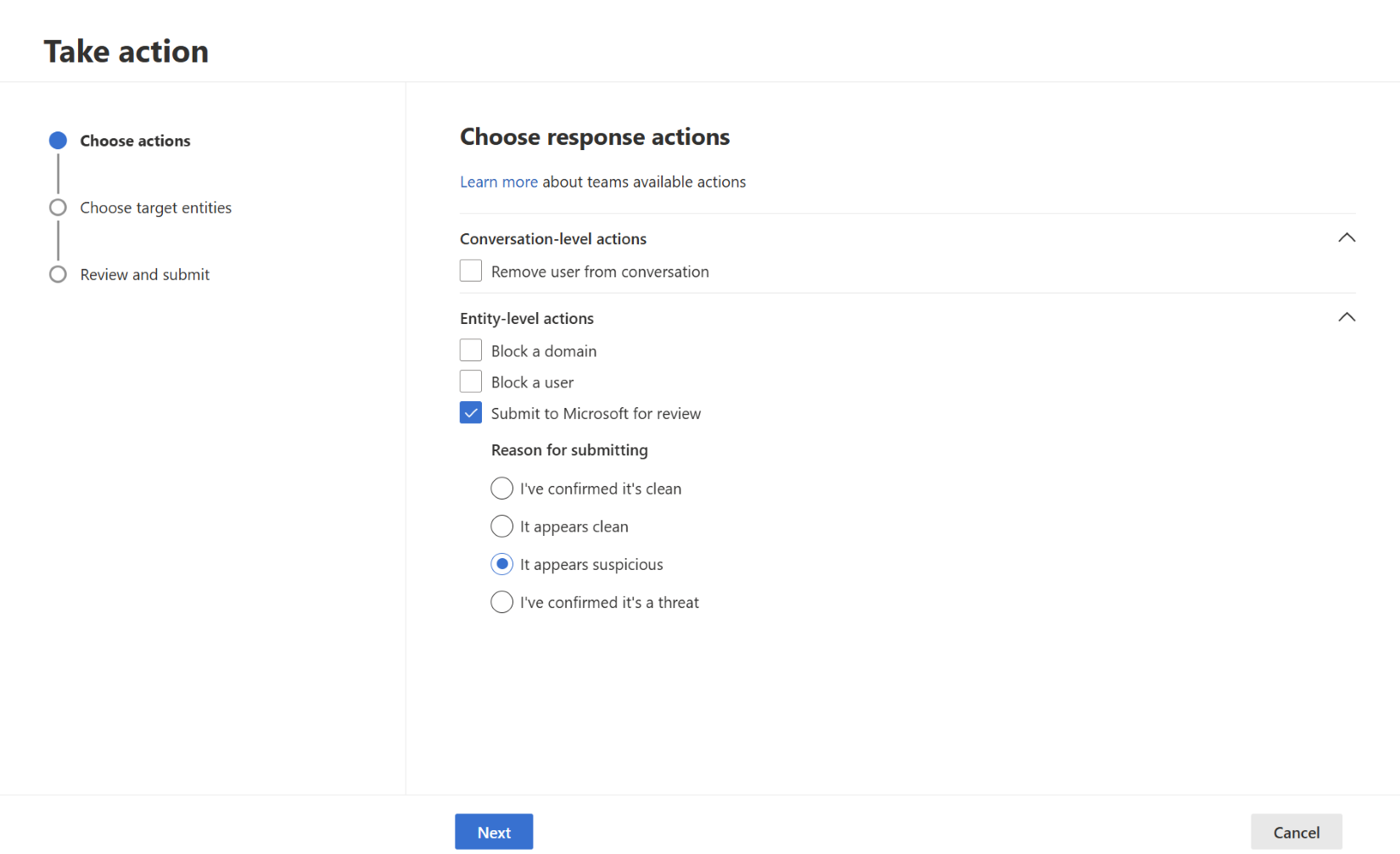
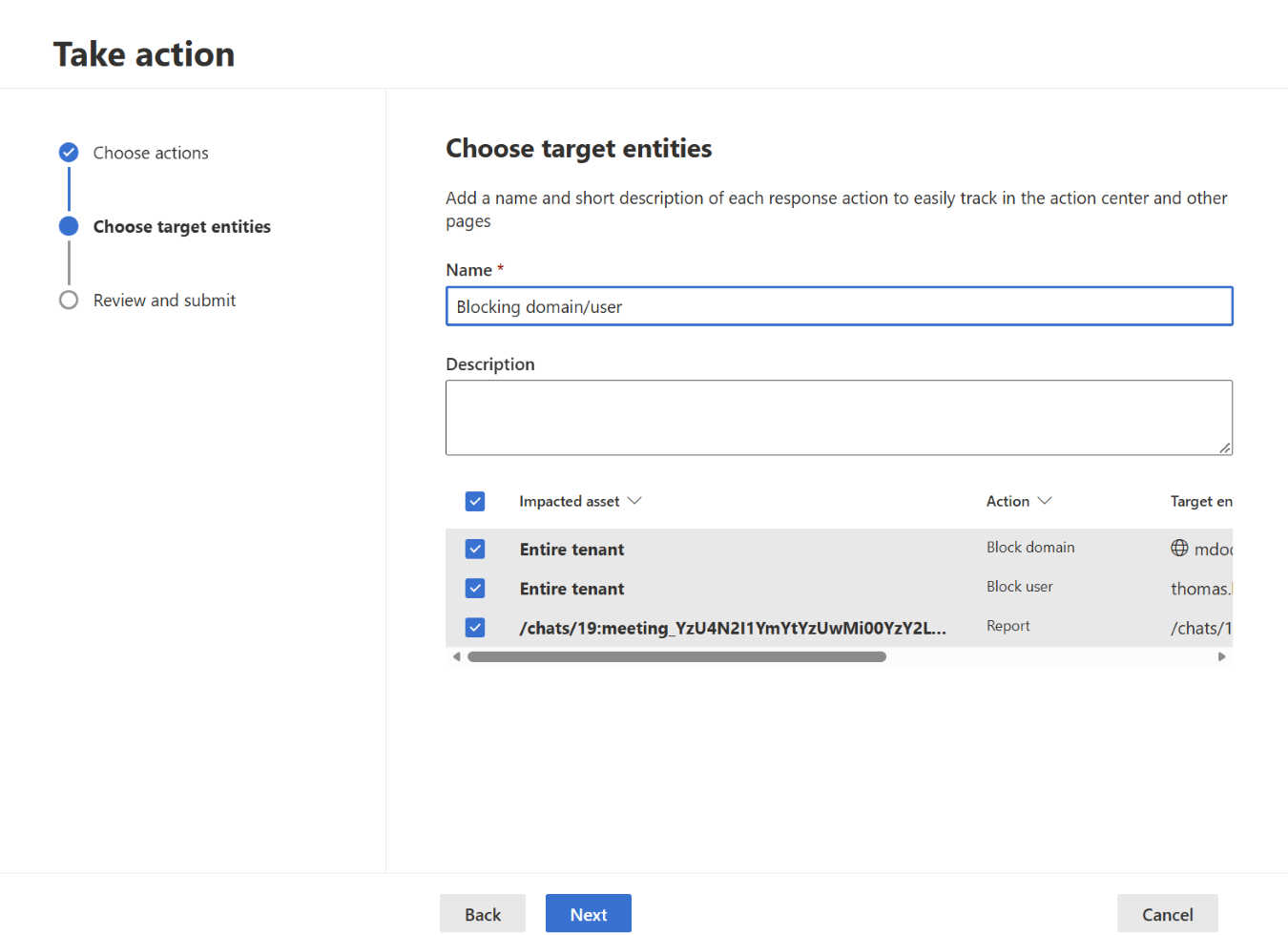
Administrators can perform multiple actions in a single workflow. For example, they can submit a message to Microsoft while also blocking the associated sender or domain.
These actions will be available to Microsoft Defender for Office 365 Plan 1 and Plan 2 customers. Existing investigation experiences and workflows will remain available. No configuration changes are required for this capability.
[Action required and recommendations]
No action is required before rollout.
We recommend that organizations:
- Review internal security operations procedures for Teams message investigations.
- Update administrator training materials and documentation to include the new remediation actions available from the Teams message entity flyout.
- Inform security operations teams about the streamlined investigation and remediation workflow.
Learn more
- [To be updated closer to launch.] Teams message entity panel in Microsoft Defender for Office 365 – Microsoft Defender for Office 365 | Microsoft Learn
[Compliance considerations]
No compliance considerations were identified in the source content. Review this change as appropriate for your organization.
Source: Microsoft Message Center • Analysed by MWPro