MWPRO IMPACT SCORE
OPERATIONAL IMPACT
28
0
25
50
75
100
MODERATE IMPACT • ASSESS BUSINESS IMPACT
Recommended Action:
Take a look and decide whether this affects your tenant, users or support teams.
Take a look and decide whether this affects your tenant, users or support teams.
What is MWPro Impact Score?
Watch our 60‑second explainer
Primary Audience
Microsoft 365 AdminsExchange AdminsIT ManagersService OwnersEnd Users
Why this score?
AI Confidence
HIGH
Enough detail is available to trust this assessment.
Assessment Reasoning
This is a new user experience enhancement allowing Outlook users to right‑click the ribbon to customise Home and View tabs. The rollout has already started and requires no admin action. Admin impact is limited to awareness and potential support for user queries, while user impact is moderate due to interface and workflow flexibility changes. Urgency and effort remain low as deployment is automatic and non‑disruptive.
20
Admin Impact
40
User Impact
35
Urgency
15
Effort
WHAT YOU NEED TO KNOW
AT A GLANCE
Outlook’s classic ribbon can now be customised directly from the Home or View tab by right-clicking and choosing which commands to show or rearrange.
END USERS
Users can right-click the ribbon to customise visible commands on the Home and View tabs.
IT ADMINS
No immediate admin action required.
ROLLOUT TIMELINE
Rolling out:
Sept–Nov 2026
Sept–Nov 2026
📢 Official Microsoft Message Center Announcement
Microsoft Outlook: Right-click to customize the classic ribbon
Message ID: MC1485120
[What and why]
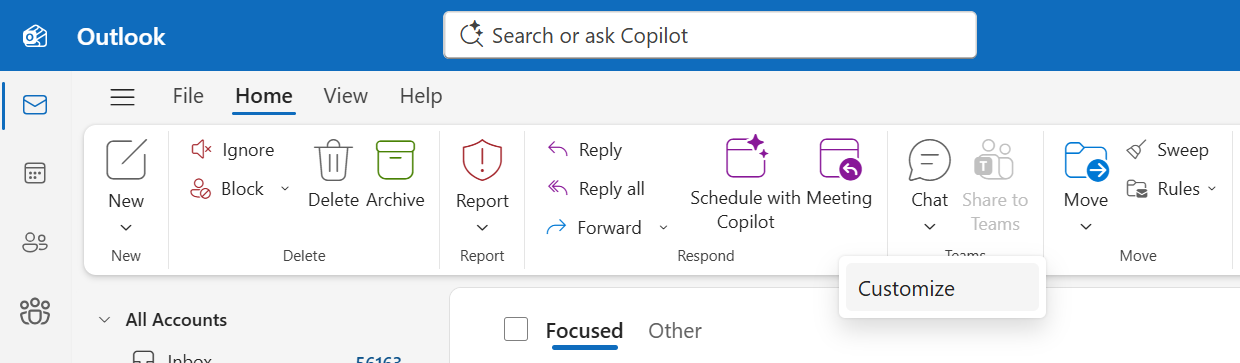
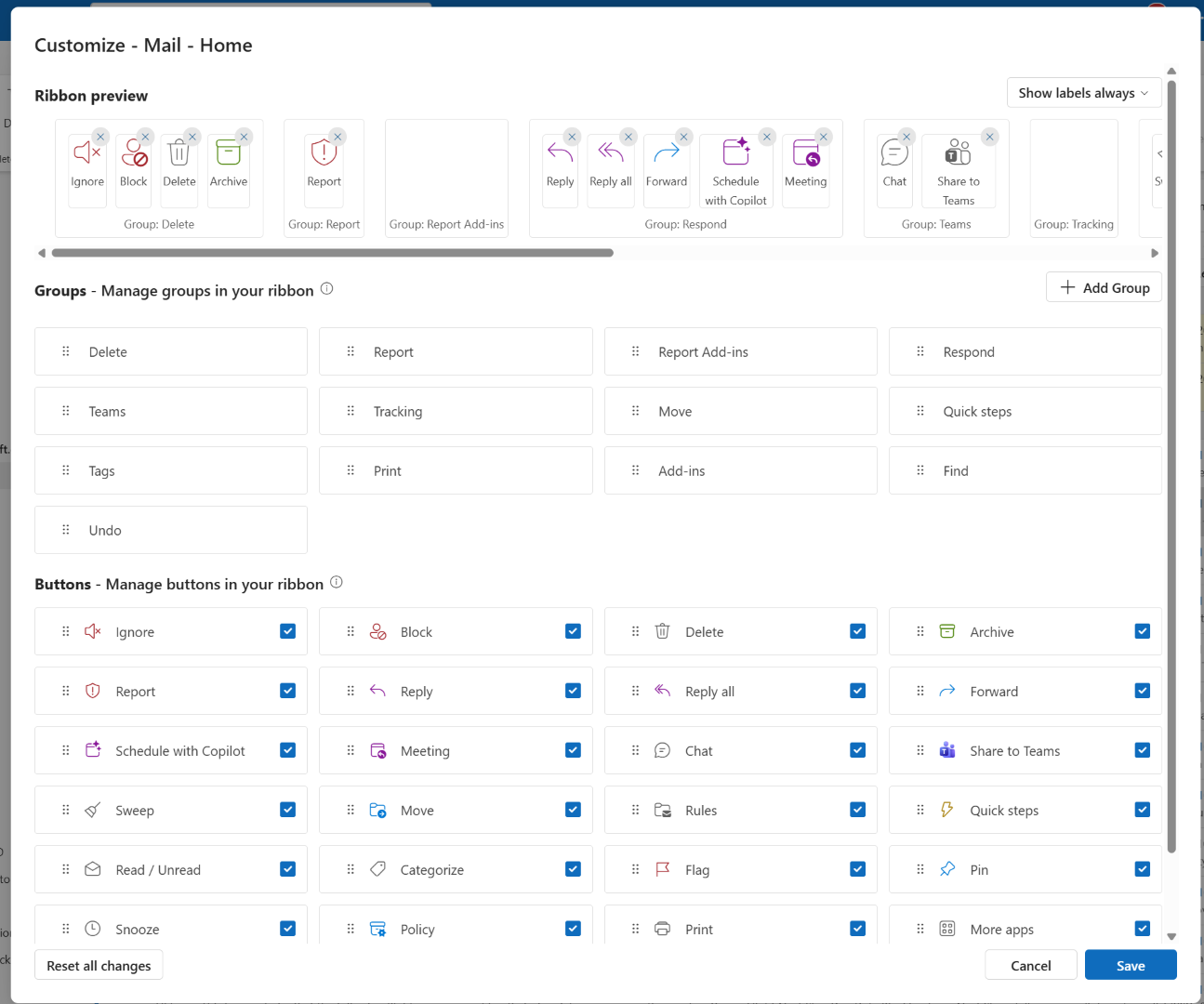
We are updating the classic ribbon customization experience in Microsoft Outlook. Users can now customize the classic ribbon by right-clicking the ribbon on the Home or View tab and selecting the Customize button. Users can then choose which commands and groups appear on the Home and View tabs and arrange them in their preferred order.
[Rollout schedule]
- General Availability (Worldwide): Rollout began in late September 2026 and is expected to complete by mid-November 2026.
[Impact on your organization]
Who is affected
- Microsoft Outlook users
Platforms and services
- Microsoft Outlook
- New Outlook for Windows
- Microsoft Outlook on the web
What will happen
- Users can customize the classic ribbon by right-clicking on the ribbon, selecting which commands and groups to display on the Home and View tabs, and arranging them as desired.
Classic ribbon customization entry point
Classic ribbon customization menu
[Action required and recommendations]
No action is required.
[Compliance considerations]
No compliance considerations identified. Review as appropriate for your organization.
Source: Microsoft Message Center • Analysed by MWPro