Take a look and decide whether this affects your tenant, users or support teams.
Primary Audience
Why this score?
AT A GLANCE
END USERS
IT ADMINS
ROLLOUT TIMELINE
Late October 2026
📢 Official Microsoft Message Center Announcement
Microsoft 365 Copilot: new guided Copilot onboarding experience
Message ID: MC1486291
[What and why]
To help organizations increase Microsoft 365 Copilot adoption and build user confidence, we are introducing a new admin-led Copilot onboarding experience for Frontier participants. This guided, in-product experience helps users learn how to use Copilot through role-based activities within the Copilot app. The experience is tailored to the user’s familiarity with Copilot and their license assignment, helping users build confidence through relevant, guided examples while giving organizations control over how onboarding is introduced. This supports Personal and Team Productivity by helping users learn how to use Copilot effectively in their daily work.
[Rollout schedule]
- Frontier (Worldwide): Rollout begins in late October 2026 and is expected to complete by early November 2026.
[Impact on your organization]
Who is affected
- Microsoft 365 admins participating in the Frontier program who want to provide guided Copilot onboarding to their users.
- Users for whom the onboarding experience has been enabled and shared.
Platforms and services
- Microsoft 365 admin center
- Microsoft 365 Copilot
- Learning Agent
- Viva Learning (reporting)
What will happen
- This is a new, optional onboarding experience that does not change, replace, or retire existing Microsoft 365 Copilot functionality.
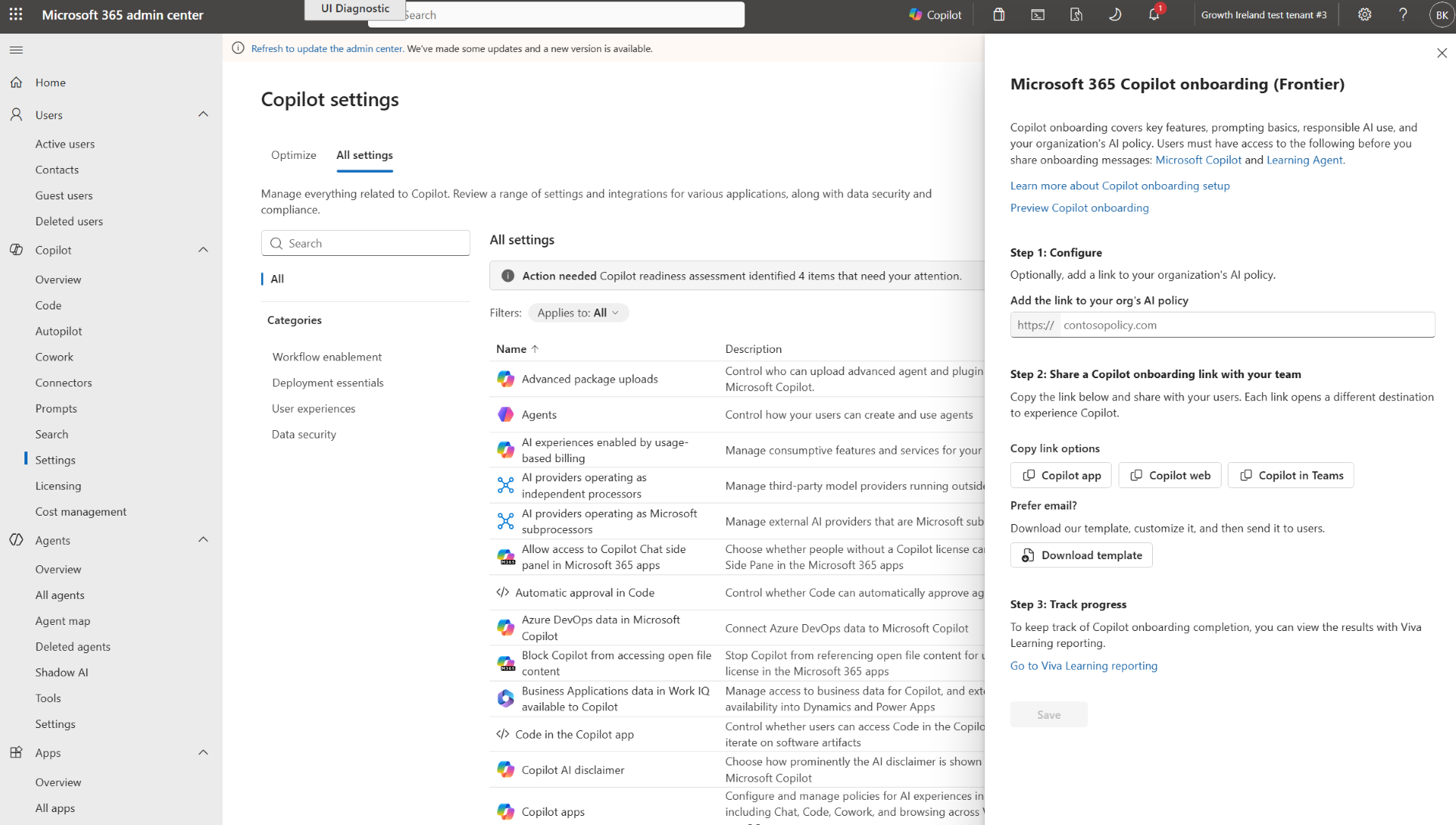
- The experience is disabled by default and must be enabled by an admin with the Global Administrator, Knowledge Administrator, or AI Administrator role. Admins can enable the experience in the Microsoft 365 admin center under Copilot settings > Microsoft 365 Copilot onboarding and include their organization’s AI policy as part of the onboarding experience.
- After enabling onboarding, admins can share the experience with users by using the provided email template or onboarding deep link. When users open the onboarding deep link, the Copilot app launches in the preferred destination set by the admin that shared the experience, such as the Copilot app for Windows, Copilot on the web, or Copilot in Teams.
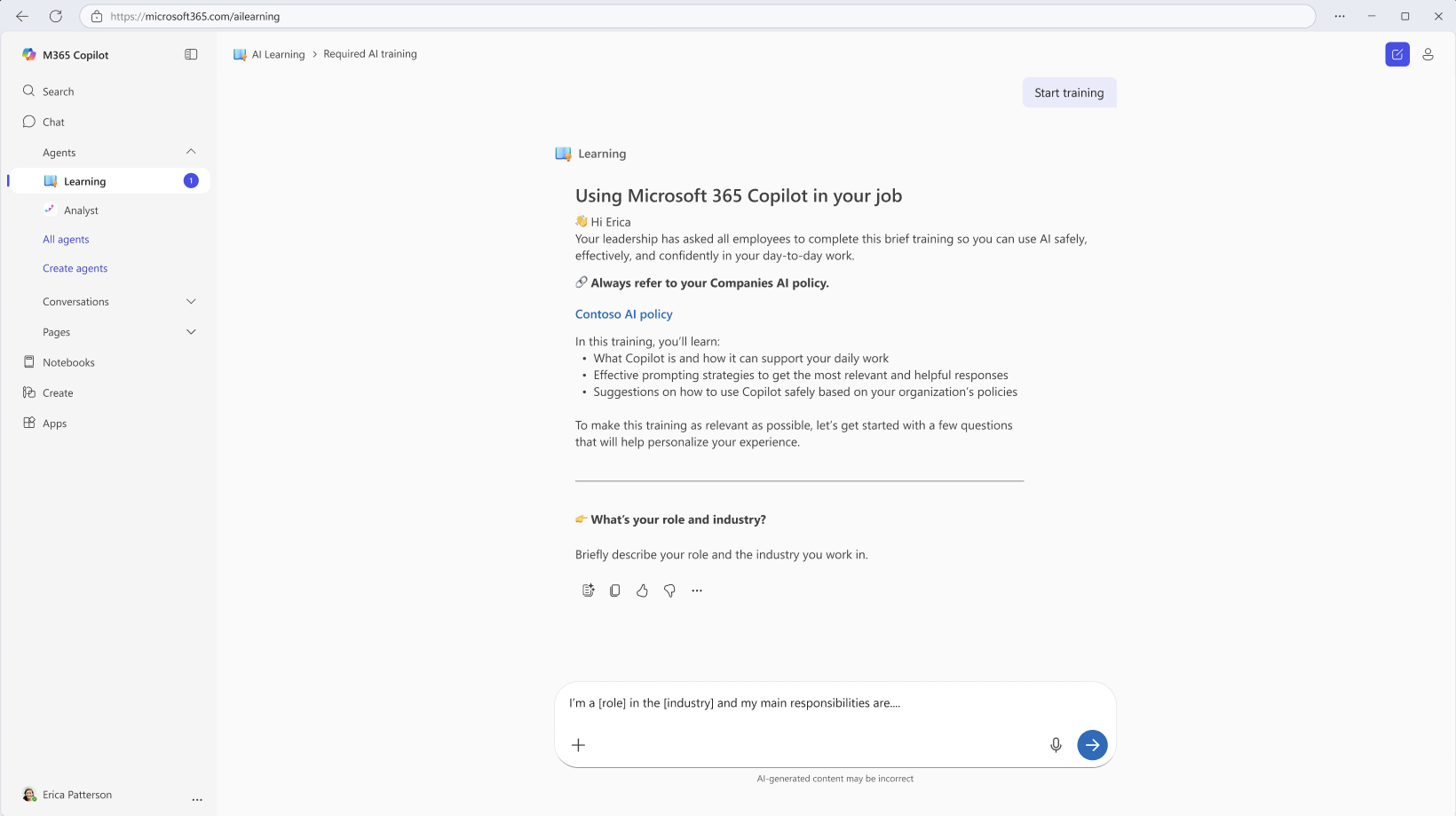
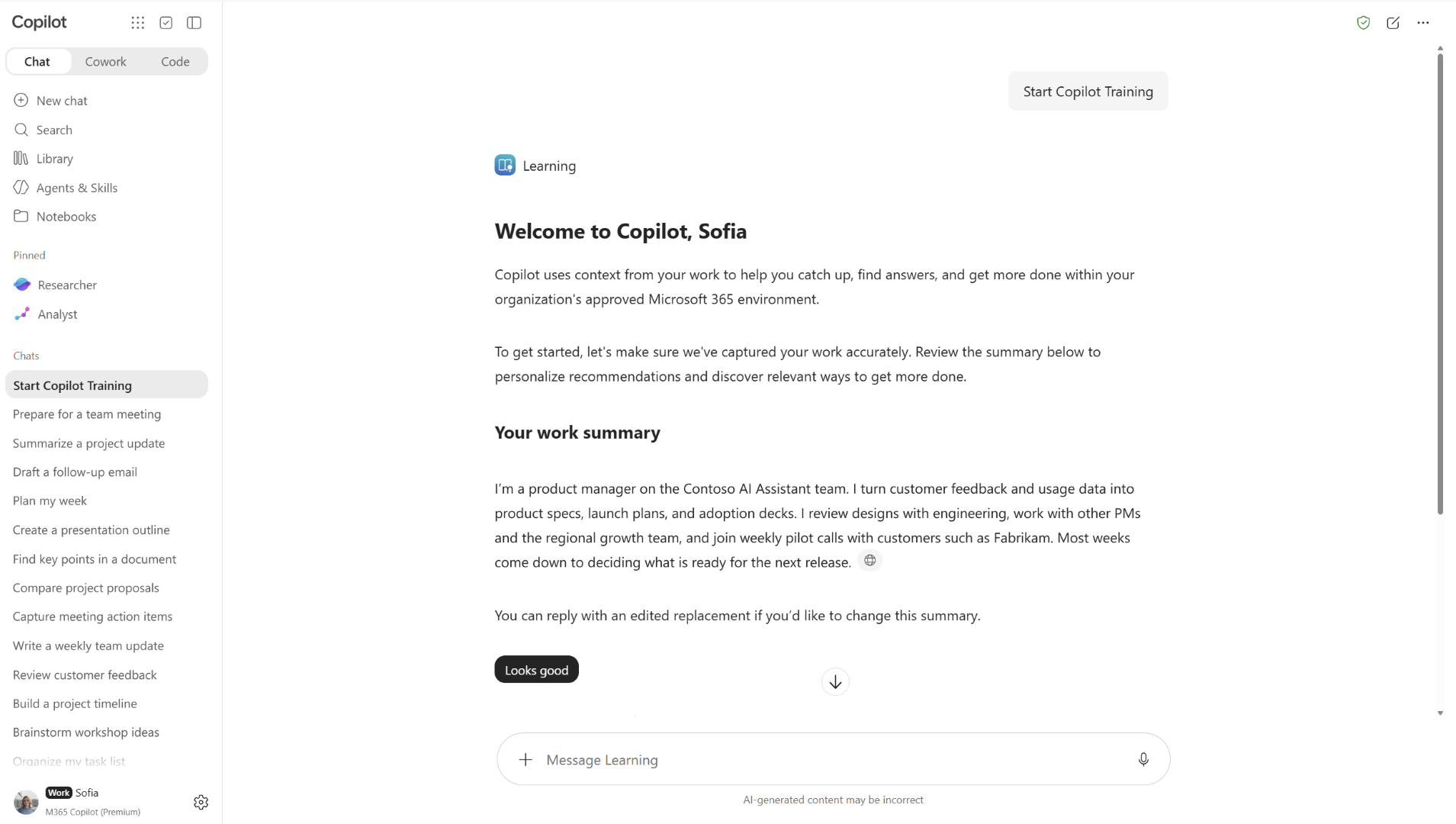
- Learning Agent automatically starts the onboarding experience, which takes approximately 5 to 10 minutes to complete, and is personalized based on the user’s role, work context, familiarity with Copilot, and license assignment.
- The Starter journey collects information from the user to personalize the onboarding experience.
- The Premium journey uses available work and role context to provide relevant examples of how the user can apply Copilot to their work. This journey is only available to users with a Copilot Premium license.
- If desired, admins with the Global Administrator or Knowledge Administrator role can access and use Viva Learning reporting to review onboarding completion.
Starter journey Copilot onboarding experience
Premium journey Copilot onboarding experience
Microsoft 365 admin center Copilot onboarding flyout menu
[Action required and recommendations]
No action is required unless you want to enable Microsoft 365 Copilot onboarding for your organization during the Frontier rollout. If you plan to use the experience:
- Ensure Learning Agent and Microsoft 365 Copilot are enabled for targeted users who will participate in the onboarding experience.
- In the Microsoft 365 admin center, go to Copilot settings > Microsoft 365 Copilot onboarding and enable the experience.
- Review your organization’s AI policy and determine whether you want to include it in the onboarding experience.
- Share the onboarding experience with users by using the provided email template or onboarding deep link. We recommend that you share the onboarding experience with new or inexperienced users to help them learn how to use Copilot in their role.
- If you want to view reporting and have the Global Administrator or Knowledge Administrator role, use Viva Learning reporting to review onboarding completion.
[Learn more]
We will update this post with new documentation.
[Compliance considerations]
No compliance considerations identified. Review as appropriate for your organization.
Source: Microsoft Message Center • Analysed by MWPro