Take a look and decide whether this affects your tenant, users or support teams.
Primary Audience
Why this score?
AT A GLANCE
END USERS
IT ADMINS
ROLLOUT TIMELINE
Late October 2026
📢 Official Microsoft Message Center Announcement
Microsoft OneDrive: Updated placement of the Create or upload button in OneDrive for the web
Message ID: MC1521617
[What and why]
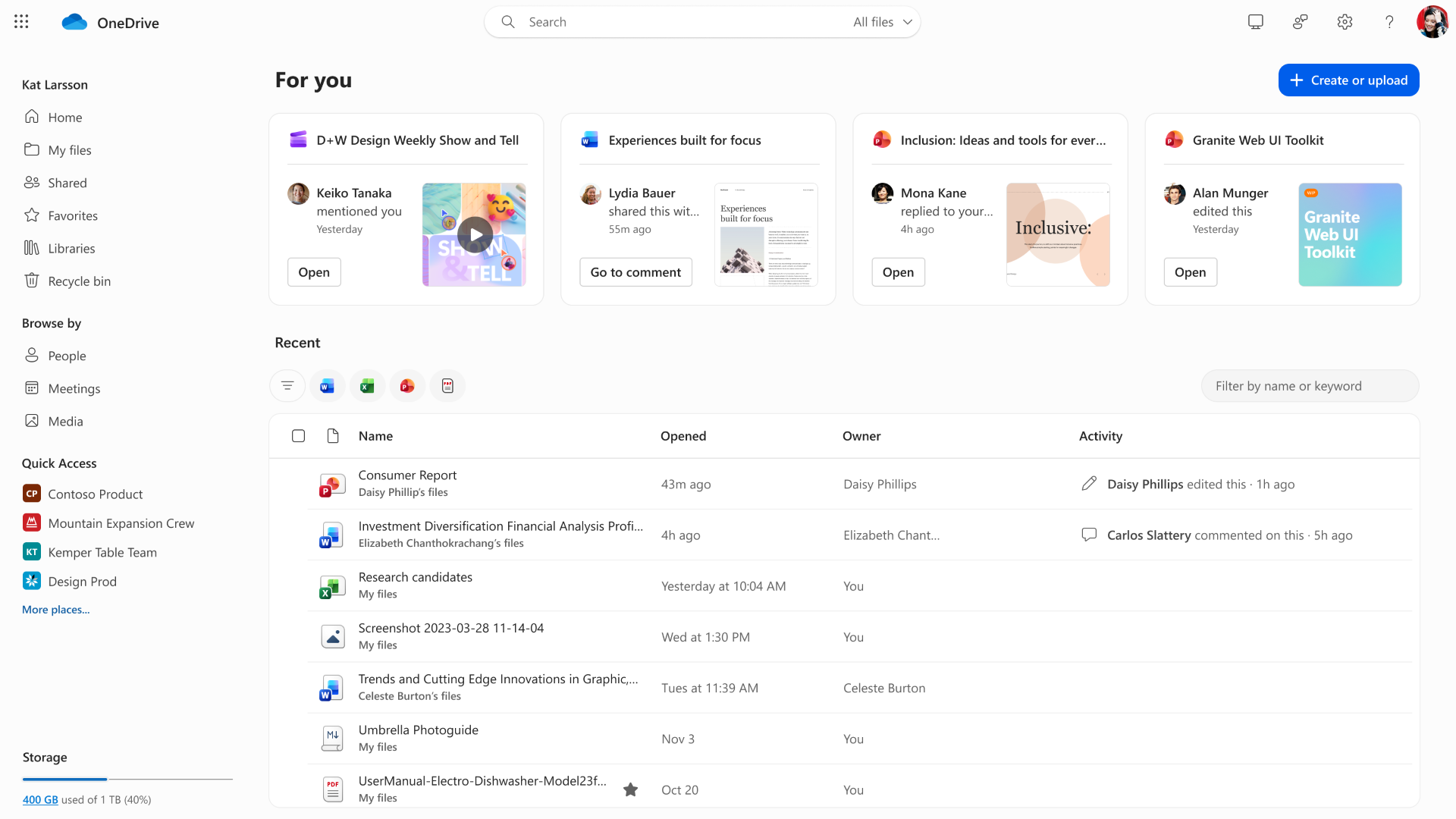
We are updating the Microsoft OneDrive web experience. As part of this update, the Create or upload button will move from the left navigation pane to the right side of the page, aligning the experience with SharePoint document libraries. The Create or upload button will also no longer appear in Libraries, Recycle Bin, Meetings, or Media. The available options for creating files and folders or uploading content will remain unchanged.
Note: Some users may receive this update sooner than others within your organization.
[Rollout schedule]
- General Availability (Worldwide): Rollout will begin in late October 2026 and is expected to complete by early December 2026.
[Impact on your organization]
Who is affected
- Users of Microsoft OneDrive for the web
Platforms and services
- Microsoft OneDrive for the web
What will happen
- The Create or upload button will be moved from the left navigation pane to the right side of the page, and will no longer appear in Libraries, Recycle Bin, Meetings, or Media.
- Options for creating files and folders or uploading content are unaffected by this update.
- Some users may see this change before others within your organization.
Updated button placement
[Action required and recommendations]
No administrative configuration or action is required. We recommend that you update internal training materials that reference the previous Create or upload button placement and inform help desk, support teams, and users who regularly use OneDrive for the web about this change.
[Compliance considerations]
No compliance considerations identified. Review as appropriate for your organization.
Source: Microsoft Message Center • Analysed by MWPro