Review the update and plan any required actions before rollout.
Primary Audience
Why this score?
AT A GLANCE
END USERS
IT ADMINS
ROLLOUT TIMELINE
Oct–Nov 2026
📢 Official Microsoft Message Center Announcement
Microsoft 365 Copilot: Conversation orchestration expands routing and overflow capabilities
Message ID: MC1536059
[What and why]
Conversation orchestration in Microsoft Dynamics 365 Contact center actively manages conversations throughout their lifecycle, from initiation through resolution. As conditions change, such as increasing wait times, queues filling quickly, or representatives going offline, conversation orchestration can automatically take actions defined in natural-language playbooks configured by administrators.
Administrators can configure playbooks for specific scenarios using guided templates. Built-in validation identifies conflicts before playbooks are published. These capabilities help organizations automate contact center processes while improving routing, continuity, and responsiveness.
[Rollout schedule]
- General Availability (Worldwide): Beginning in late October 2026 and expected to complete by late November 2026
[Impact on your organization]
Who is affected
- Organizations using or planning to use Conversation Orchestration in Dynamics 365 Contact center
Platforms and services
- Microsoft Dynamics 365 Contact center
- Microsoft 365 Copilot (Premium)
What will happen
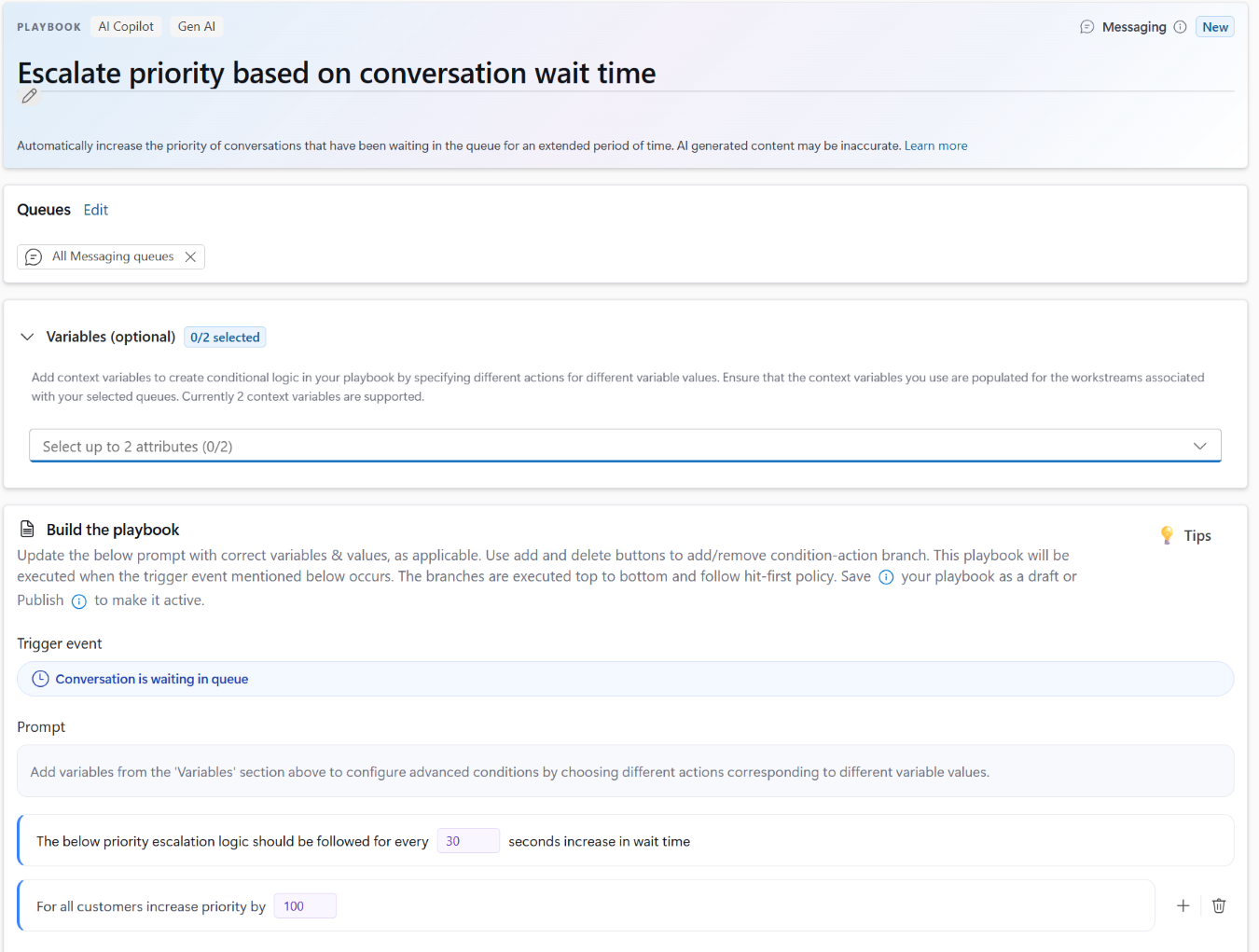
- Dynamic priority escalation: Conversation priority can be reevaluated as a conversation progresses based on conditions such as wait-time thresholds, queue transfers, customer tier, or other context.
- Overflow handling across multiple conditions: Administrators can configure actions for conditions such as queues being outside operating hours, representatives being signed out or unavailable, queue wait times exceeding a threshold, or the number of waiting conversations exceeding a specified limit. Actions can include offering callbacks, routing to alternate queues, expanding assignment eligibility, notifying supervisors, or providing contextual customer messages. Overflow handling can also be configured for direct inward dial calls when representatives are unavailable or do not accept calls.
- Assignment to a previously engaged or preferred representative: Conversation orchestration can reconnect customers with previously engaged or preferred representatives based on factors including previous interactions, queue membership, availability, and workload capacity. For asynchronous conversations, organizations can choose to consider representative presence status and active conversation limits before reconnecting customers. If that representative is unavailable, the conversation can fall back to the next qualified representative.
- Bullseye routing: Administrators can progressively expand the pool of eligible representatives when a conversation is not assigned within a defined timeframe. Routing rings can use skills, proficiency levels, teams, or other business criteria.
- Existing customers using Conversation Orchestration can continue using their existing configurations without additional action.
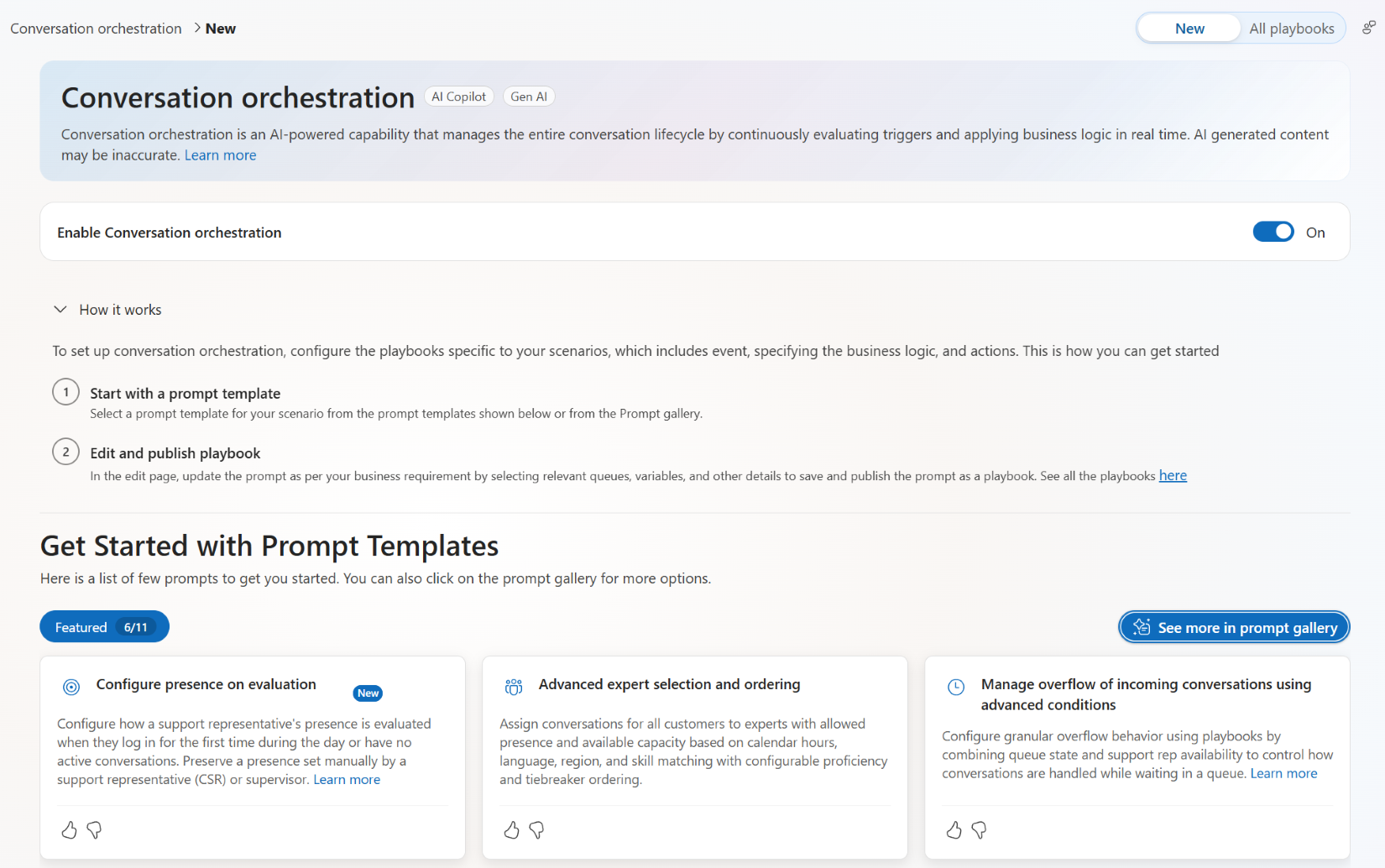
- New customers can enable Conversation Orchestration and configure playbooks.
- Copilot credits are consumed when administrators publish playbooks. The feature does not consume Copilot credits during runtime execution.
Screenshot 1 – Conversation orchestration – Get Started view:
Screenshot 2 – Conversation orchestration – Escalate priority view:
[Action required and recommendations]
No additional preparation is required for existing customers.
For new customers:
- Review the prerequisites for Conversation Orchestration.
- Enable Conversation Orchestration.
- Configure playbooks appropriate for your organization.
[Compliance considerations]
No compliance considerations identified. Review as appropriate for your organization.
Source: Microsoft Message Center • Analysed by MWPro