Review the update and plan any required actions before rollout.
Primary Audience
Why this score?
AT A GLANCE
END USERS
IT ADMINS
ROLLOUT TIMELINE
Sept–Dec 2026
📢 Official Microsoft Message Center Announcement
Microsoft Teams: Configure mandatory participant consent before joining meetings
Message ID: MC1454114
[What and Why]
Microsoft Teams is introducing a new capability that allows admins to configure mandatory pre-meeting consent for participants. This feature helps organizations meet compliance and regulatory requirements by ensuring attendees acknowledge custom terms or disclaimers before joining meetings, such as recording notices or responsible AI usage guidelines. Consent acknowledgments are recorded in audit logs to support governance, investigations, and transparency.
This message is associated with Microsoft 365 Roadmap ID 561914.
[Rollout Schedule]
General Availability
- Targeted Release: Beginning in September 2026
- Worldwide and GCC: Beginning in mid-October 2026 and expected to complete by mid-November 2026
- GCC High, and DoD: Beginning in mid-November 2026 and expected to complete by mid-December 2026
[Impact on Your Organization]
Who is affected
- Admins managing Microsoft Teams policies and all meeting participants, including organizers, in organizations that enable this feature
Platforms/Services
- Microsoft Teams
- Teams Admin Center
- Audit logs
What will happen
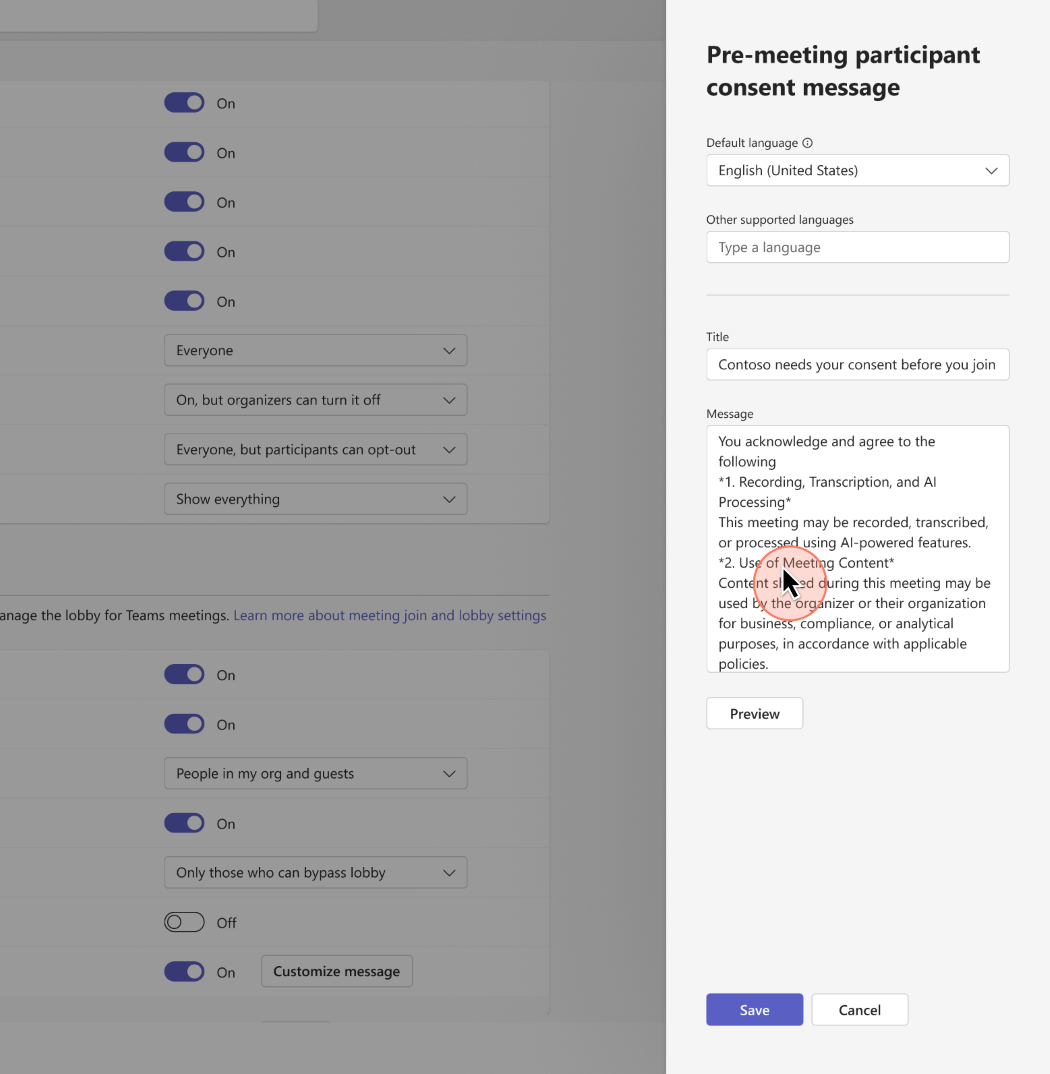
- Admins can configure a mandatory pre-meeting consent experience in Teams admin center:

- Custom content such as disclaimers, terms and conditions, or compliance notices can be defined:
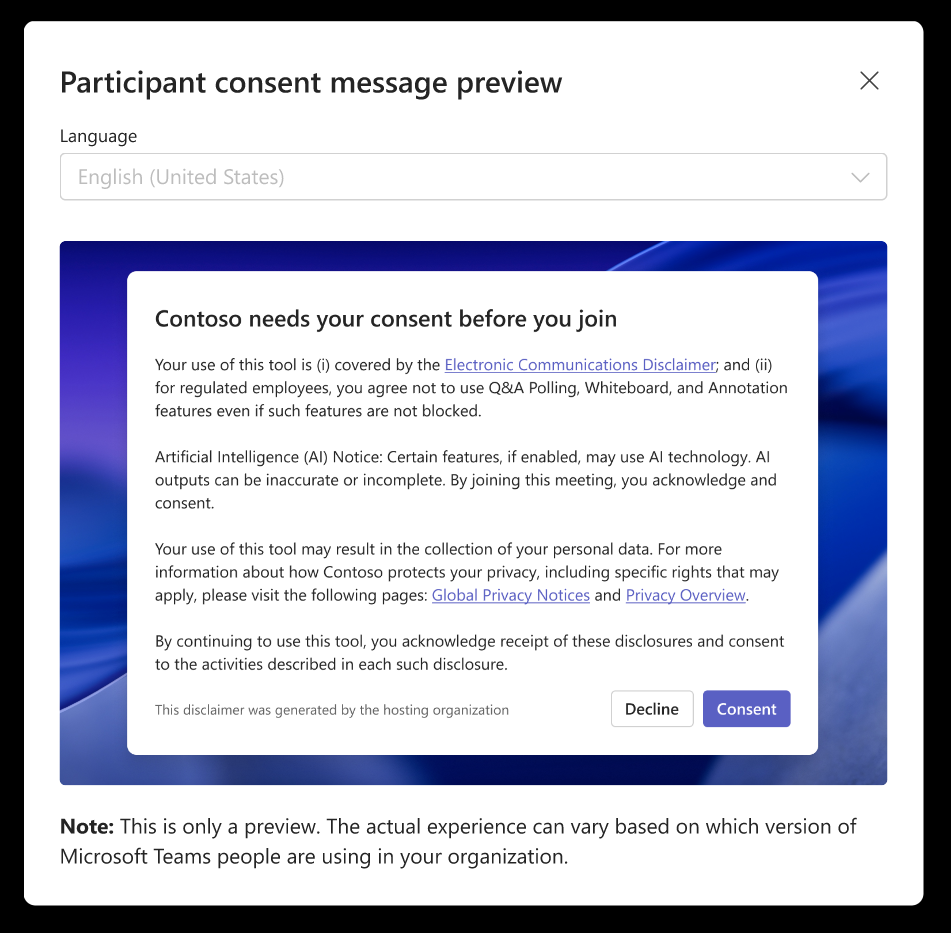
- Admins can preview how consent content will appear to participants before enabling:
- All meeting participants—including organizers, internal users, external users, and anonymous attendees—must accept the configured consent before joining meetings where the policy is enabled.
- Meeting organizers are not exempt from the policy and must also accept the consent experience when joining meetings governed by the configured policy.
- The feature is disabled by default and requires admin configuration:
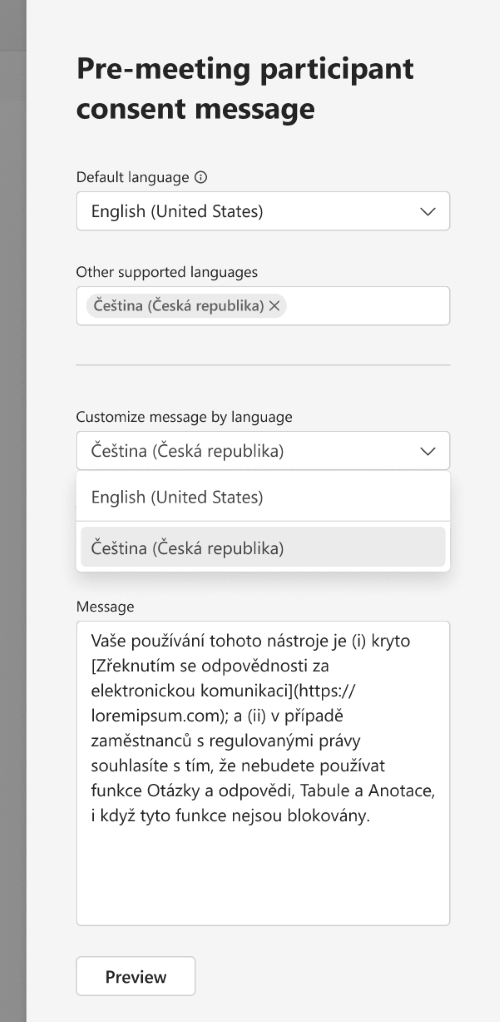
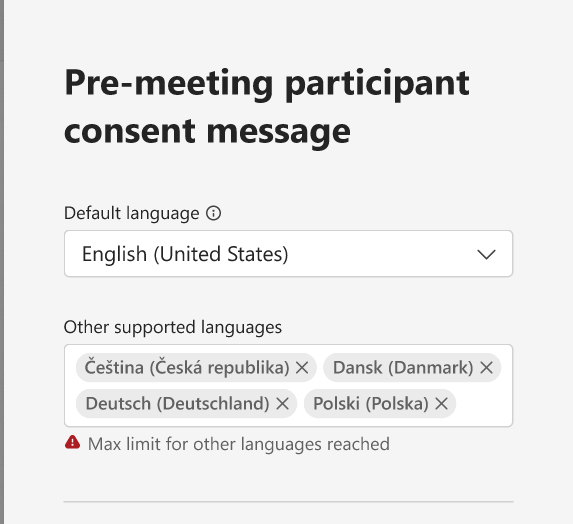
- Admins can configure one default language and up to four additional languages:
- Participants see consent content based on their device language settings; if unavailable, the default language is shown.
- User consent is recorded in audit logs for compliance and reporting purposes.
- No impact to users or meetings unless the feature is enabled by admins.

[Action Required/Recommendations]
No action is required if you do not plan to use this feature.
If you plan to enable this capability:
- Review compliance and legal requirements for your organization.
- Configure pre-meeting consent policies in Teams admin center.
- Define, validate, and preview consent messaging across supported languages.
- Communicate this change to users so that they understand the new meeting join requirement.
- Update internal documentation and helpdesk guidance as needed.
Learn more
Supporting Learn documentation is expected closer to General Availability rollout.
[Compliance considerations]
| Question | Answer |
| Does the change store new customer data? | Yes. Participant consent acknowledgments are stored in audit logs for compliance and auditing purposes. |
| Does the change alter admin monitoring or reporting? | Yes. Adds visibility into participant consent via audit logs, enhancing compliance monitoring. |
| Does the change include an admin control? | Yes. Admins can enable and configure the feature in Teams admin center. |
Source: Microsoft Message Center • Analysed by MWPro