Take a look and decide whether this affects your tenant, users or support teams.
Primary Audience
Why this score?
AT A GLANCE
END USERS
IT ADMINS
ROLLOUT TIMELINE
Early November 2026
📢 Official Microsoft Message Center Announcement
Microsoft Teams: Customize file extensions blocked by Weaponizable File Protection
Message ID: MC1509801
[What and why]
Microsoft Teams is expanding admin controls for Weaponizable File Protection. Admins will be able to customize which file extensions are blocked in Teams based on their organization’s security needs or continue using the Microsoft-recommended default list. This change provides greater flexibility to tailor file protection policies while maintaining a secure collaboration experience.
[Rollout schedule]
- General Availability (Worldwide): Beginning in early November 2026 and expected to complete by mid-November 2026
[Impact on your organization]
Who is affected
- Organizations that use Weaponizable File Protection in Microsoft Teams
Platforms and services
- Microsoft Teams
What will happen
- Before this rollout, Microsoft defines the file extensions blocked by Weaponizable File Protection, and admins cannot customize the list.
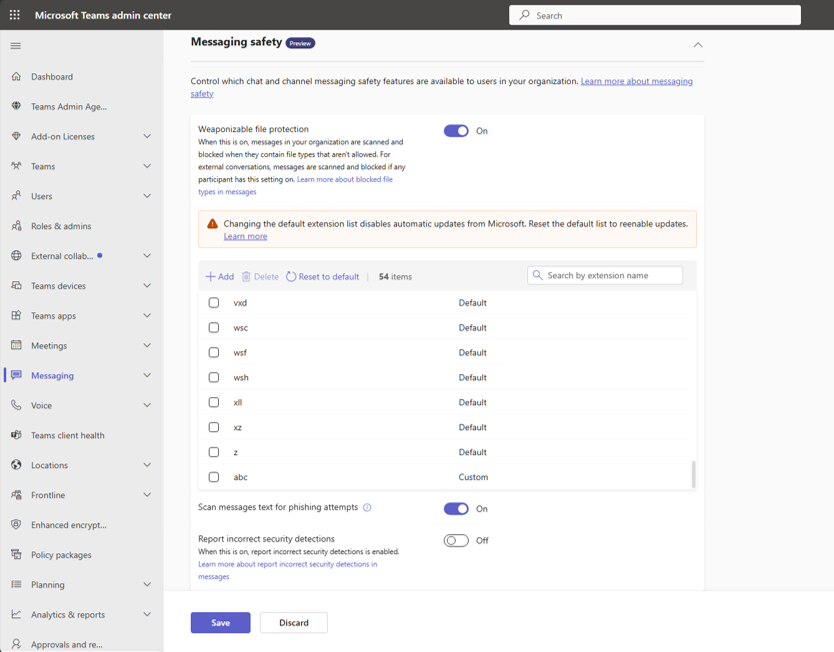
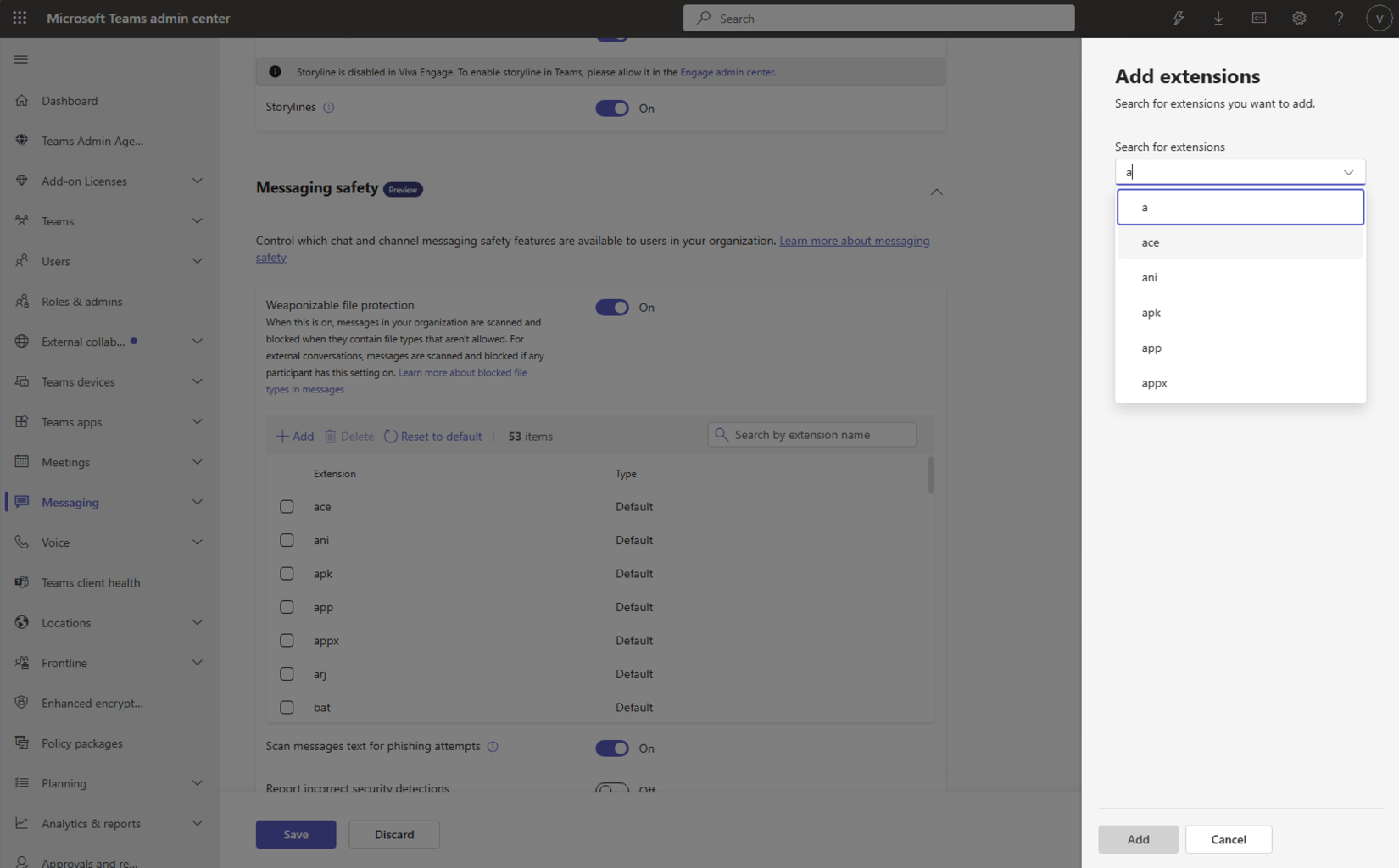
- After this rollout, admins can define which file extensions are blocked for their organization or continue using the Microsoft-recommended default list.
- Organizations with Weaponizable File Protection enabled will continue using the Microsoft-recommended list by default.
- Organizations that continue using the Microsoft-recommended list will automatically receive future updates to that list.
- If an admin customizes the list, the organization will use the customized list and will no longer automatically receive future updates to the Microsoft-recommended list.
- The user experience will not change. Files with blocked extensions will continue to be blocked in Teams as they are today.
Screenshot 1 Customize file type view:
Screenshot 2 Customize file type add view:
[Action required and recommendations]
No action is required. Organizations with Weaponizable File Protection enabled will continue using the Microsoft-recommended list by default.
If your organization wants to customize Weaponizable File Protection:
- Admins can add or remove file extensions based on their organization’s security needs.
- Admins can reset the configuration to the Microsoft-recommended default list at any time to resume receiving automatic updates.
[Compliance considerations]
| Question | Answer |
| Does the change include an admin control? | Yes. Admins will be able to customize the file extensions blocked by Weaponizable File Protection or use the Microsoft-recommended default list. |
Source: Microsoft Message Center • Analysed by MWPro