Take a look and decide whether this affects your tenant, users or support teams.
Primary Audience
Why this score?
AT A GLANCE
END USERS
IT ADMINS
ROLLOUT TIMELINE
Late August 2026
📢 Official Microsoft Message Center Announcement
Ask Copilot in Teams
Message ID: MC1462461
[What and why:]
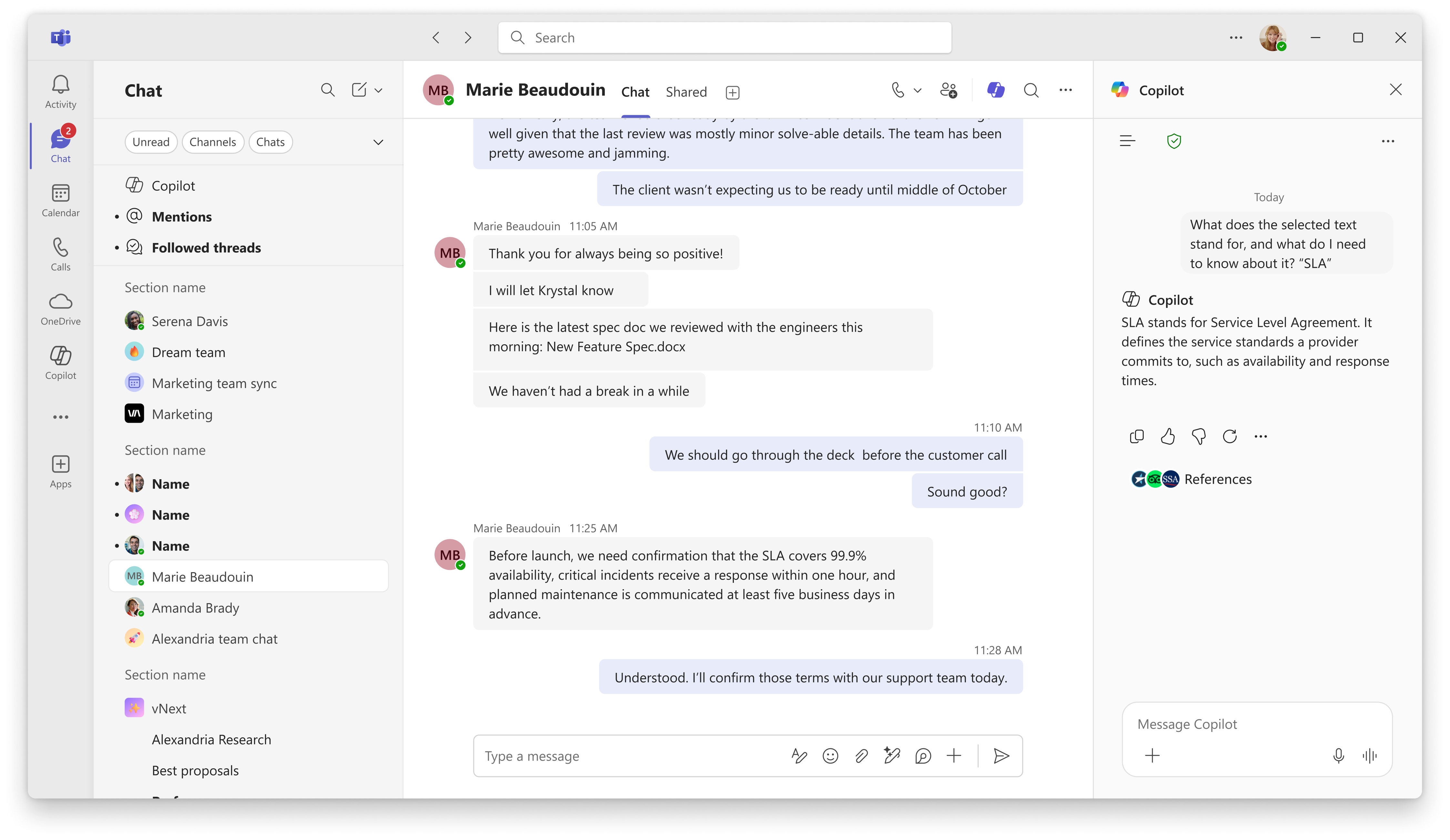
We’re introducing Ask Copilot in Microsoft Teams, a faster way for users to get Copilot assistance directly from a conversation. From a specific message or selected text, users can open the existing Copilot pane with the relevant content automatically included as context, reducing the need to copy, paste, or manually provide conversation details.
[Rollout Schedule:]
- General Availability (Worldwide): Rollout will begin in late August 2026 and is expected to complete by late September 2026.
[Impact on Your Organization:]
Ask Copilot will be available in 1:1 chats, group chats, meeting chats, and channel thread conversations across Teams desktop, web, and mobile clients (iOS and Android).
Users will be able to access Ask Copilot in the following ways:
Desktop and Web
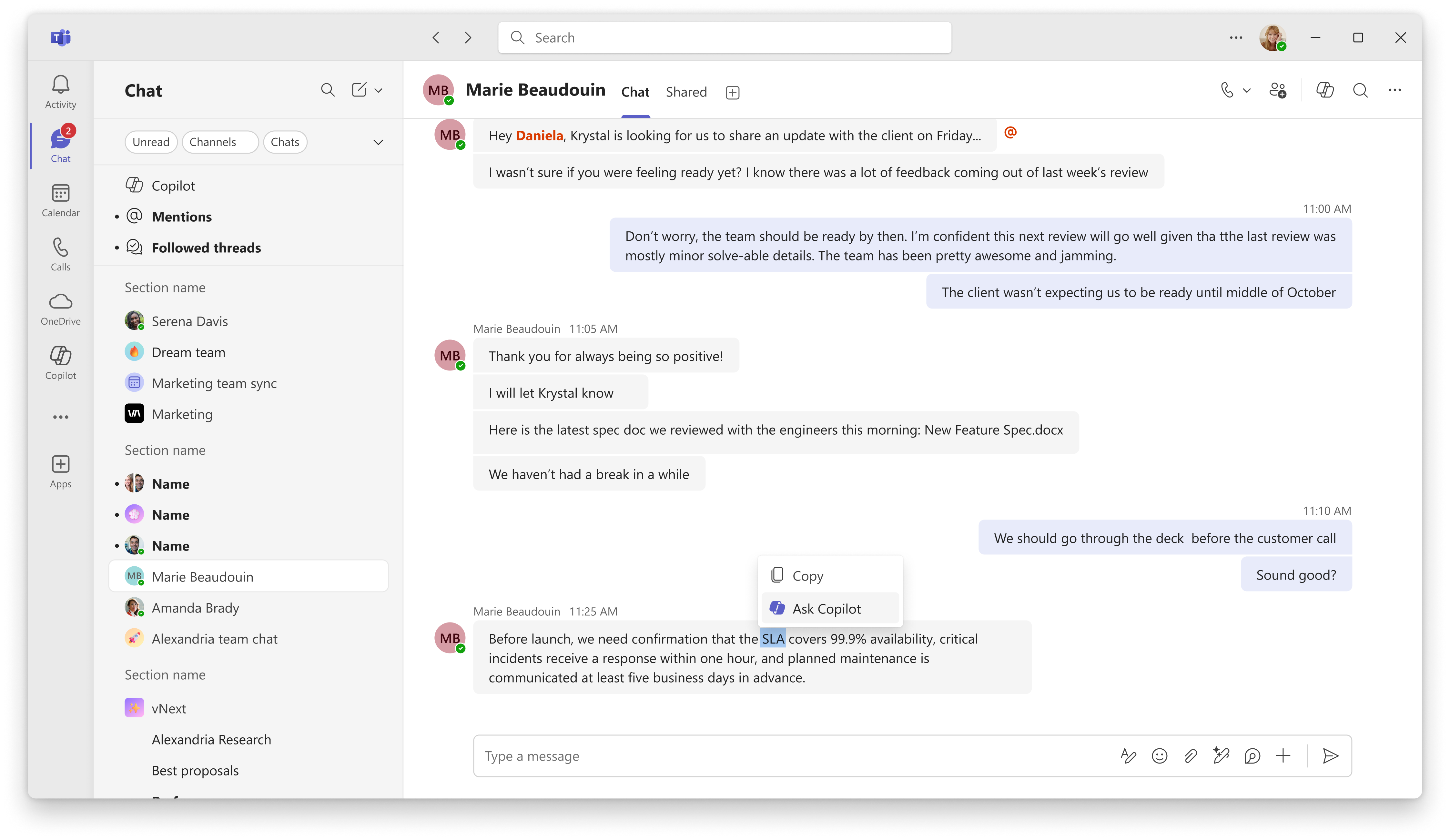
- Select text within a message, right-click, and choose Ask Copilot. The Copilot pane will open and use the selected text as grounding context.
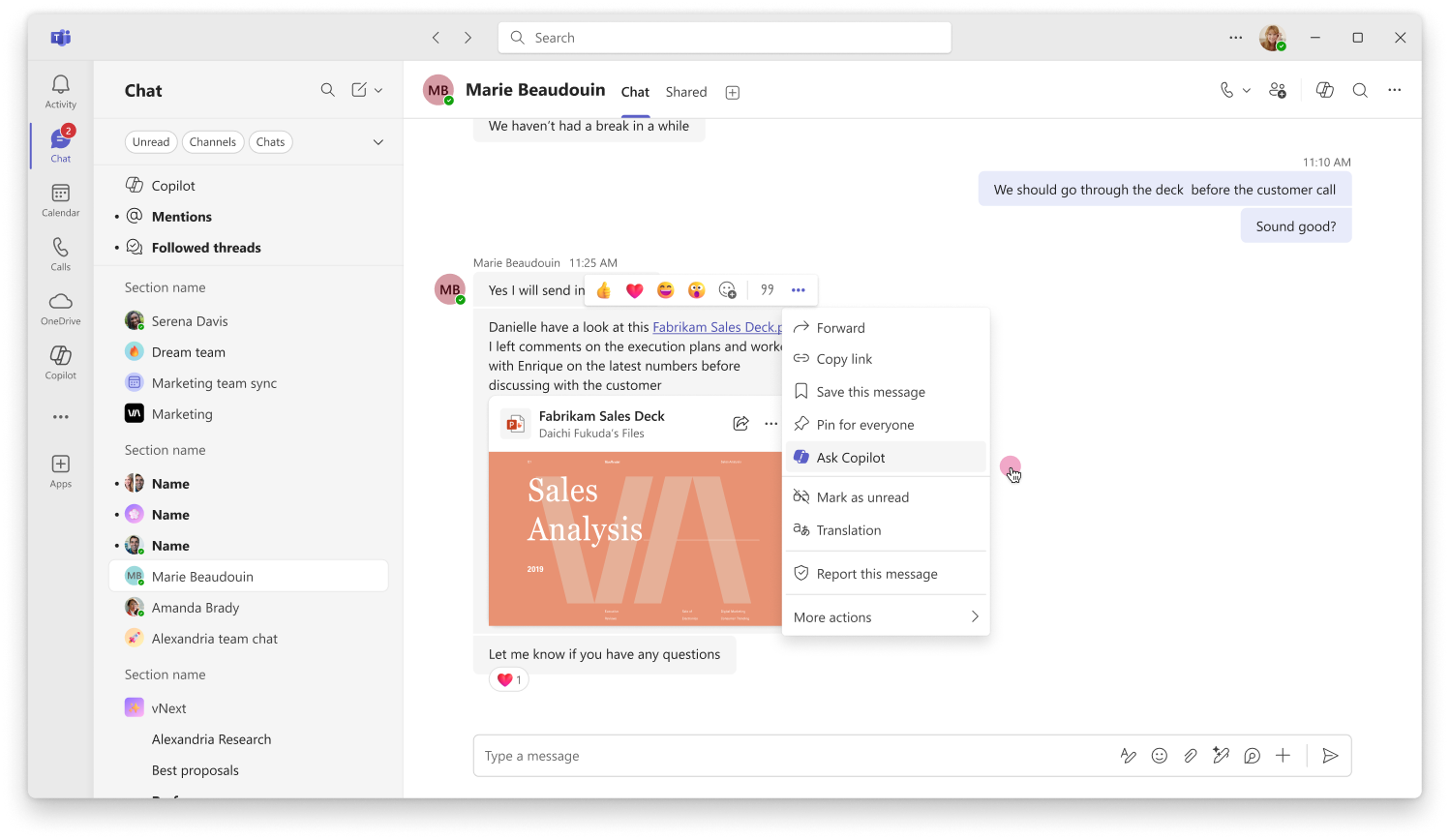
- Open the message actions menu and select Ask Copilot to use the entire message as grounding context.
Mobile (iOS and Android)
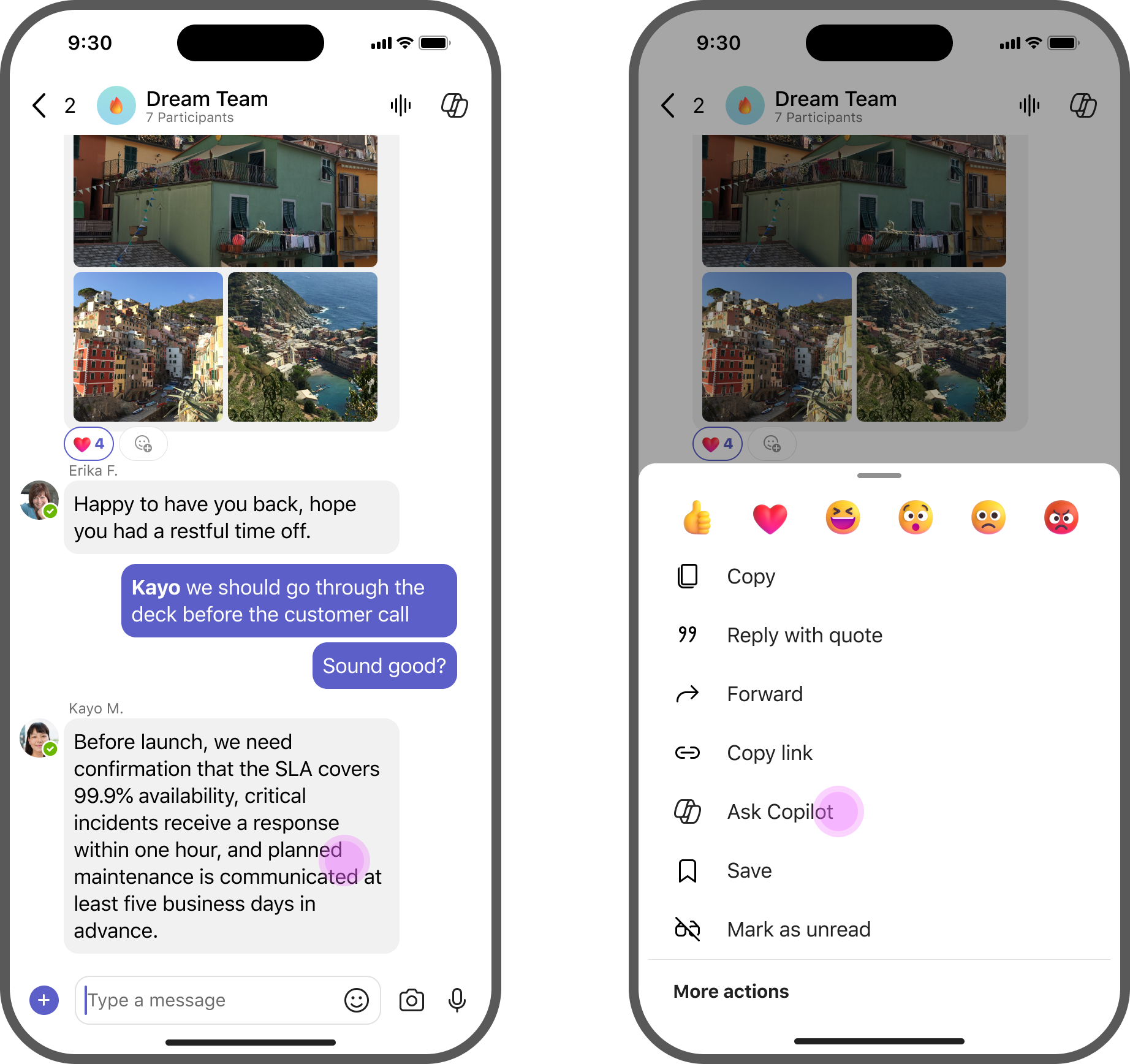
- Press and hold a message, then select Ask Copilot from the message action menu. Teams will open the existing Copilot pane with the selected message content included as grounding context.
This feature helps users quickly ask Copilot questions about conversations and messages without needing to manually copy content or restate context.
[Action required / Recommendations:]
No action is required to enable this feature.
- No new admin policy is being introduced.
- Access continues to follow existing Teams Copilot licensing and administrator controls.
- Consider updating internal training materials and user guidance to highlight the new Ask Copilot entry points in Teams.
[Compliance Considerations:]
No compliance considerations identified, review as appropriate for your organization.
Source: Microsoft Message Center • Analysed by MWPro