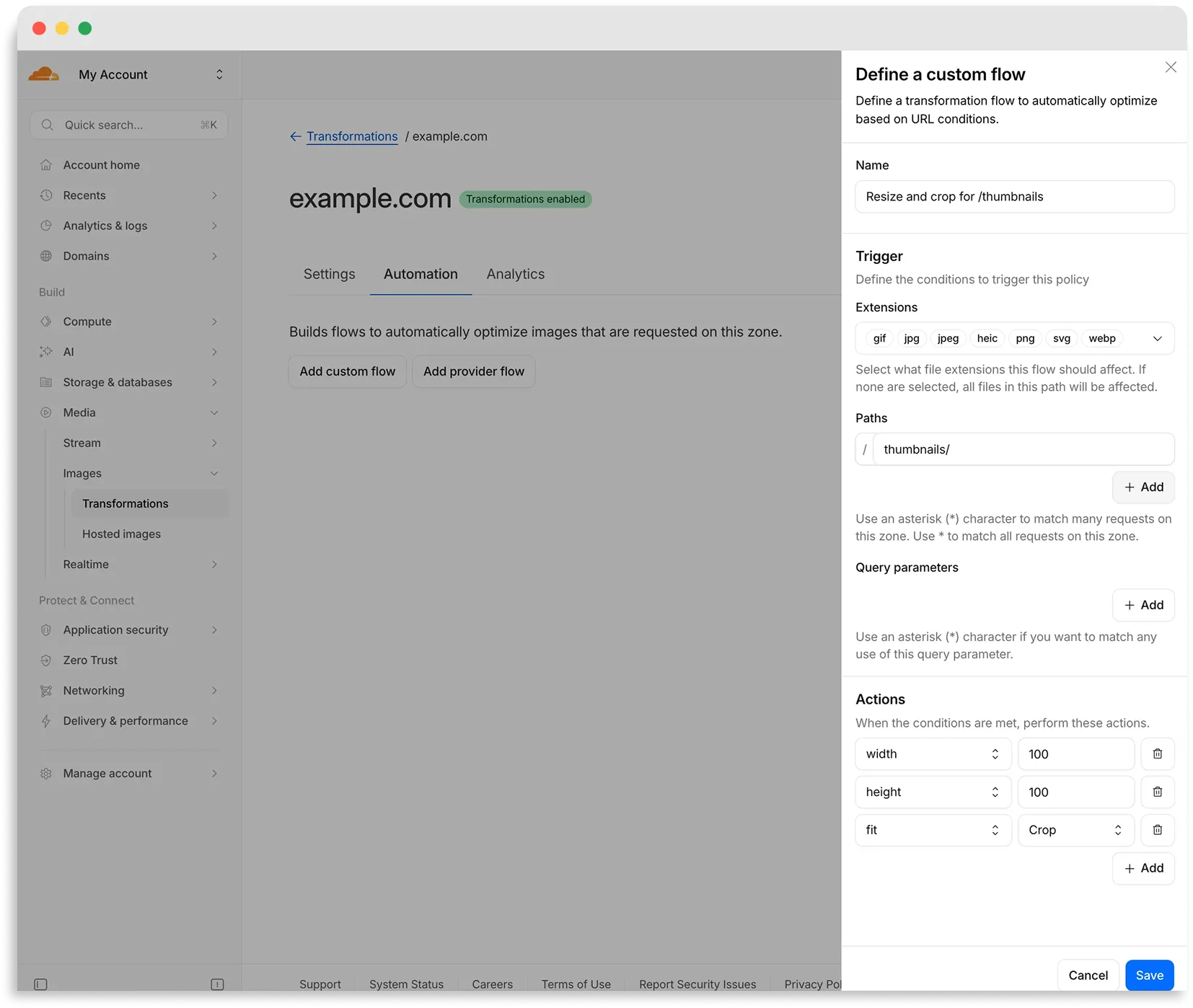
Flows are automated rules that pair conditions (such as file extension, URL path, or query parameter) with parameters. Set up a flow to automatically apply image optimization to matching requests on your zone without writing code or changing URLs.
There are two modes for transformation flows:
- Provider flows — Migrate from another image optimization service. Your existing URLs continue to work while Cloudflare rewrites provider-specific parameters to their Cloudflare equivalents. Currently, Cloudflare supports provider flows for Fastly Image Optimizer.
- Custom flows — Define your own conditions and actions for use cases like automatic format conversion, responsive sizing with
width=auto, or directory-based optimization.
To get started, go to Images > Transformations > Automation in the Cloudflare dashboard.
Learn more about transformation flows.
Source: Cloudflare
Latest Posts
- MC1450134: Microsoft Entra Recognizes Windows Hello for Business and macOS Platform SSO as Standalone MFA Factors

- MC1506982: Microsoft 365 Apps Gets October 2026 Updates for All Channels
- AWS Agent Registry now supports custom metadata for registry records
- Amazon Location Service launches an interactive API Playground featuring Places, Routes and Maps APIs