Review the update and plan any required actions before rollout.
Primary Audience
Why this score?
AT A GLANCE
END USERS
IT ADMINS
ROLLOUT TIMELINE
Oct–Nov 2026
📢 Official Microsoft Message Center Announcement
Microsoft Planner: Planner capabilities in Copilot Cowork through the Planner Plugin
Message ID: MC1540339
[What and why]
The Planner Plugin connects Microsoft Planner to Copilot Cowork, helping users understand their priorities, get help completing tasks, and keep their plans current. Cowork can use Planner task notes, checklists, and attachments to research, draft, analyze, and create deliverables. It can also turn existing content into plans, generate visual status reports, and use Planner context for work across Microsoft 365. Users review and approve changes before Cowork updates Planner.
[Rollout schedule]
- General Availability (Worldwide): We began rolling out in late October 2026 and expect to complete by late November 2026.
- The experience is available now in Frontier, with general availability targeted for November 2026.
[Impact on your organization]
Who is affected
- Users with an active Microsoft 365 Copilot license, access to Copilot Cowork and Microsoft Planner, and permission to use the Planner Plugin
Platforms and services
- Microsoft 365 Copilot
- Copilot Cowork
- Microsoft Planner
What will happen
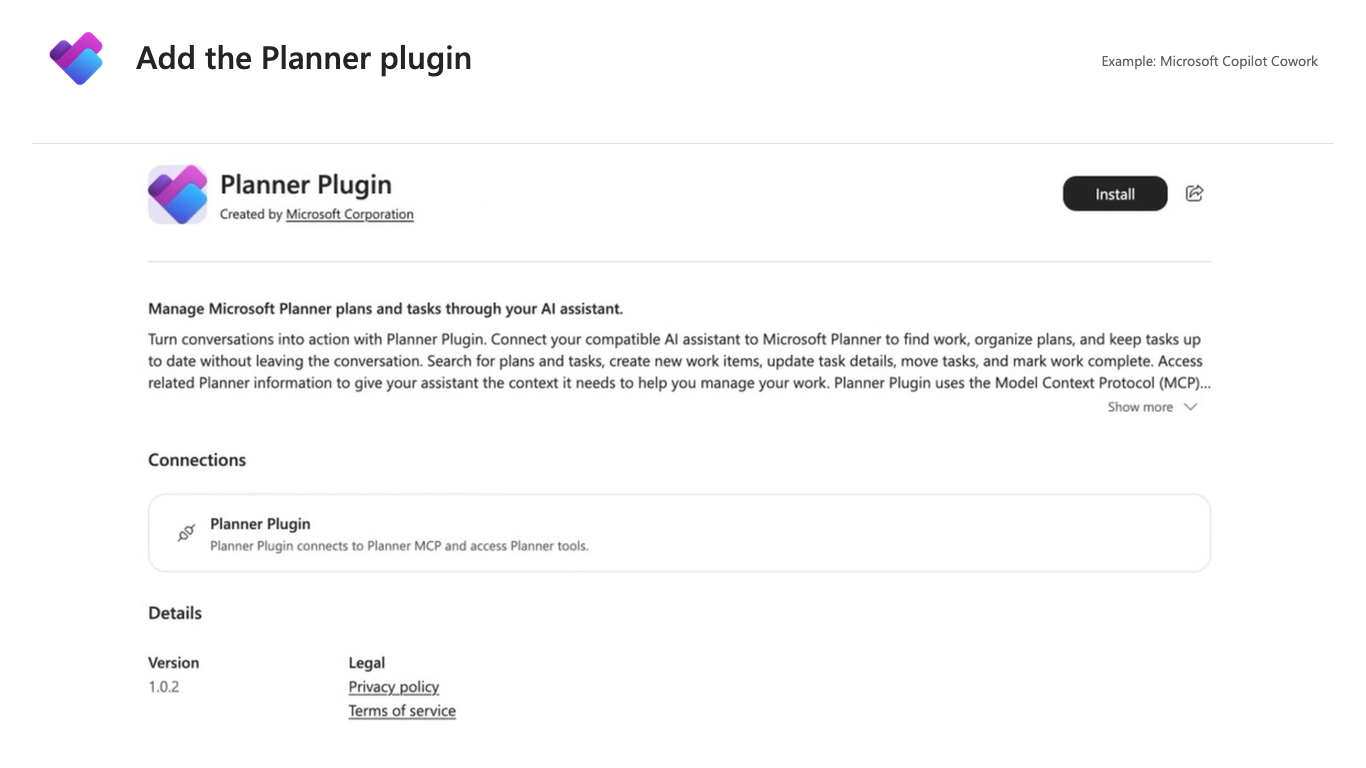
Users can find the Planner Plugin, published by Microsoft Corporation, in Microsoft Copilot under Plugins > Cowork. After the plugin is available and any required account connection is completed, users can:
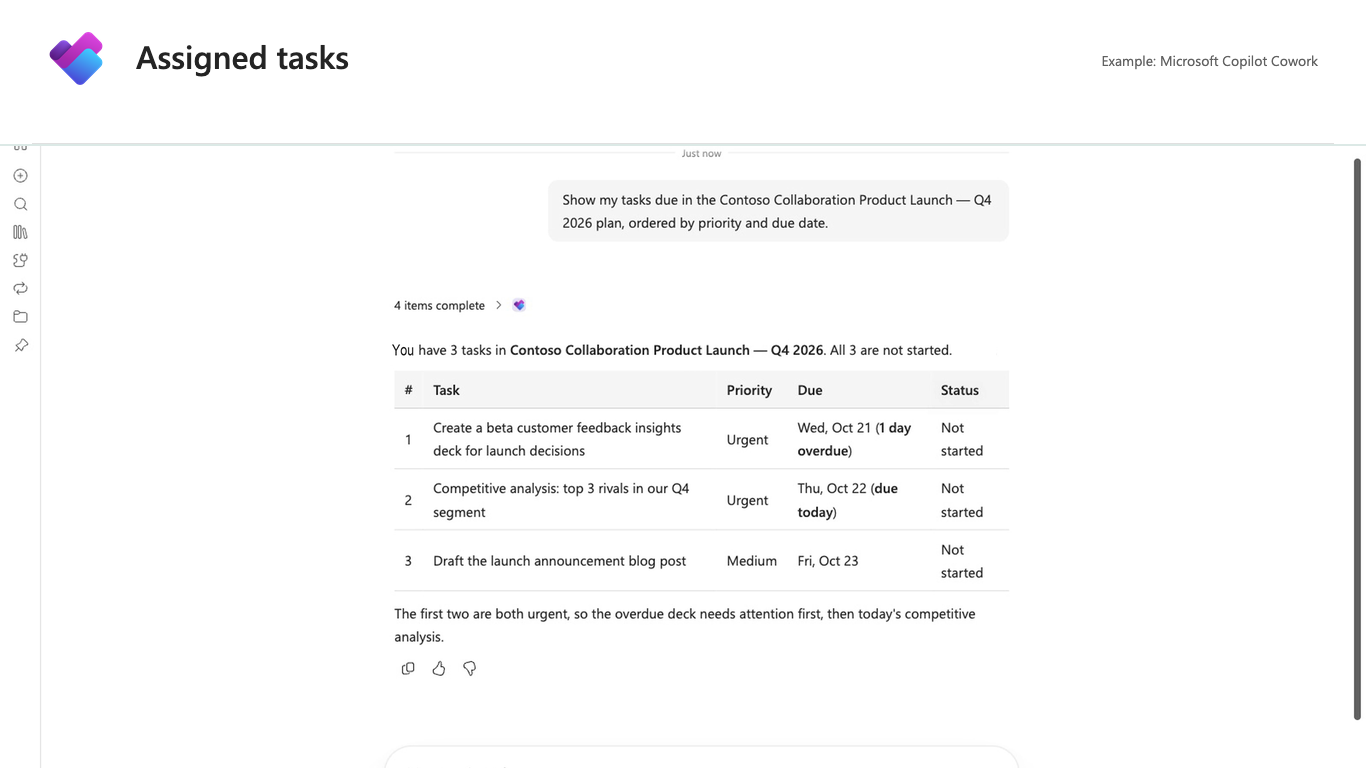
- Prioritize work: See assigned tasks across plans, identify overdue and upcoming work, and get recommendations about what to focus on.
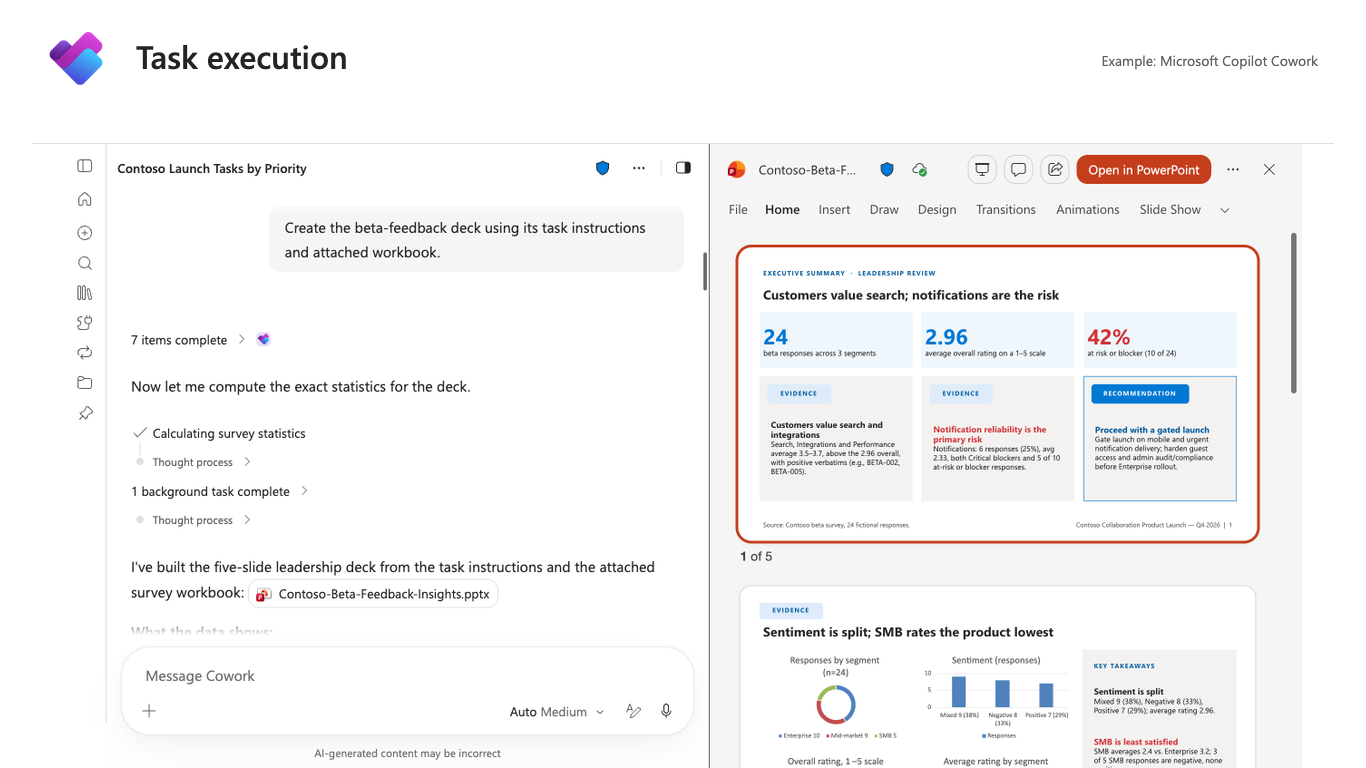
- Get help completing tasks: Use task instructions, checklists, and attachments to research, draft, analyze, or create files. After approval, Cowork can update progress, complete checklist items, add deliverable links, and mark tasks complete.
- Create plans and tasks from existing content: Turn spreadsheets, documents, presentations, meeting notes, or goals into proposed plans and tasks for review and approval.
- Generate visual plan reports: Summarize progress, upcoming and overdue tasks, work by owner and bucket, progress toward goals, blockers, and recommended next steps.
- Work across Microsoft 365: Use Planner context to draft and send emails, schedule meetings, post Teams updates, and create documents, presentations, or spreadsheets. Users review and approve actions before Cowork takes them.
- Automate recurring work: Schedule task summaries and plan reports, or trigger requests from events such as emails and Teams messages. Changes to Planner still require approval.
Administrators control plugin availability for their organization or for selected users and groups. Admin-deployed plugins are automatically acquired for targeted users. Users can enable or disable acquired plugins for their own Cowork conversations.The plugin acts within the signed-in user’s existing Planner permissions and does not grant additional access.
Screenshot 1 – Add the Planner Plugin:
Screenshot 2 – Assigned tasks view:
Screenshot 3 – Task execution view:
[Action required and recommendations]
To prepare:
- Confirm that intended users have Microsoft 365 Copilot licenses and access to Copilot Cowork and Microsoft Planner.
- In the Microsoft 365 admin center, go to Agents > Tools or Agents > All agents, find the Planner Plugin, and install it for the intended users or groups. Alternatively, configure availability so eligible users can acquire it themselves.
- Direct users to complete any required connector sign-in or consent. Administrators cannot sign in on their behalf.
- Consider updating your helpdesk and internal user guidance if you plan to make the plugin available.
If the plugin is already deployed to the intended users, no additional deployment action is needed.
Learn more
- Manage plugins for Copilot Cowork | Microsoft Learn
- Use plugins with Copilot Cowork | Microsoft Learn
- What you can do with Planner in Cowork | Microsoft Support
[Compliance considerations]
| Question | Answer |
| Does the change alter how existing customer data is processed, stored, or accessed? | Yes. Copilot Cowork can use existing Planner data, including task notes, checklists, attachments, owners, and due dates, as context for completing work across Microsoft 365. Users review and approve actions before Cowork takes them. |
| Does the change introduce or significantly modify AI/ML or agent capabilities that interact with or provide access to customer data? | Yes. The Planner Plugin enables Copilot Cowork to use Planner context to research, draft, analyze, create deliverables, generate reports, and perform Planner-related actions. |
| Does the change provide end users any new way of interacting with generative AI? | Yes. Users can use Copilot Cowork with the Planner Plugin to prioritize work, complete tasks, create plans and reports, and perform work across Microsoft 365 using Planner context. |
| Does the change include an admin control, and can it be controlled through Entra ID group membership? | Yes. Administrators can control availability of the Planner Plugin for the organization or for specific users and groups through the Microsoft 365 admin center. |
| Does the change allow a user to enable and disable the feature themselves? | Yes. Users can enable or disable an acquired plugin for their own Copilot Cowork conversations through the Sources & Skills panel. |
Source: Microsoft Message Center • Analysed by MWPro