Until now, if a Worker had been previously deployed via the Cloudflare Dashboard, a subsequent deployment done via the Cloudflare Workers CLI, Wrangler
(through the deploy command), would allow the user to override the Worker’s dashboard settings without providing details on
what dashboard settings would be lost.
Now instead, wrangler deploy presents a helpful representation of the differences between the local configuration
and the remote dashboard settings, and offers to update your local configuration file for you.
See example below showing a before and after for wrangler deploy when a local configuration is expected to override a Worker’s dashboard settings:
Before
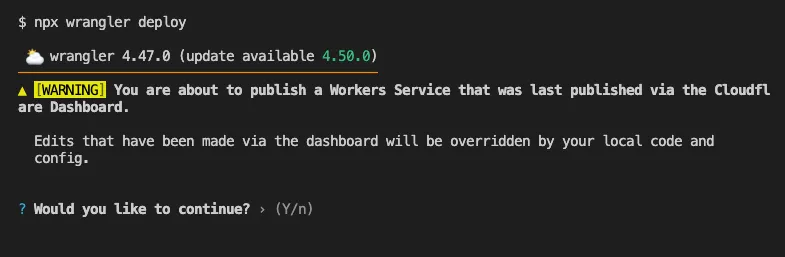
After

Also, if instead Wrangler detects that a deployment would override remote dashboard settings but in an additive way, without modifying or removing any of them, it will simply proceed with the deployment without requesting any user interaction.
Update to Wrangler v4.50.0 or greater to take advantage of this improved deploy flow.
Source: Cloudflare
Latest Posts
- MC1526697: Dynamics 365 and Dataverse Add New Canadian Time Zones for 2026 Regional Changes

- MC1532426: Power Apps Retires Proactive Control Rename Feature in Canvas Apps
- MC1532421: Power Apps Retires Copilot and Ideas Formula Assistance in Canvas Apps
- Amazon Connect Customer now supports versioning and aliasing for flows