

We’re shipping three updates to Browser Rendering:
- Playwright support is now Generally Available and synced with Playwright v1.55, giving you a stable foundation for critical automation and AI-agent workflows.
- We’re also adding Stagehand support (Beta) so you can combine code with natural language instructions to build more resilient automations.
- Finally, we’ve tripled limits for paid plans across both the REST API and Workers Bindings to help you scale.
To get started with Stagehand, refer to the Stagehand example that uses Stagehand and Workers AI to search for a movie on this example movie directory, extract its details using natural language (title, year, rating, duration, and genre), and return the information along with a screenshot of the webpage.
const stagehand = new Stagehand({  env: "LOCAL",  localBrowserLaunchOptions: { cdpUrl: endpointURLString(env.BROWSER) },  llmClient: new WorkersAIClient(env.AI),  verbose: 1,});
await stagehand.init();const page = stagehand.page;
await page.goto('https://demo.playwright.dev/movies');
// if search is a multi-step action, stagehand will return an array of actions it needs to act onconst actions = await page.observe('Search for "Furiosa"');for (const action of actions)  await page.act(action);
await page.act('Click the search result');
// normal playwright functions work as expectedawait page.waitForSelector('.info-wrapper .cast');
let movieInfo = await page.extract({  instruction: 'Extract movie information',  schema: z.object({    title: z.string(),    year: z.number(),    rating: z.number(),    genres: z.array(z.string()),    duration: z.number().describe("Duration in minutes"),  }),});
await stagehand.close();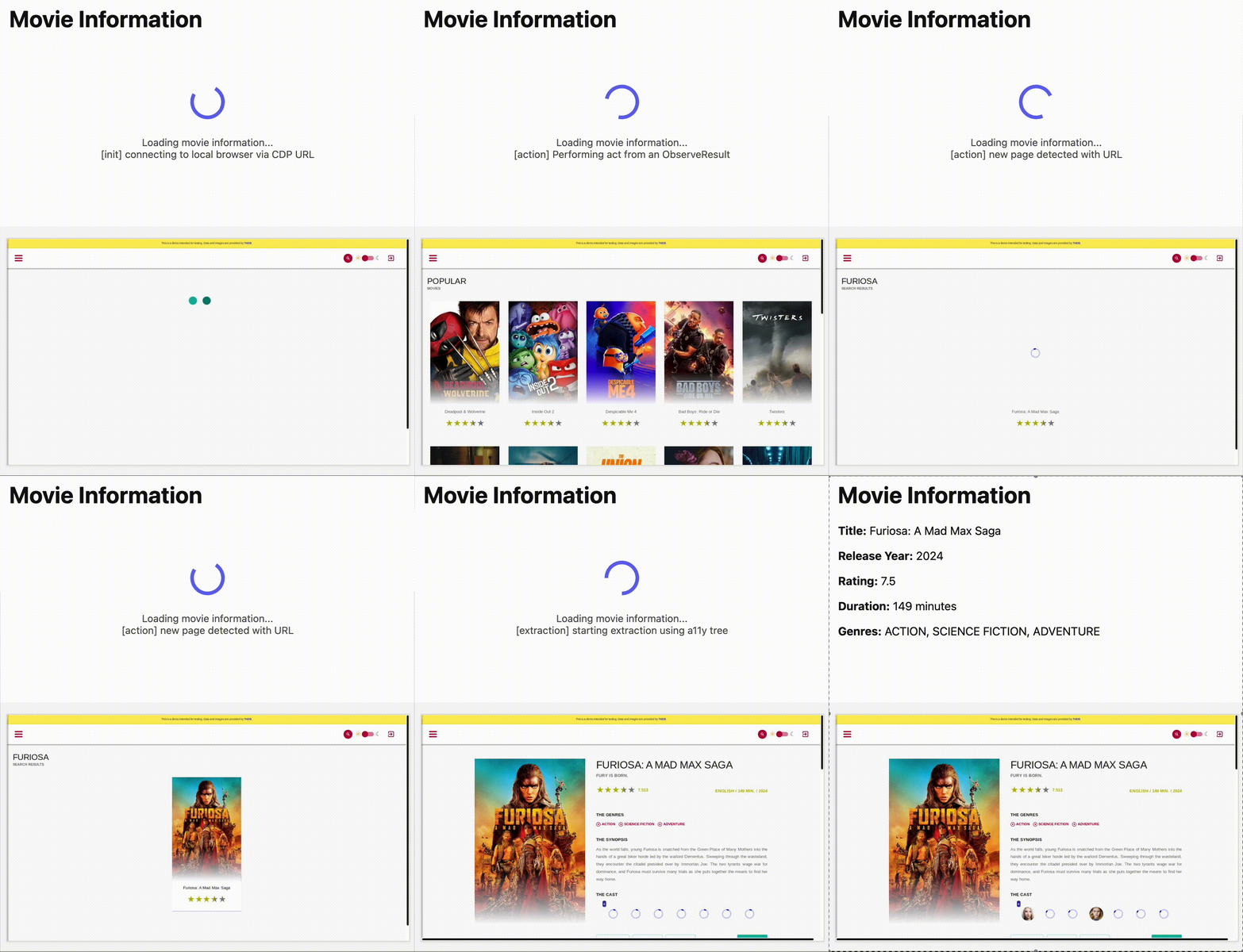
Source: Cloudflare
Latest Posts
- AWS Private CA now supports customer managed permissions for cross-account sharing

- AWS Billing and Cost Management Dashboards Now Supports Scheduled Email Delivery
- (Updated) Microsoft 365 Copilot: Podcast voice interactions make audio experiences conversational [MC1183009]
- Amazon Route 53 Resolver endpoints now support DNS delegation for private hosted zones in AWS GovCloud (US) Regions




![(Updated) Facilitator agent to be generally available in Teams meetings [MC1155927]](https://mwpro.co.uk/wp-content/uploads/2025/06/pexels-munkhbayar-dambajav-176526124-11122219-96x96.webp "(Updated) Facilitator agent to be generally available in Teams meetings [MC1155927] 7")