

Now, API Shield automatically searches for and highlights Broken Object Level Authorization (BOLA) attacks on managed API endpoints. API Shield will highlight both BOLA enumeration attacks and BOLA pollution attacks, telling you what was attacked, by who, and for how long.
You can find these attacks three different ways: Security Overview, Endpoint details, or Security Analytics. If these attacks are not found on your managed API endpoints, there will not be an overview card or security analytics suspicious activity card.

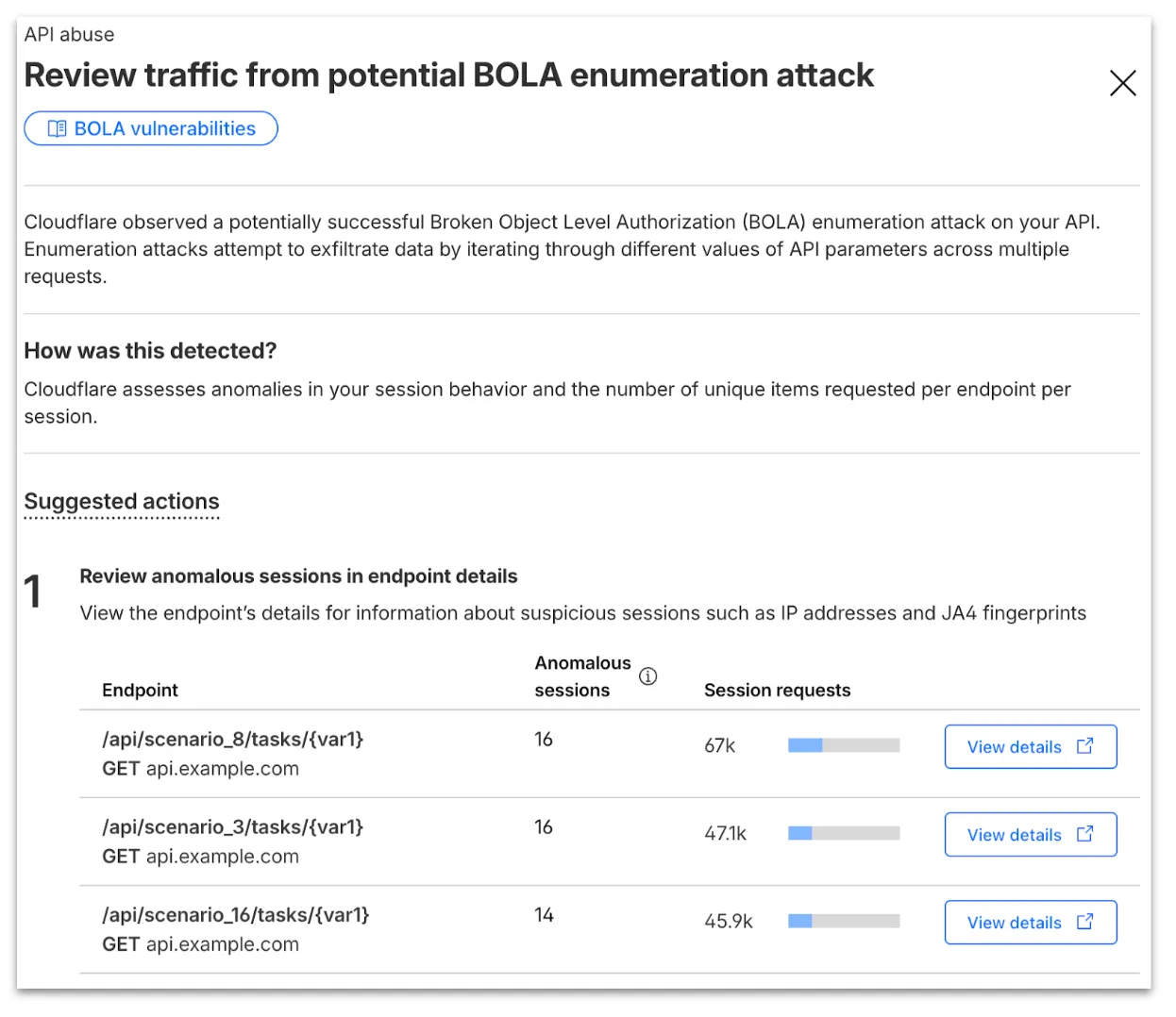
From the endpoint details, you can select View attack to find details about the BOLA attacker’s sessions.
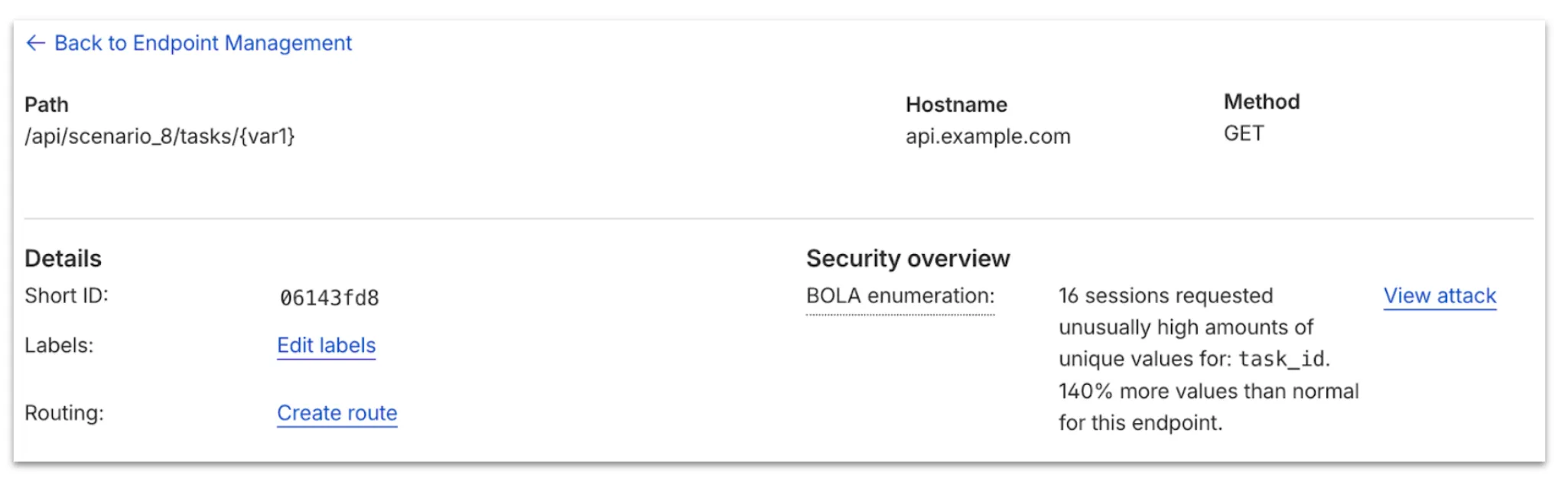
From here, select View in Analytics to observe attacker traffic over time for the last seven days.
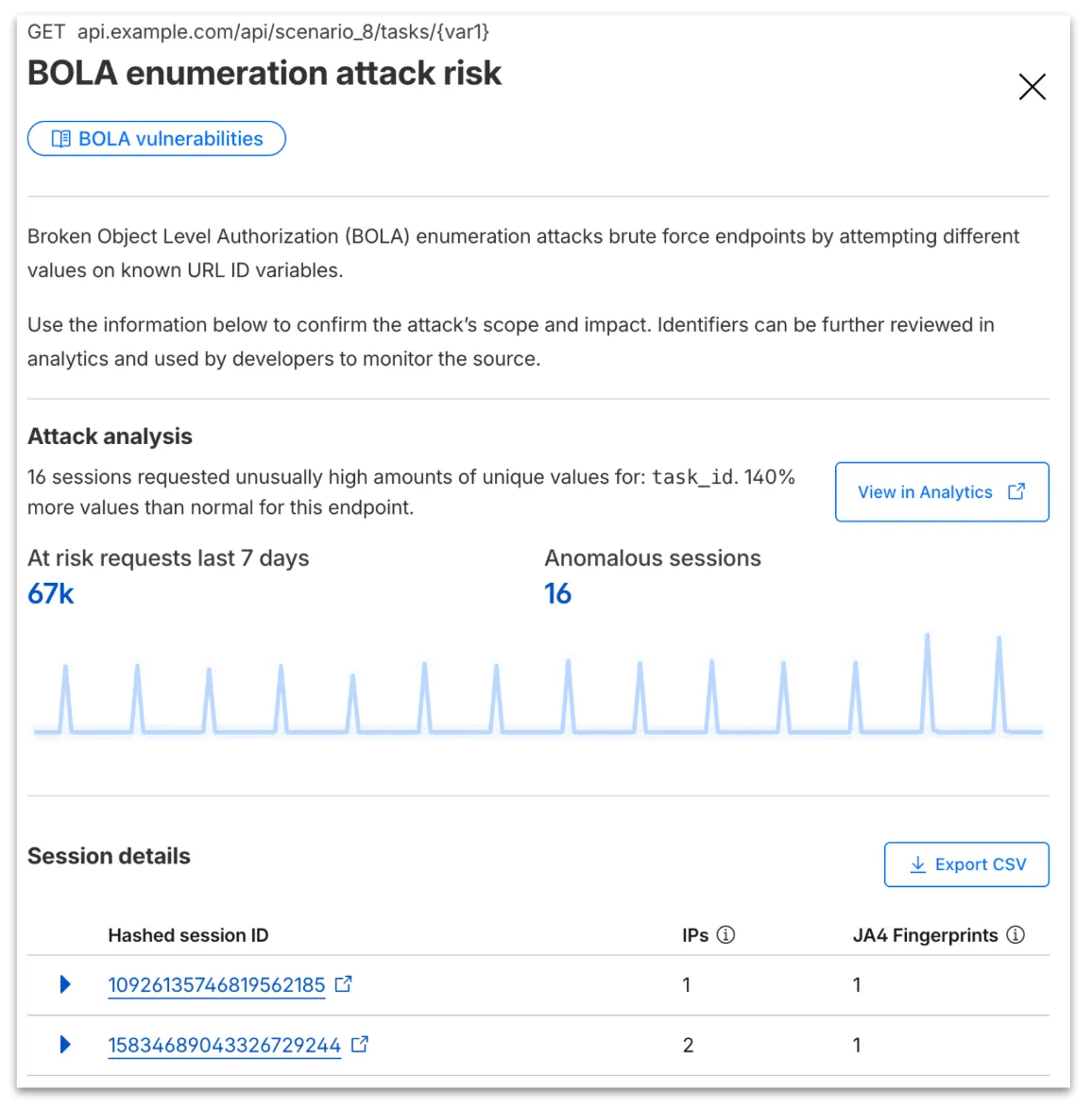
Your search will filter to traffic on that endpoint in the last seven days, along with the malicious session IDs found in the attack. Session IDs are hashed for privacy and will not be found in your origin logs. Refer to IP and JA4 fingerprint to cross-reference behavior at the origin.
At any time, you can also start your investigation into attack traffic from Security Analytics by selecting the suspicious activity card.

We urge you to take all of this client information to your developer team to research the attacker behavior and ensure any broken authorization policies in your API are fixed at the source in your application, preventing further abuse.
In addition, this release marks the end of the beta period for these scans. All Enterprise customers with API Shield subscriptions will see these new attacks if found on their zone.
Source: Cloudflare
Latest Posts
- Microsoft Dataverse – Restore deleted Dataverse records within a specified timeframe [MC1262302]

- (Updated) User reported security signals in Teams admin center [MC1227625]
- (Updated) Microsoft Teams: Automatically set work location by connecting to a Wi-Fi network [MC1081568]
- (Updated) Transitioning Teams Android Device Management from Teams admin Center to the Teams Rooms Pro Management portal [MC1227622]




![(Updated) Microsoft Viva: Viva Glint – New permissions [MC1217642]](https://mwpro.co.uk/wp-content/uploads/2025/06/pexels-cottonbro-5474294-96x96.webp "(Updated) Microsoft Viva: Viva Glint – New permissions [MC1217642] 11")
