You can now visualize, explore and modify your Worker’s architecture directly in the Cloudflare dashboard, making it easier to understand how your application connects to Cloudflare resources like D1 databases, Durable Objects, KV namespaces, and more.
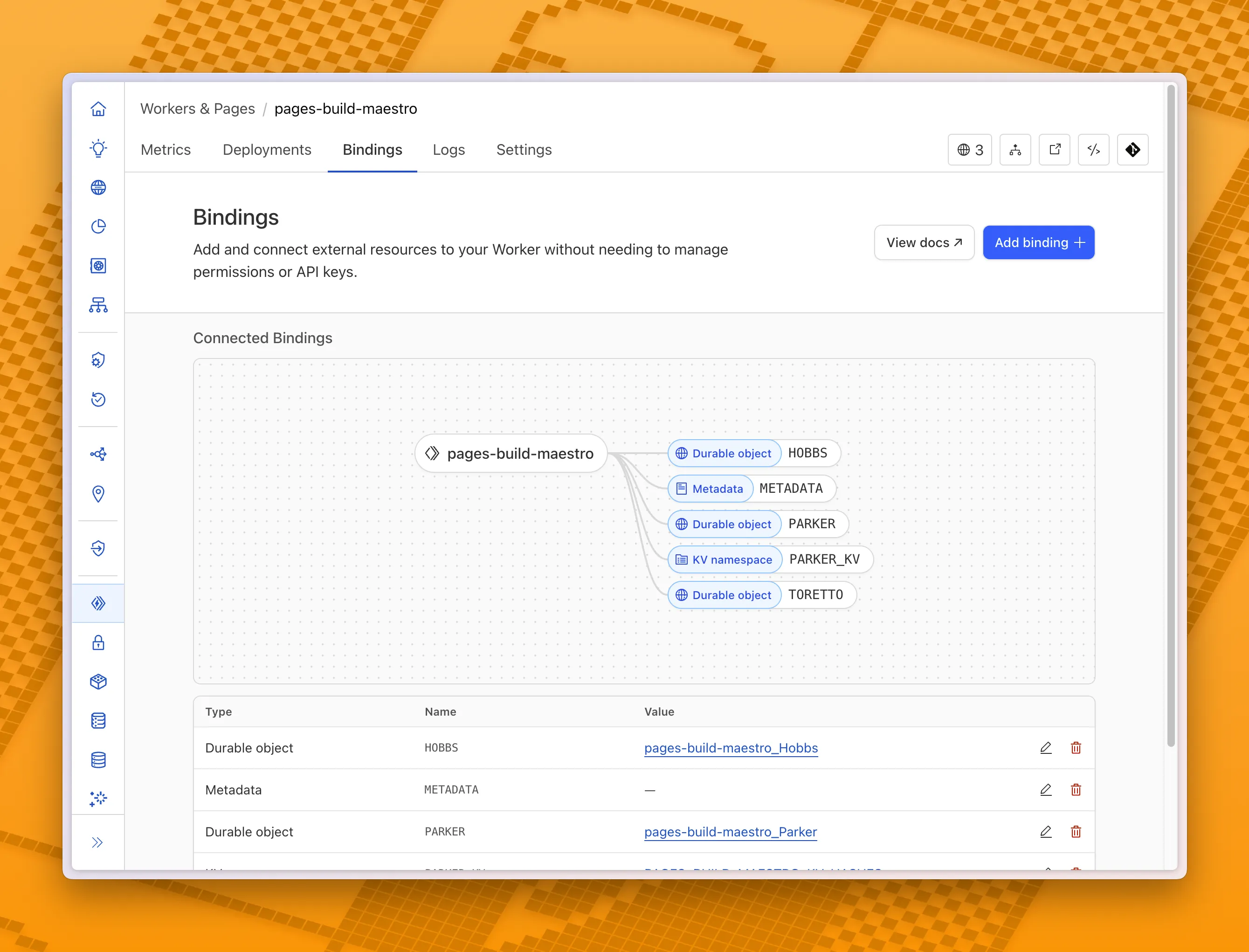
With this new view, you can easily:
- Explore existing bindings in a visual, architecture-style diagram
- Add and manage bindings directly from the same interface
- Discover the full range of compute, storage, AI, and media resources you can attach to your Workers application.
To get started, head to the Cloudflare dashboard and open the Bindings tab of any Workers application.
Source: Cloudflare

Latest Posts
- (Updated) Outlook: Delimiter setting admin policy [MC1239176]
![(Updated) Outlook: Delimiter setting admin policy [MC1239176] 1 pexels scottwebb 139205](data:image/svg+xml;base64,PHN2ZyB3aWR0aD0iMSIgaGVpZ2h0PSIxIiB4bWxucz0iaHR0cDovL3d3dy53My5vcmcvMjAwMC9zdmciPjwvc3ZnPg==)
- Amazon Redshift supports federated permissions with IAM Identity Center in multiple AWS Regions

- Cloudflare Tunnel, Cloudflare Tunnel for SASE – Stream logs from multiple replicas of Cloudflare Tunnel simultaneously

- Microsoft Teams: Recently used emojis sync across devices [MC1256307]
![Microsoft Teams: Recently used emojis sync across devices [MC1256307] 4 pexels brett sayles 2881229](data:image/svg+xml;base64,PHN2ZyB3aWR0aD0iMSIgaGVpZ2h0PSIxIiB4bWxucz0iaHR0cDovL3d3dy53My5vcmcvMjAwMC9zdmciPjwvc3ZnPg==)
![(Updated) Outlook: Delimiter setting admin policy [MC1239176] 1 pexels scottwebb 139205](https://mwpro.co.uk/wp-content/uploads/2024/08/pexels-scottwebb-139205-150x150.webp)


![Microsoft Teams: Recently used emojis sync across devices [MC1256307] 4 pexels brett sayles 2881229](https://mwpro.co.uk/wp-content/uploads/2024/08/pexels-brett-sayles-2881229-150x150.webp)


